 by
by  Are you using Google Hangouts on Air?
Do you want your Twitter and Facebook followers to join in?
By sharing the YouTube link of your Google Hangout to Twitter and Facebook, you can stream the live event to reach more viewers.
In this article you'll discover how to stream your next Google Hangout On Air to your Facebook and Twitter followers.
Why Google Hangouts On Air?
Google Hangouts On Air are live video broadcasts that stream simultaneously on Google+ and YouTube. Through the magic of Google, YouTube automatically records your live video and saves it to your YouTube channel after the event.
Because Hangouts are tied to YouTube, you can broadcast (or replay) your Hangout event anywhere you can embed a YouTube video. Read on to find out how you can stream your live event to Facebook and Twitter.
Set Up the Hangout On Air
Before you can embed your Hangout in Facebook or Twitter, you need to set it up.
Log into Google+ and go to the Google Hangouts On Air page. If you have multiple Google accounts, make sure you're signed into the correct one. This is important because your audience can see the name associated with the account during your Hangout.
The main Google Hangouts On Air page shows you all of the other Hangouts currently going on. This is a great place to find inspiration or tips for your own event.
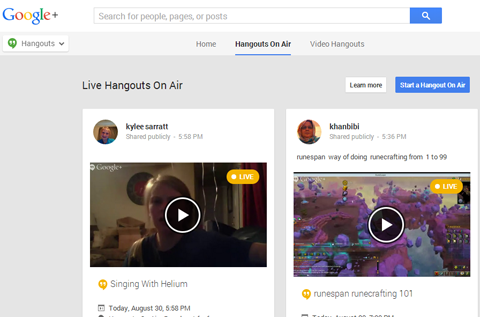
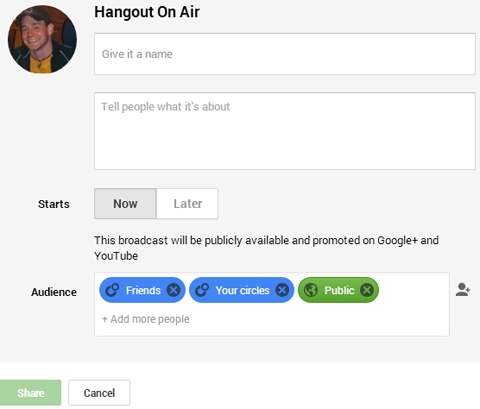
At the top of the page, click Hangouts On Air and then click Start a Google Hangout On Air. When you see the pop-up window, type in the details for your Hangout and click Share.
Be sure to name and describe your Hangout exactly as you want it to appear on YouTube. It's a good idea to include keywords related to your topic, hosts, guests, company or industry.
You also have the option to choose when the broadcast will start and who can see it. However, since you want your YouTube, Facebook and Twitter audiences to have access, make sure you include Public in the Audience box.
So far, so good! Everything is ready, so click the Start button to activate the video and your computer's camera. Then invite any other hosts or speakers as guests.
Go Deeper Than an Article Can Take You

Join thousands of small-business marketers at Social Media Marketing World — three days of AI, social media, and marketing strategy taught by world-class experts. April 1–3, 2027 in Anaheim.
Every session is pitch-free and built around tactics you can use yourself, no big team required. Your All-Access ticket includes an extra day of workshops, full access to AI Business World, and recordings of everything.
GET MY ALL-ACCESS TICKET — SAVE $800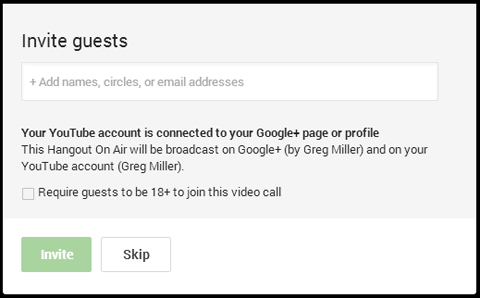
I've had trouble with the Invite feature when the people I'm inviting haven't been active on Google+ for a while. If you run into the same issue, just email them separately with the URL for the Hangout. When they sign into Google+, they can use that URL to easily find the event.
When speakers arrive, you're able to talk with them immediately, but your conversations won't be broadcast or recorded until you click Start Broadcast.
Don't click it yet, though! You'll need to embed the video into your other social platforms before the live Hangout starts. Google automatically posts the video to your Google+ account and YouTube channel, but you have to add the feed manually for Facebook and Twitter.

Tired of Guessing Which AI Moves Matter?
New AI tools and strategies launch every week — and figuring out which ones matter takes hours you don't have.The AI Business Society filters the noise for you, with expert-led training you can put to work the same day — plus a community of marketers sharing what's actually working.
I'M READY FOR REAL AI RESULTSEmbed Hangout On Air Events in Facebook and Twitter
Leave the live Hangout On Air tab open and go back to your Google+ tab. Click the Preview button to convert the preview window into a YouTube video. Then click the YouTube logo to see your Hangout on YouTube.
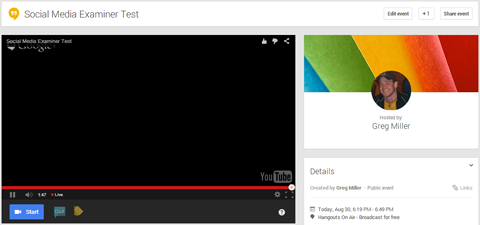
On the YouTube page, you'll see a screen like the one below. Don't worry that it's black or that you can't see yourself or any of the speakers. Since you haven't started the broadcast yet, there's nothing to see.
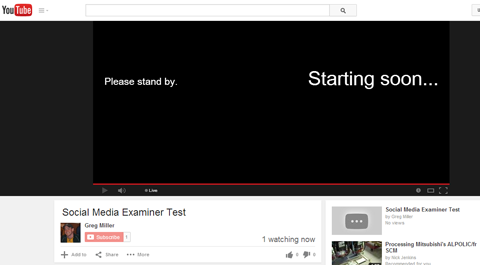
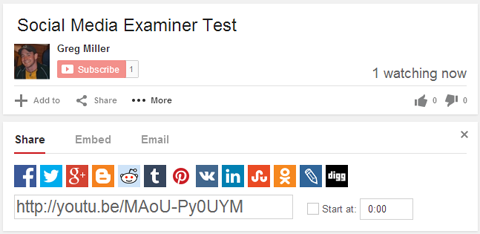
To embed your live Hangout feed in Facebook and Twitter, you need the YouTube sharing link. Click Share and copy the link.
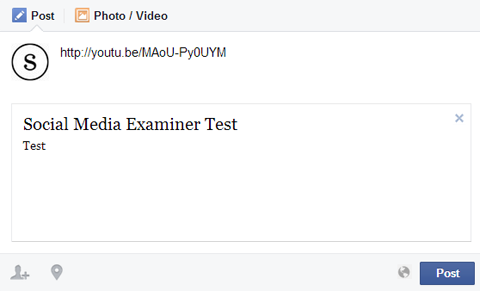
Head over to your Facebook page, write an update and paste in the link. The link will generate a preview, but it won't be active until your Hangout starts. You can either post the update immediately or use a scheduling tool. Either way, my suggestion is to make the post live at the same time the broadcast goes live.
The embedding process works the same on Twitter. Go to your Twitter account and paste the link into a new tweet and include additional information that tells your audience what's going on.
You may even want to post a string of teaser tweets that explain what your Hangout is about, who's speaking, other places people can watch and how it works on Twitter. Build up a little excitement and provide some instruction at the same time.
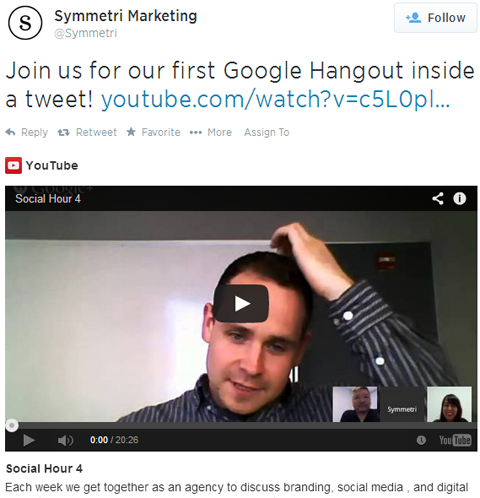
When you have your Facebook and Twitter posts ready, it's time to start the show! Head back over to the Google Hangout On Air tab and start your broadcast.
It's important to note that there's about a seven-second delay from when someone speaks to when the audience hears it on their end. Keep this in mind if you plan on responding to the comments on each platform in real time.
Conclusion
Google Hangouts On Air is a fun way to host everything from general Q&A sessions to webinars to product launches. And because Hangouts On Air is integrated with YouTube, you can embed your live broadcast (as well as the saved one) just about anywhere—Facebook and Twitter included.
Want to reach even more of your audience? Use Facebook ads and promoted tweets to get your Hangout in front of more people and increase engagement.
Have someone monitor each channel that's broadcasting your Hangout. It's important to respond to comments, shares and other interactions during and after the event because Hangout can significantly increase your engagement and audience across all of your accounts.
What do you think? Have you tried streaming Google Hangouts On Air through other social channels? Do you have a webinar or event coming up where you can try this out? Let us know! Leave your comments and questions below.
Where Do You Actually Stand With AI?
Most marketers use AI, but they don't know what's holding them back from real results.
Our 3-minute quiz pinpoints the one gap keeping you stuck — and gives you the exact next step to fix it.
GET MY RESULTS






