 by
by  Are you looking for ways to better engage Facebook fans and build your community?
These top 10 Facebook apps are, in my opinion, some of the most useful ones for pages when it comes to encouraging fan engagement and giving value to your community.
They are also very easy to use. Some may be familiar to you, but you may find some new gems to try out.
By the way, check out Top Ten Facebook Apps for Building Custom Tabs & Pages. If you are looking for a more comprehensive list, check out the one by Mari Smith: Top 75 Apps for Enhancing Your Facebook Page.
#1: Fan of the Week for Pages
Your fans like to be recognized. This application keeps track of participation on your Facebook page and then automatically posts a “shout out” to your fan of the week.
The application is free for the basic message shown below, but you can upgrade for a small fee to customize your message. The Fan of the Week App will also be installed as a tab on your Page so that people can see who the Fan of the Week is for that week if they miss the post.
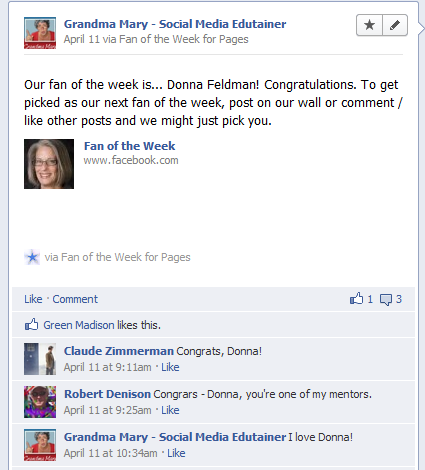
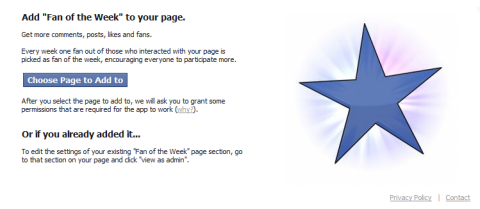
To add it to your page, just go to http://apps.facebook.com/fanofthe/ and then choose the page to add it to. The app will automatically post to your page wall at the same time every week. Make sure you add the app to your page at the exact time you would like it to post.
#2: Booshaka
Booshaka is another application that will highlight the fans who are participating on your page more often. When you install the application, a custom tab called Top Fans is added to your page.
Fans get the most points for posting to your wall and they also receive points for comments and likes.
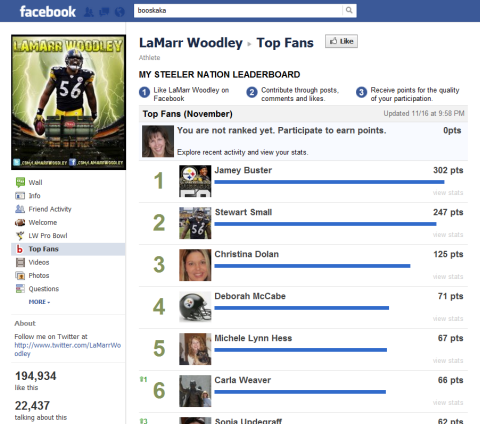
You can view the stats of each fan listed to see how they have participated. The app gives a complete history of the fan's activity on your page.
To install Booshaka, just go to www.Booshaka.com and click the blue Install button. They also have a Top Fans Pro version that rewards the top fans with perks.
#3: NetworkedBlogs
Facebook has changed the news feed algorithm, so it can be hard to keep track of what's working and what's not.
But in recent news, Facebook appears to have changed its algorithm again so that third-party posting applications such as NetworkedBlogs, HootSuite, TweetDeck and others will not be hidden in the news feed.
I have done my own research and have not found any collapsed posts from these applications, which is good news.
Go Deeper Than an Article Can Take You

Join thousands of small-business marketers at Social Media Marketing World — three days of AI, social media, and marketing strategy taught by world-class experts. April 1–3, 2027 in Anaheim.
Every session is pitch-free and built around tactics you can use yourself, no big team required. Your All-Access ticket includes an extra day of workshops, full access to AI Business World, and recordings of everything.
GET MY ALL-ACCESS TICKET — SAVE $790Even though it's always best for engagement and EdgeRank purposes to post manually on Facebook, sometimes a little automation can be helpful. NetworkedBlogs is an application that automatically posts your new blog posts to your Facebook wall. You can use it to post to your personal profile, your Facebook page and Twitter accounts.
The application will pull in the title of the blog post, the first picture in the post (or a screen shot of your entire blog if there isn't a picture) and the first few lines of the post. When someone clicks on the post, there are Share buttons at the top of the post to allow readers to easily share it with their networks.

I find the setup and navigation of NetworkedBlogs a little challenging, but there are help files. The easiest way to add NetworkedBlogs to your fan page is by going to http://www.facebook.com/networkedblogs and clicking on the Add to My Page link on the left sidebar.
#4: Post Planner
Sometimes you need to schedule your posts to your Facebook page. There are some scheduling tools such as SocialOomph, HootSuite or TweetDeck, but none has the capability to schedule posts with pictures or video. Post Planner can help with that.
The tool does cost $4.95/month to post to pages, but having some peace of mind that you won't forget to post at the perfect time can help. Always make sure you are engaging and checking back into the conversation.
Post Planner also has a White Label version so you can customize the app name and send people who click on it to your website instead of to an application.

Tired of Guessing Which AI Moves Matter?
New AI tools and strategies launch every week — and figuring out which ones matter takes hours you don't have.The AI Business Society filters the noise for you, with expert-led training you can put to work the same day — plus a community of marketers sharing what's actually working.
I'M READY FOR REAL AI RESULTS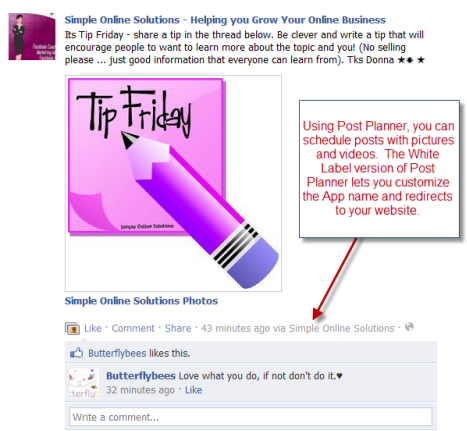
The easiest way to install Post Planner is to go to www.postplanner.com.
#5: YouTube
If you have a YouTube channel, I recommend integrating it into your Facebook page so that people who come to your page can easily access your videos. There are many YouTube applications, but my favorite is YouTube for Pages by Involver. It's easy to install, the layout is nice and it offers easy sharing.
Your most recent video is automatically displayed as the largest. The application will not automatically post your newest video to the wall, but you can easily post it with just two clicks.
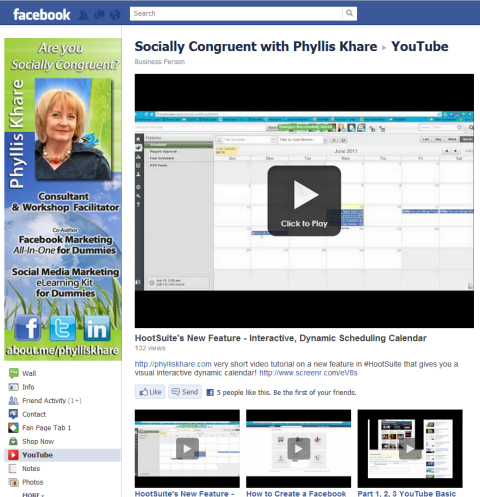
The application is easy to install from http://www.facebook.com/YouTubeApp and then click the Add to My Page link on the left sidebar.
#6: Livestream
Livestream is a great way to bring live video events to your Facebook page. The chat feature can make it more interactive with the audience. You can record the events for later viewing.
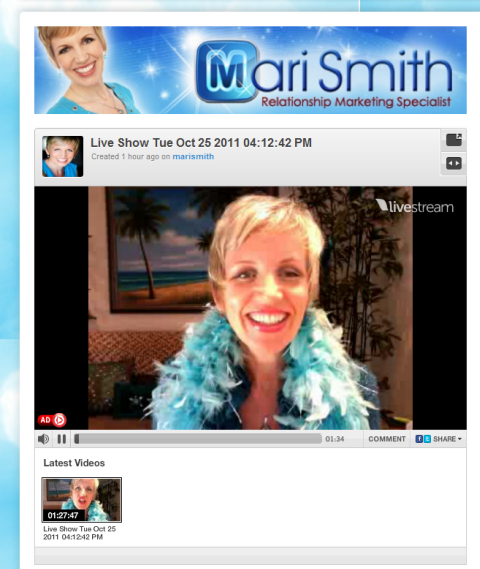
To add Livestream to your page, go to http://apps.facebook.com/livestream/ and click the green Get Started button.
#7: ContactMe
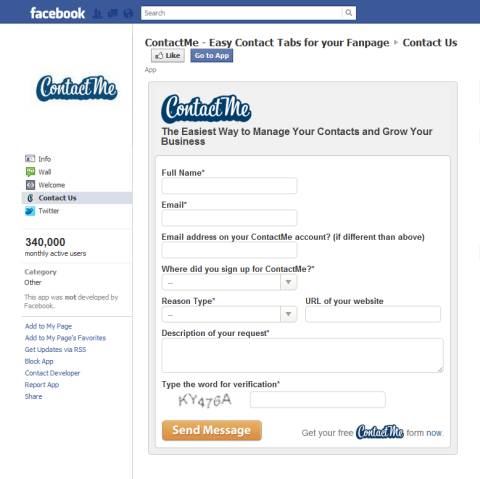
Make it easy for people to get in touch with you with a contact form on your Facebook page. With the ContactMe app, you can add many different fields and customize the form to suit your needs. Install the ContactMe form at http://www.facebook.com/contactforms.
#8: Constant Contact
Many people wonder how to add a newsletter signup to their page. There are lots of ways that include iFrame apps and design.
What I like about the Constant Contact application is that it is very simple to use. But it doesn't allow for a lot of bells and whistles. You can add text to talk about your newsletter and even a picture as shown in the figure below.
But for people who are intimidated by code and too much customization capability, this application can be just the ticket to add a newsletter signup if you use the Constant Contact email service.
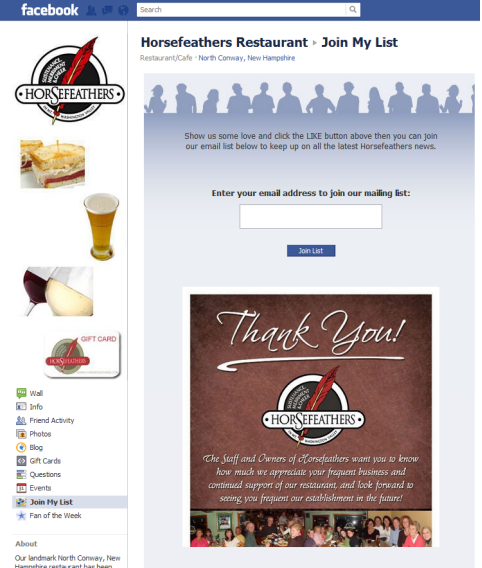
Get started at http://apps.facebook.com/ctctjmml/.
Note: MailChimp also has a Facebook app for newsletter signup if you use their service: http://apps.facebook.com/mailchimp/.
#9: Scribd for Pages
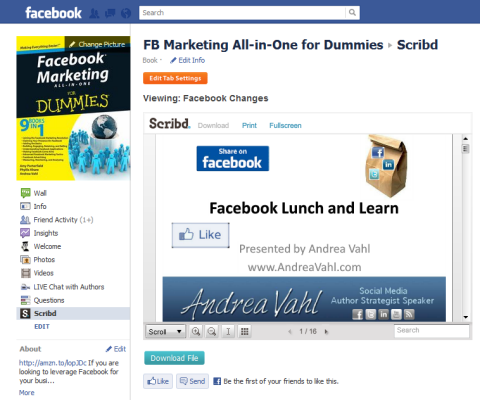
Scribd is a document-sharing service that makes it easy to upload and share PDF, DOC, XLS, JPG and PPT files. People often want to be able to share a document with their Facebook community.
While you could upload the document to your website and share the link, the Scribd application allows people to easily view the document right in the tab and download it if they wish.
Involver also developed Scribd for Pages, and the easiest way to install it is to go to http://apps.facebook.com/involver_epdmxwnq/. You can also access it by going to www.Involver.com.
#10: Ecwid
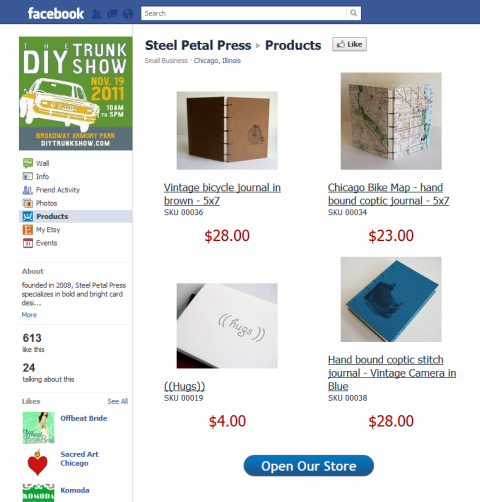
To open a storefront that operates within Facebook, add Ecwid to your page. Ecwid integrates with PayPal, Google Checkout, Authorize.net and several other payment processing options.
Setting up a store is a little more involved than the other apps listed here, but can easily draw attention to your products and services. Ecwid has forums and very good customer support to help you on your way to becoming a social e-commerce pro.
To get started, go to www.ecwid.com.
Applications can and should enhance your community's experience with your Facebook page. They can also make your life easier with a little automation.
What do you think? Have you tried these applications? What has been your experience? Share your questions and comments with us in the box below.

Where Do You Actually Stand With AI?
Most marketers use AI, but they don't know what's holding them back from real results.
Our 3-minute quiz pinpoints the one gap keeping you stuck — and gives you the exact next step to fix it.
GET MY RESULTS






