 by
by  Do you want to be more visible in Facebook Graph Search?
As Facebook Graph Search rolls out to more users, marketers are exploring different ways to use it.
This article will help you increase your exposure in Facebook Graph Search.
Getting Started
You want to prepare your Page so that it comes up more often in these searches.
Currently, Facebook Graph Search’s initial search categories are a bit limited.
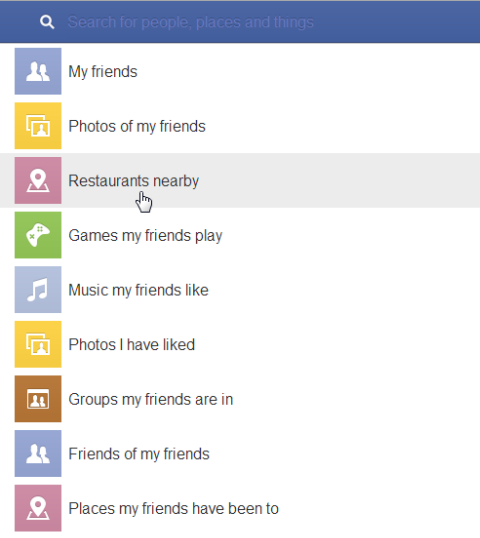
You can drill farther down within these categories and you can also search on more general keywords.
Here are four things that you can do to set your Page up for Facebook Graph Search success.
#1: Watch Your Category and About Section
So far it looks like mostly Place, Music, Books and Movie Pages are the biggest beneficiaries of the category classification. You can search Places by Place Type, but the interesting thing is that the Place Types don’t correspond to the Place types you can choose in the subcategories.
Make sure you have your Page listed as one of these major categories if it fits. If your Place doesn’t fit these categories, don’t worry. Just review your category to make sure you are properly classified.
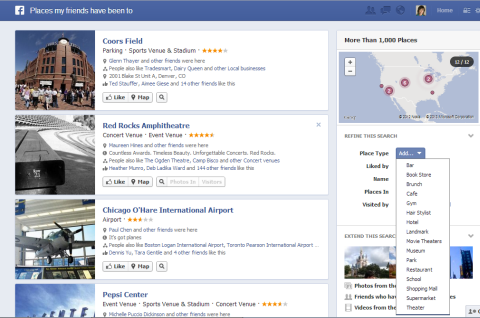
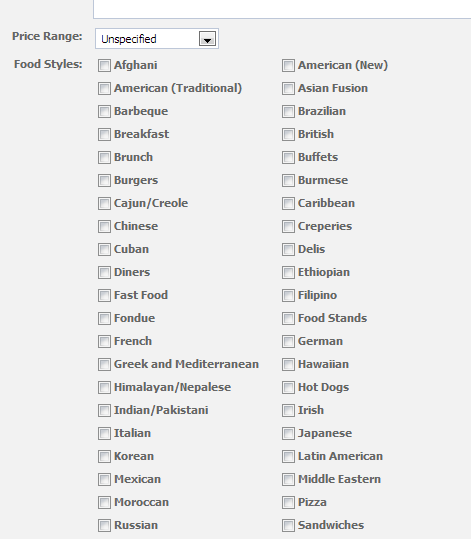
For restaurants, make sure you mark down as many types of foods you serve as possible in your Edit Info area.
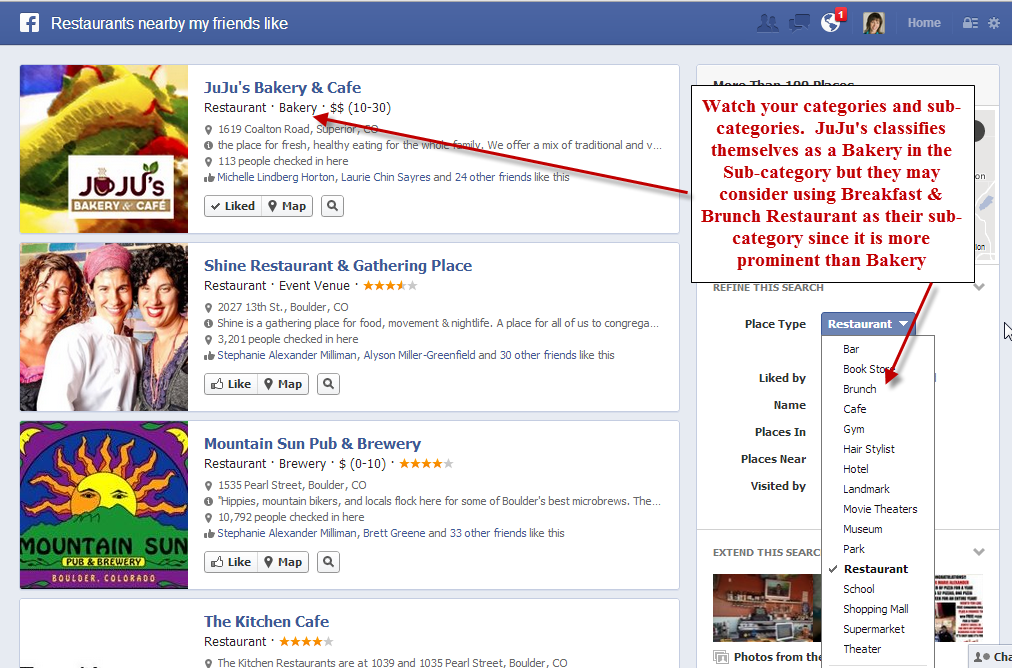
But also notice the Place subcategories. Only Places have subcategories and they affect how Places come up in the Graph Search.
You’ll notice in this search of “Restaurants nearby that my friends like,” JuJu’s comes up first. But when I selected Brunch, JuJu’s was not listed, even though they list Brunch as one of their Food Styles. It appears that the subcategories in this case are weighted higher in this search.
Places can choose up to 3 Place subcategories, so make sure you are using those choices wisely.
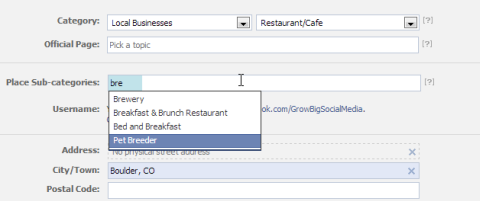
Currently, Pages are not as easily searchable by category in Graph Search. You cannot search Pages by a company or brand type. But it’s still worth checking your category to make sure it aligns as closely as possible with your business.
Go Deeper Than an Article Can Take You

Join thousands of small-business marketers at Social Media Marketing World — three days of AI, social media, and marketing strategy taught by world-class experts. April 1–3, 2027 in Anaheim.
Every session is pitch-free and built around tactics you can use yourself, no big team required. Your All-Access ticket includes an extra day of workshops, full access to AI Business World, and recordings of everything.
GET MY ALL-ACCESS TICKET — SAVE $790Also, it’s important to fill out your About section completely with keywords. Facebook Pages are indexed in Google and so you'll want to have your perfect keywords in your About section to improve your chances of being found.
If you are just getting started with your Page, you may want to make sure you have some of your keywords in your Page name.
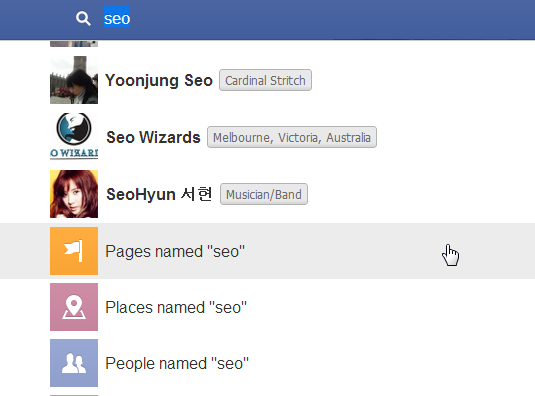
#2: Encourage Check-ins
If you do have a Place Page, you want to encourage check-ins. If you don’t have a physical location that people come to, then I don’t recommend switching your business to a Local Business, especially if you work out of your home (you don’t want some stranger at your door trying to check in).

Tired of Guessing Which AI Moves Matter?
New AI tools and strategies launch every week — and figuring out which ones matter takes hours you don't have.The AI Business Society filters the noise for you, with expert-led training you can put to work the same day — plus a community of marketers sharing what's actually working.
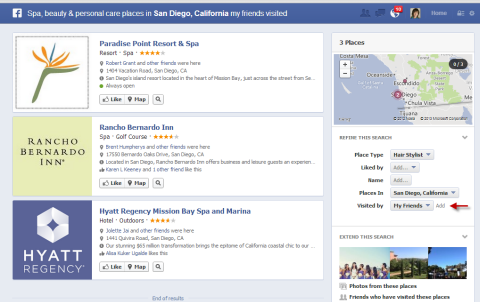
I'M READY FOR REAL AI RESULTSBut one of the benefits of Graph Search is that people can easily search by their friends who have been to your location (and you take advantage of the social proof).
The number of check-ins are not always a factor in the ranking of search results, but the more people you have check into your place, the more likely you will come up in searches when people filter by their friends.
#3: Claim Your Place
Did you know that anyone can create a Facebook Place using his or her phone? And anyone can create a Place for your business with a phone. Unless you “claim” that Place as your own, it may just be hanging out there in Facebook space without you getting the benefit of those check-ins.
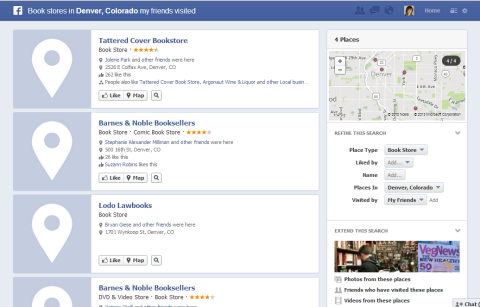
If you have your Page set up as a Place Page (this happens automatically now when you set your category as Local Business), Facebook attempts to display your Page when someone tries to check into your business.
But sometimes it isn’t displayed, and someone may unknowingly create a Place for you by checking in with his or her phone. Or they may use a slightly different spelling or business name when trying to find you, and then Facebook creates a new Place for that check-in.
You want to make sure you claim your Place so you get credit for the check-ins to take advantage of the social proof and to come up higher in the searches as mentioned in point #2.
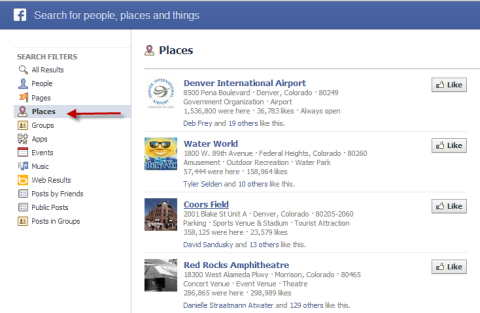
Do a search on Facebook for your business and filter the results by Place. Also search for your business on your mobile phone when you are at your location to see what comes up. Then claim any Facebook Place that is yours.
#4: Encourage Tagging and Liking of Photos
Photos also come up very prominently in Facebook Graph Search. If people are searching around on photos of their friends, they may see a photo of their friend at your location or tagged by your Page.
People can also easily filter to find photos of friends by Pages they like. All of this activity helps your Page and your business to pop up in people’s minds more often.

Remember that you can’t tag personal profiles as your Page. You can only tag your personal friends on a picture or you can encourage people to tag themselves if you have a picture from an event.
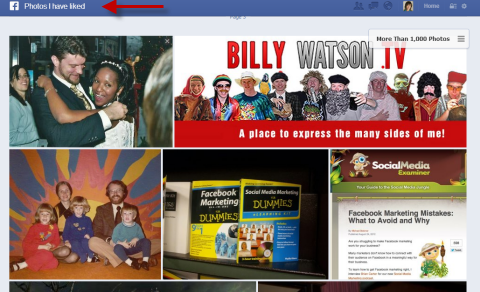
Encouraging people to like pictures also helps your Page because people can easily browse by the pictures they have liked. Now you get another chance to remind them of your presence when they are looking through the pictures they have liked.
Facebook Graph Search is definitely an interesting tool. It will continue to evolve as it goes through beta, but you can start encouraging interactions such as check-ins and tagging to help your Page show up more prominently as people search.
Remember that it’s still important to post regularly and connect with people through the news feed, since not everyone will use Graph Search.
What are your thoughts on Facebook Graph Search? If you have it, how have you been using it? If you don’t have it yet, do you think you will find it useful? Let us know in the comments below!

Where Do You Actually Stand With AI?
Most marketers use AI, but they don't know what's holding them back from real results.
Our 3-minute quiz pinpoints the one gap keeping you stuck — and gives you the exact next step to fix it.
GET MY RESULTS






