 by
by  Have you kept up with the new Twitter changes?
In an effort to dramatically increase overall user engagement, Twitter launched a number of very interesting new features.
And on top of everything, Twitter also has a brand-new logo.
After playing with the new Twitter features for a while, I have quickly grown very fond of them. Take a look yourself and see how Twitter can make your daily information intake easier.
#1: Find Out the Week's Top Twitter Stories
After Twitter acquired popular email digest service Summify a few months back, they made a strong point that email is not dead.
Recently Twitter announced a brand-new feature. It's a weekly email digest filled with great stories from your stream.
Or to put it in the words of Twitter's VP Othman Lakari, you will get “the most relevant tweets and stories shared by the people you're connected to on Twitter.”
When the first Twitter email hit my inbox I was very excited. What you'll notice immediately is a list of the top five stories from your stream this week.
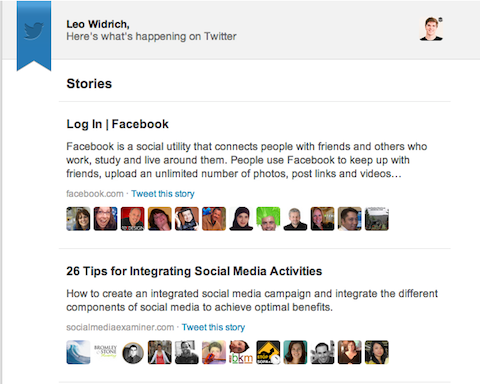
I was pleasantly surprised with the content of the first email. The top story was about “Facebook.com.”
It seems there are still a few things with the stories algorithm that Twitter needs to resolve. But it's also great to be able to click through from each avatar to the actual tweet.
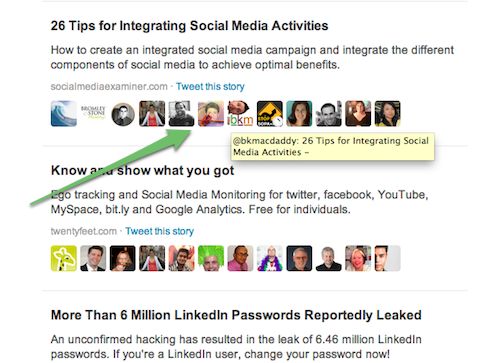
If you can't spend time during the week on Twitter and still want to get the gist of what was going on that week, these stories are gold. I'm definitely looking forward to using these email digests.
#2: Discover the Top Tweets of the Week
What Twitter has now introduced, on top of the original Summify format, is a list of the top tweets that don't contain links. And frankly, this was a very pleasant surprise too.
Although the value of these tweets from a business viewpoint is rather low, they are very entertaining. These tweets tend to be funny status updates or pictures that were retweeted hundreds or thousands of times.
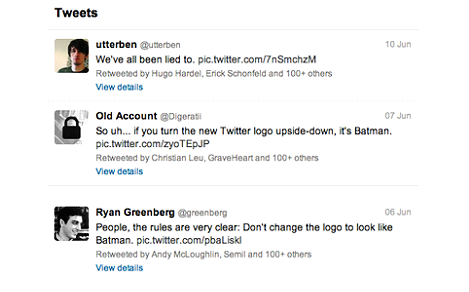
It seems that this feature is intended to pique your interest and encourage you to spend some time on Twitter's site instead of providing you information. It's a great combination to have these top tweets and the informative stories by email digest.

Which AI Moves Actually Matter?
That's what every marketer is wrestling with now. New AI strategies, new tools, new takes every week — but no clarity. Most marketers and business owners are trying to figure out AI alone.The AI Business Society is your trusted guide. Get expert-led training you can put to work immediately. Plus a community of marketers sharing what's actually working.
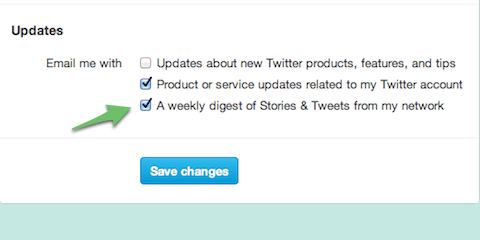
I'M READY FOR REAL AI RESULTSAnd if you want to turn off these emails altogether, you can always go to your Twitter settings and switch them off.
#3: Get Tailored Trends From Twitter
Another very powerful feature Twitter launched recently is called Tailored Trends. So in case you never got any value out of #JustinBieber or #LadyGaga trending, Twitter's trend feature is now much more closely related to what you care about.
3 Days of World-Class Training—Zero Travel!

Couldn't make it to Social Media Marketing World and AI Business World this year? Get all of the great content at a fraction of the price with a Virtual ticket.
That’s full access to recordings of every keynote, workshop, and session—the ones people travel thousands of miles to see. Don't wait. Get your Virtual ticket and enjoy actionable content that you can watch anytime, anywhere.
What are Tailored Trends all about? According to Twitter, “Trends offer a unique way to get closer to what you care about. Trends are tailored for you based on your location and whom you follow.”
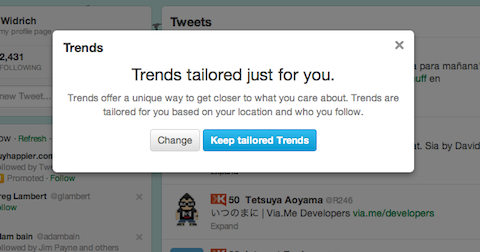
The idea behind Tailored Trends is fantastic. The results are a vast improvement and have already helped me to stay on top of news from my industry. Check out the list of new Tailored Trends I received.
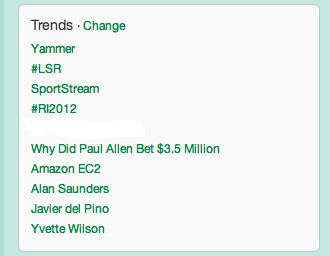
You can easily click on “change” anytime to customize them further.
#4: Get Follow Suggestions in Your Inbox
The last feature in the list for new emails from Twitter is one to send you suggestions on whom to follow. Twitter picks out a few accounts that you might enjoy following based on whom you already follow.
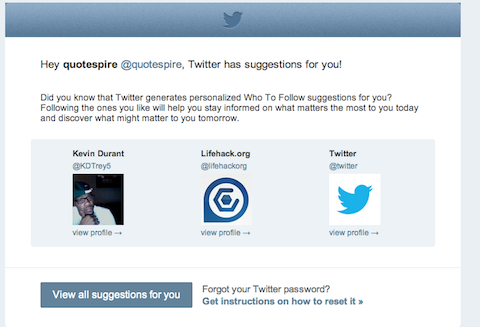
The suggestions from Twitter are still very general and don't quite go into too much depth connecting them to my interests. I'm sure this is something they're working on though.
You can use the Follow Suggest feature found on the left-hand side of Twitter. This was improved a few months ago and works very well.
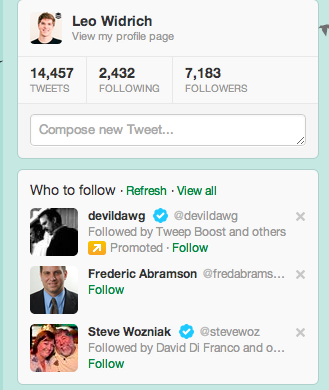
Personally, I believe this suggestion box is very useful—especially if you're trying to expand your network by following new accounts that are highly relevant to your business. Try it out and spend a few minutes following people from the suggestion box.
#5: Expand Tweets in Your Stream
The last new feature that Twitter has introduced is expanded tweets. In Twitter's official announcement, this feature is described as follows:
When you expand tweets containing links to partner websites, you can now see content previews, view images, play videos and more.
Now this is nothing new, as this feature already existed with images, YouTube videos or Instagram pictures. But if you're a blogger or author, this could become very interesting for you soon. Twitter plans to open this up, so any website can display previews to articles very soon.
Expanded tweets work both for your mobile phone and for the web.
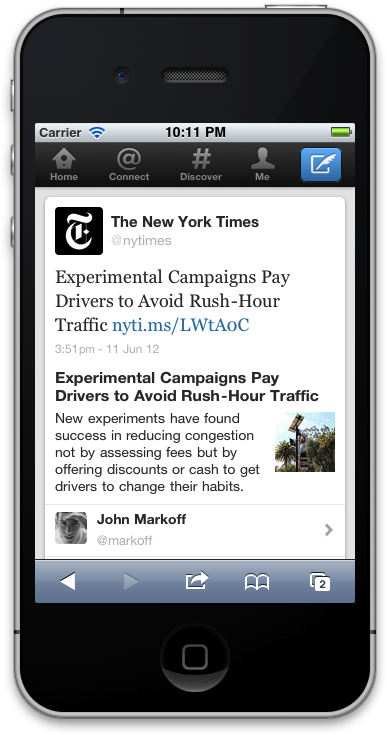
Twitter has only launched this feature to work with a handful of websites, including Time, the New York Times, the San Francisco Chronicle, BuzzFeed and a few others. On the web, this is what you get:
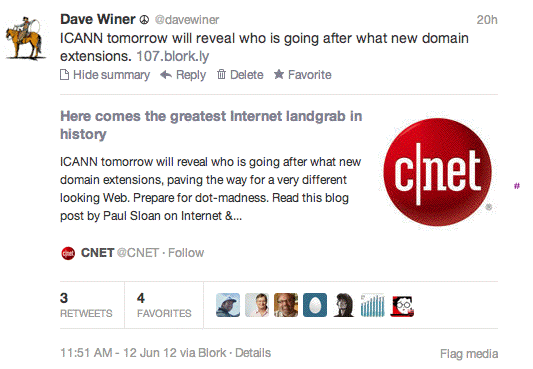
This is definitely another effort to keep users coming back to Twitter.com and keep them engaged longer on the site.
Personally, I am very excited about how Twitter continues to hammer out new features, even though it's a very established company.
The new email digest feature can be extremely handy if you suffer from information overload like I do. I'm also keeping an eye out for when I can add my own blog post previews inside expanded tweets.
Over to You Now
What do you think of Twitter's new efforts to make the site more compelling? Which of its new features will be most useful for you? Leave your questions and comments in the box below.

Curious About How to Use AI?
Our newest show, AI Explored, might be just what you're looking for. It's for marketers, creators, and entrepreneurs who want to understand how to use AI in their business.
It's hosted by Michael Stelzner and explores this exciting new frontier in easy-to-understand terms.
Pull up your favorite podcast app and search for AI Explored. Or click the button below for more information.







