 by
by  Are you looking to maximize your social media exposure on your blog? Then be sure to watch this edition of Social Media Examiner TV with your host Mari Smith.
In this episode, Mari gives you some useful tips on how to increase your blog traffic with social media share buttons.
Social media share buttons are a great way to get your readers to share your content on their own social media profiles without leaving your website. Mari reviews the different social share buttons available today and gives her recommendations on how to use them on your blog or website.
Share your feedback, see the show notes and discover how you can be part of a future show below!
Here are the social share buttons Mari reviews on this video:
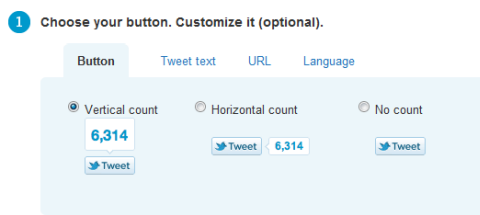
Share Buttons for Twitter
TweetMeme: This is a WordPress plugin which allows you to set how you want the tweets to be prepopulated for your readers.
Twitter Share Button: This is Twitter's own button and another option to use to get your readers to tweet your content.
Mari gives you suggestions on where to use these and reminds you to add a call to action with your Twitter share buttons.
Share Buttons for Facebook
Facebook Like Button: Mari recommends where to place the Facebook Like button on your blog. She explains what you can edit and how this impacts how it's posted on Facebook and why the Like button gives you coveted visibility on Facebook.
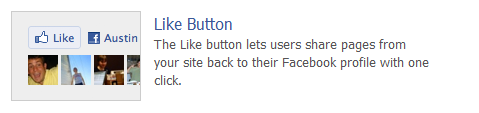
Facebook Share Button: Mari also reviews how this second social share button from Facebook is different from the Facebook Like button and provides social proof.

Tired of Guessing Which AI Moves Matter?
New AI tools and strategies launch every week — and figuring out which ones matter takes hours you don't have.The AI Business Society filters the noise for you, with expert-led training you can put to work the same day — plus a community of marketers sharing what's actually working.
I'M READY FOR REAL AI RESULTSShare Button for LinkedIn
LinkedIn Share Button: Mari explains how the latest social share button works and what it can do for you.
Go Deeper Than an Article Can Take You

Join thousands of small-business marketers at Social Media Marketing World — three days of AI, social media, and marketing strategy taught by world-class experts. April 1–3, 2027 in Anaheim.
Every session is pitch-free and built around tactics you can use yourself, no big team required. Your All-Access ticket includes an extra day of workshops, full access to AI Business World, and recordings of everything.
GET MY ALL-ACCESS TICKET — SAVE $790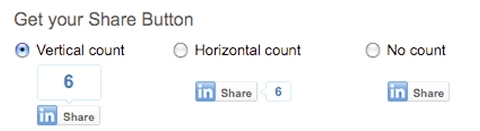
Share Buttons for Multiple Social Media Sites
DiggDigg Plugin: This WordPress plugin provides a collection of social buttons to display on your site. There are two different versions: a static one and a floating version which appears on the side of your blog post and scrolls down as you read the full length of the post.
Sexy Bookmarks: This favorite tool adds a row of social bookmarks at the bottom of your posts. It's very easy to use and lets you choose from over 85 different sites to use on your blog.

Wibiya Toolbar: The Wibiya toolbar is a free tool that's displayed at the bottom of your browser window. It allows your readers to interact with your different social profiles without leaving your site. Mari reviews the various options here and shares how Wibiya gives you stats to find out who's coming to your site and how long they stay.
If you've enjoyed this episode of Social Media Examiner TV, make sure to tweet about it (use hashtag #SMEtv), share it on Facebook or even embed this episode on your blog.
We want to hear from you! Which share buttons do you have on your website? Which buttons do you use the most to share content? Please tell us in the comments below.

Where Do You Actually Stand With AI?
Most marketers use AI, but they don't know what's holding them back from real results.
Our 3-minute quiz pinpoints the one gap keeping you stuck — and gives you the exact next step to fix it.
GET MY RESULTS






