 by
by  Are you wondering how businesses are creatively using Facebook's Timeline features?
Business timelines are blooming all over Facebook.
You may have read our recent post about all of the changes.
Take a look at these examples of how businesses are creatively using Timeline.
#1: Adding Interesting Milestones
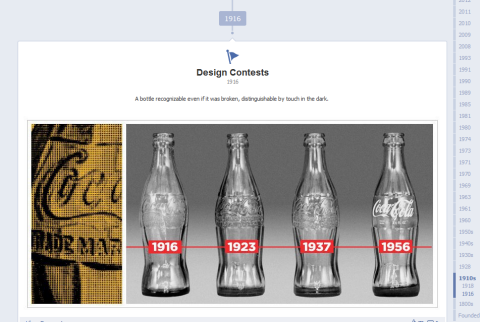
Interesting Milestones may work better if your company has some history. Coca-Cola, founded in 1886, has the benefit of a long and interesting history, so they can show their products from 1916 and how they have since evolved.
But you still may be able to get creative with product releases and things that you have accomplished.
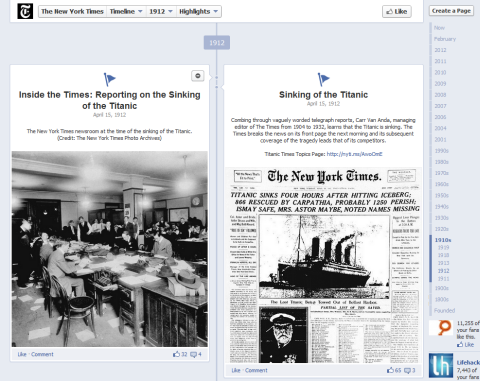
The New York Times, founded in 1851, gives you a walkthrough history with their Milestone posts.
Be sure to spread out the posting of your Milestones as those posts will go out to all of your fans. Don't post ten in a row or you may irritate your community with “over-posting.”
#2: Incorporating the Profile Picture Into Your Cover Photo
The profile picture is a good place for your company logo, but since the profile picture overlaps the cover photo, you will need to leave some blank space in the lower-left corner of your cover photo. So why not blend the two pictures?
Tim Ware posted about creative personal profile cover photos, including a Photoshop template to incorporate the profile picture into the cover photo. We are now seeing how brands are getting creative with profile pictures and cover photos in these examples.
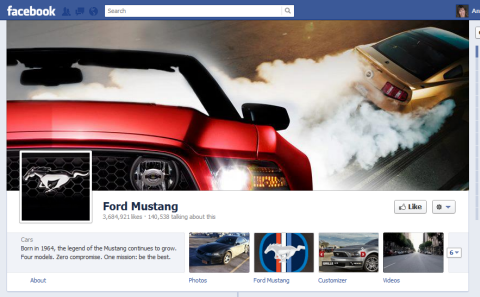
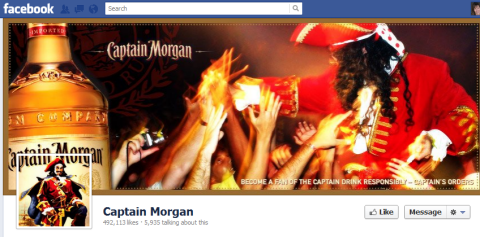
See some other creative Timeline cover photos from Ching Ya.
#3: Telling a Story With Photos
Photos have gotten larger in Timelines and you can use the Highlight feature to show even more of the album. The Kia Soul page has highlighted their concept car album to display more pictures.
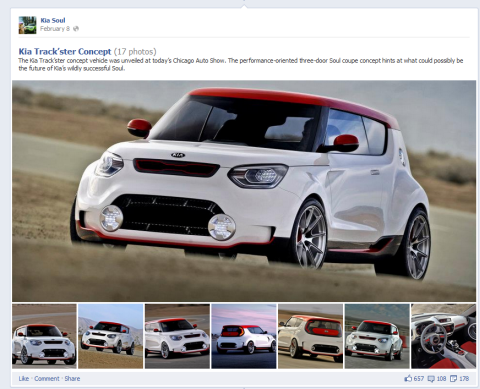
Also when you add photos to an album, you will have a post on your Timeline. Then you can share the album to again showcase the story in a different way. People love seeing photos (think Pinterest) and using them extensively on your Timeline can be a good way to tell your story.
The Aquascape Foundation got good mileage out of photos of their recent trip to Uganda by having them post in different ways to their Timeline.

Which AI Moves Actually Matter?
That's what every marketer is wrestling with now. New AI strategies, new tools, new takes every week — but no clarity. Most marketers and business owners are trying to figure out AI alone.The AI Business Society is your trusted guide. Get expert-led training you can put to work immediately. Plus a community of marketers sharing what's actually working.
I'M READY FOR REAL AI RESULTS3 Days of World-Class Training—Zero Travel!

Couldn't make it to Social Media Marketing World and AI Business World this year? Get all of the great content at a fraction of the price with a Virtual ticket.
That’s full access to recordings of every keynote, workshop, and session—the ones people travel thousands of miles to see. Don't wait. Get your Virtual ticket and enjoy actionable content that you can watch anytime, anywhere.
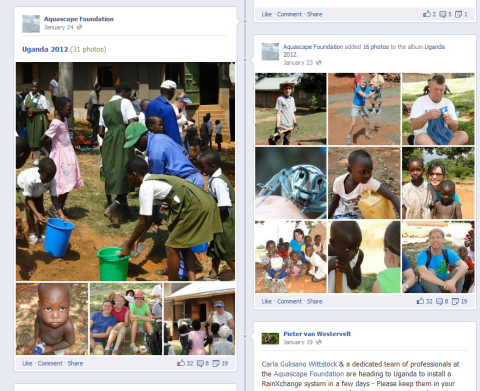
#4: Branding With Apps
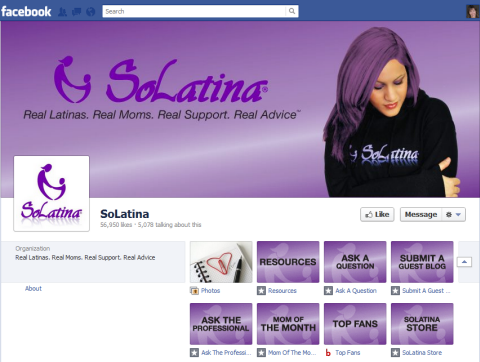
Apps are much more visible on the new Timeline. The Facebook Photos app will always be in the first row, in the first position, and will always display the most recent photo. The next three apps in the row will be most visible, so put your best apps in the first row.
If your apps are interesting, you may have people click the down arrow on the right side to see what else you have available. Notice how these pages have really branded their apps and added a call to action within both the app's name and custom graphic.

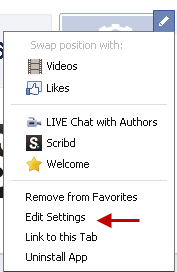
As a reminder, the app custom graphics are 111 pixels by 74 pixels and can be changed by clicking the down arrow on the right side to show all apps, then mousing over the app and clicking the pencil icon to activate the dropdown menu as shown. Click Edit Settings to change the title of the custom tab or add custom graphics.
Here's some good information if you're wondering where to get apps to add to your page.
Adding apps to your Timeline works just the same as adding apps to the older-style Facebook pages.
#5: Using the About Section to Give a Call to Action
While you can't have a call to action (such as “Click Like” or “Buy Now”) or your website address in the cover photo of your Timeline, you can have that information in your About section. The About section is hot property, so use it well.

There are many pages that don't have anything in their About section at all, which could be due to confusion about where to edit this information. To edit your About section, click the About link, then mouse over the upper-right corner near your About section until you see the Edit button with the pencil. Click the Edit button and you see the older-style dashboard page as shown.
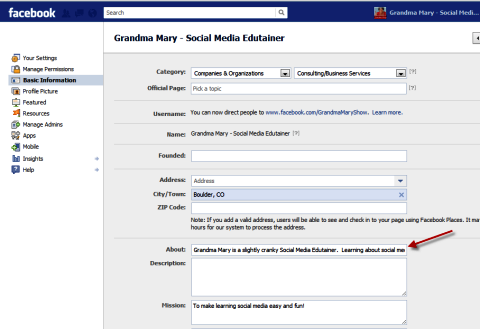
You can have your website address and a call to action in your About section, but you only have approximately 160 characters to work with before it is cut off, depending on how the words flow. In fact, your previous About section may have been longer but is now cut off mid-sentence. Make sure you correct that in the new Timeline view.
If your page is also a Place or Local Business, your address and phone number will be the default About section. There is no way to change this unless you want to change the category of your page. If check-ins are part of your strategy, then keep the local business classification.
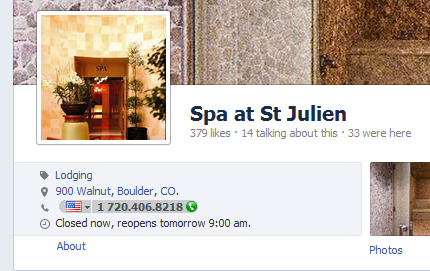
Don't just focus on your About section that appears on your main Timeline page—make sure you are looking at what your About section looks like when you click the About link. Use that space creatively to link to special places on your website and tell people more about what you do and whom you serve.
Hopefully these 5 tips will give you some good ideas on how to use your Timeline more creatively.
What do you think? Have you seen any pages using Timelines in new and creative ways? Tell us in the comments box below!

Curious About How to Use AI?
Our newest show, AI Explored, might be just what you're looking for. It's for marketers, creators, and entrepreneurs who want to understand how to use AI in their business.
It's hosted by Michael Stelzner and explores this exciting new frontier in easy-to-understand terms.
Pull up your favorite podcast app and search for AI Explored. Or click the button below for more information.







