 by
by Are your competitors producing more creative than you can match because they've figured out how to use AI to do it at scale? Are you still waiting weeks for a UGC creator to deliver one video, then repeating that cycle for every new ad variation you want to test?
In this article, you'll discover why AI-generated ad creative is no longer optional, and learn how to use AI image tools to produce polished and native-looking UGC video ads.
What Advertisers Need to Know About AI Ad Creative Right Now
Caleb Kruse describes the latest shift in ad creative as something advertisers must learn whether they choose to or not.
Meta's stated goal is to fully automate the media buying cycle for a future where a business enters a product URL, describes what they sell, sets a budget, and lets the platform generate all the creative without any human involvement. Their acquisition of Manus, a fully agentic tool that analyzes media buying and generates creative autonomously, has already moved them meaningfully closer to that goal.
Every major platform is heading in the same direction. Google and Meta have embedded their own AI image and video generators directly into their ad tools. TikTok's parent company, ByteDance, has built AI models that rank among the most capable available anywhere.
Platforms aren’t waiting for advertisers to catch up; they're building AI into the infrastructure itself.
The biggest upside for advertisers who adopt AI-generated ad creative early is time. With traditional UGC, getting a single final video from a creator can take weeks of back-and-forth, depending on availability and responsiveness. With AI, a hundred videos can be completed in roughly the same window.
The cost per finished asset is also significantly lower than hiring a creator or production team for every variation you need.
The third benefit is scale that matches where the platforms are headed. Meta's Andromeda update placed greater emphasis on creative diversity; the algorithm needs more variations to identify which creative signals reach which users most efficiently. Caleb describes a scenario where the same script is delivered by eight different AI personas, in different settings, each calibrated to resonate with a different demographic. That kind of volume is impossible to produce at speed with traditional production. AI makes it routine.
#1: Risks and Considerations to Consider Before You Start Using AI for Ads
Before generating a single image, Caleb says there are two questions every advertiser needs to work through: how much brand risk they're comfortable with, and what the legal guardrails actually look like.
Brand Safety
The biggest barrier isn't the technology; it's the discomfort of having an AI-generated person represent your brand. That discomfort is reasonable, and it isn't the same for every business. The risk level varies significantly by product and industry.
For lead-generation businesses in categories like home services or solar installation, an AI-generated person on a rooftop is unlikely to create any brand perception problems.
But for categories in which how a product looks on a specific body or skin type is central to the purchase decision (apparel, skincare, beauty, etc) the stakes are higher. Consumers in these categories expect to see an accurate representation of how a product actually fits or performs on a real person. Caleb identifies these product types as those with the most legitimate reasons for caution.
FTC Compliance and Platform Rules
The legal picture is less complicated than many advertisers assume.
Go Deeper Than an Article Can Take You

Join thousands of small-business marketers at Social Media Marketing World — three days of AI, social media, and marketing strategy taught by world-class experts. April 1–3, 2027 in Anaheim.
Every session is pitch-free and built around tactics you can use yourself, no big team required. Your All-Access ticket includes an extra day of workshops, full access to AI Business World, and recordings of everything.
GET MY ALL-ACCESS TICKET — SAVE $790FTC guidance on AI creative is essentially identical to the guidance for real UGC. The same things that aren't allowed with a human creator are also off-limits with an AI avatar: fabricated first-person testimonials are off-limits either way. An AI persona saying “I used this product and my skin cleared up in a day” carries the same compliance risk as a paid human creator saying the same thing.
The practical fix is straightforward. Rather than scripting first-person testimonial language that claims personal experience, write the script in the third person so the avatar presents the claim: “This acne cleanser outperforms the leading competitor.”
As for the platforms themselves, Caleb says he has not encountered a single case of an ad account being flagged or disapproved for using AI-generated creative. Meta, Google, and TikTok all use their own generative AI in their advertising tools, and the standard platform ad policies apply regardless of how the creative was made. Making outrageous health claims is a violation, whether a real person or an AI persona makes them.
#2: Generate an AI Persona for Your Image Ads
Creating AI personas for your ads is now easier than ever. The process Caleb recommends involves two phases.
First, generate a character and lock in their look. Describe the age, appearance, and energy of the persona you want to create.
When you have your persona dialed in, generate eight to ten different shots of them from multiple angles, in different lighting conditions. These shots become your character reference library.
From a single base character, generate age variations in five-year increments: a 20-year-old version, a 25-year-old, continuing up to 65. This will give you a library of personas that can be matched to different audience segments across campaigns.
Second, use your persona reference images to place the character in the specific context you need for an ad, such as holding your product, in a particular setting, at a specific angle. Because the reference images establish a consistent visual identity across shots, the character remains recognizable from ad to ad.
Pro Tip: When Caleb wants to capture the vibe of a real person he's seen in a video, he screenshots the person, uploads the screenshot to Gemini, and asks Gemini to write a prompt describing someone who looks similar. Note, this is not a copy of that person (which would be an illegal use of their likeness), but a newly generated character with a similar feel. He can then use that prompt to create his own original character.
Tips to Optimize Your Prompting
Caleb believes most people make prompting harder than it needs to be. He has never written a full image prompt from scratch.
His approach when working with a new model is to find the official prompt guide and drop it into ChatGPT, Claude, or a Gemini conversation along with his reference image:
Using this guide and this reference image, help me build the perfect prompt for [what I want to create].
The LLM generates a formatted, structured prompt that he uses as his starting point.
To make this repeatable, he builds the prompt guide into a custom GPT, Claude Project, or Gemini Gem, so that every time he opens the tool, the context is already loaded.
To further systematize prompt creation without writing anything manually, he also uses Airtable's AI agent columns to build prompts dynamically from dropdown selections.
#3: 2 Ways to Develop Image Ads With AI
Caleb says most advertisers begin with image ads, and for good reason. Image generation is more accessible, the feedback loop is faster, and the tools have matured to the point where the outputs are consistently usable.
The primary model he recommends is Imagen 3 — marketed by Google as Nano Banana (Nano Banana 2 is their faster flash model; Nano Banana Pro is their more advanced tier, accessible through Google's Gemini Pro subscription).
Model Winning Ad Creative
The first use case Caleb describes is using AI to replicate the structure of high-performing ad formats with your own product. Common formats include an “us vs. them” comparison, a product feature callout, or a before-and-after comparison.
The workflow starts with competitive research.
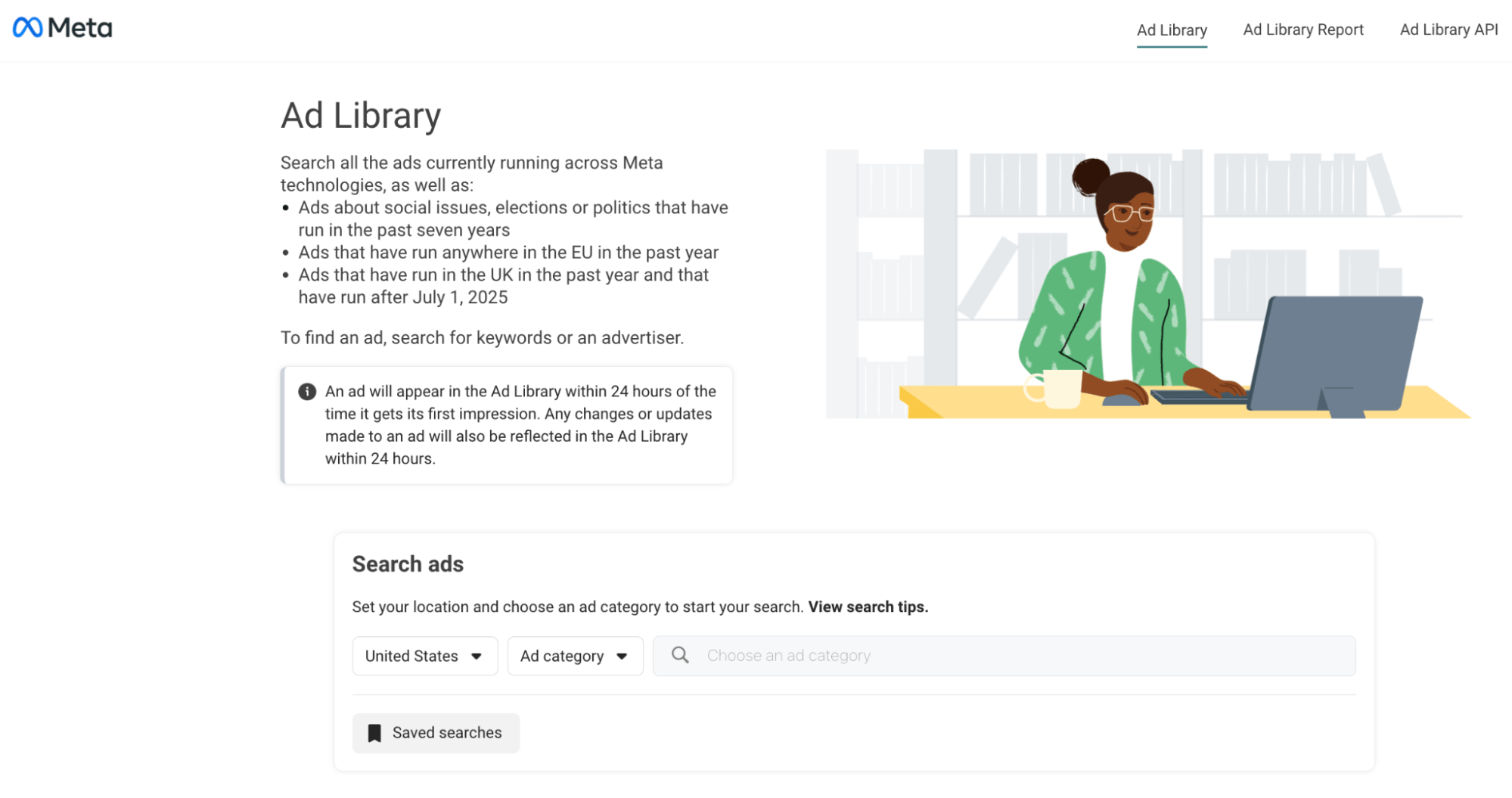
Free tools like the Facebook Ads Library let you search any brand's active ads and, with a recent update, view relative impression ranges — so you can gauge which ads are actually performing, not just running.
Paid ad intelligence tools like Foreplay, CreativeOS, and Atria go further, offering curated libraries of creative assets across the direct-to-consumer space.

Tired of Guessing Which AI Moves Matter?
New AI tools and strategies launch every week — and figuring out which ones matter takes hours you don't have.The AI Business Society filters the noise for you, with expert-led training you can put to work the same day — plus a community of marketers sharing what's actually working.
I'M READY FOR REAL AI RESULTSWhen you find an ad that resonates, screenshot it, upload it to a tool like Nano Banana, and prompt it to reproduce the same format with your product, your brand colors, and your fonts.
Pro Tip: Text rendering on products, historically one of the weakest points in AI image generation, has improved dramatically and is now reliable in most cases.
Create UGC-Style Ads
The second category Caleb calls “ugly ads,” borrowing a term from Barry Hott, who has built a following in the DTC community around this format. Caleb also calls these “chameleon ads” because they take the shape of the organic content around them.
Ugly ads are ads designed not to look like ads. These ads blend into the feed rather than announcing themselves as advertising. Instead of polished studio imagery, they use a selfie aesthetic. For example, an ad that shows someone holding a product in a natural setting, and uses platform-native fonts from Instagram, TikTok, or Snapchat.
Caleb says this format is his primary use case for image ads because, in his experience, they perform much better.
#4: 4 Ways to Develop Video Ads With AI
The workflow for AI video ads is more involved, but Caleb says it's more accessible than it looks.
Produce Original AI Video Scene by Scene
Almost every AI video production workflow currently begins with the AI persona images you build. The persona images become the starting frames for each scene in the video.
Say you want an unboxing video that shows someone picking up a box from their front porch, bringing it to the kitchen table, opening it, taking out the product, and trying it on.
First, create a reference image for each scene featuring your AI persona. Then feed each reference image into an AI video model, such as Imagen 3 or a comparable tool, with a prompt that describes the action, dialogue, and any sound effects. The model generates each scene as a short clip. Those clips are downloaded and assembled in CapCut, Final Cut Pro, or any standard video editor.
Generate Precise Multi-Scene Original Video With Kling
Kling is one of Caleb's primary tools for video production. Its most significant capability is multi-scene prompting: instead of generating each clip separately, you can prompt scene one, scene two, and scene three in a single input, and Kling assembles a multi-sequence video for you.
For example, Caleb created a mock podcast video, using a screenshot of someone else’s podcast studio. He used Gemini to insert himself and another person into the environment and rebrand the set. Then, he uploaded that composite image to Kling as the reference, then prompted it shot by shot with an establishing shot of both people at the table, a 45-degree zoom to the guest, and a cut back to the host when speaking.
Kling executed the sequence exactly as described, including the shot-switching logic that matches what viewers expect from a real podcast format.
Create AI-Directed Original Video With Sora 2
Sora 2, OpenAI's video model, offers a different trade-off. Where Kling rewards specific, granular prompting, Sora 2 works from high-level direction.
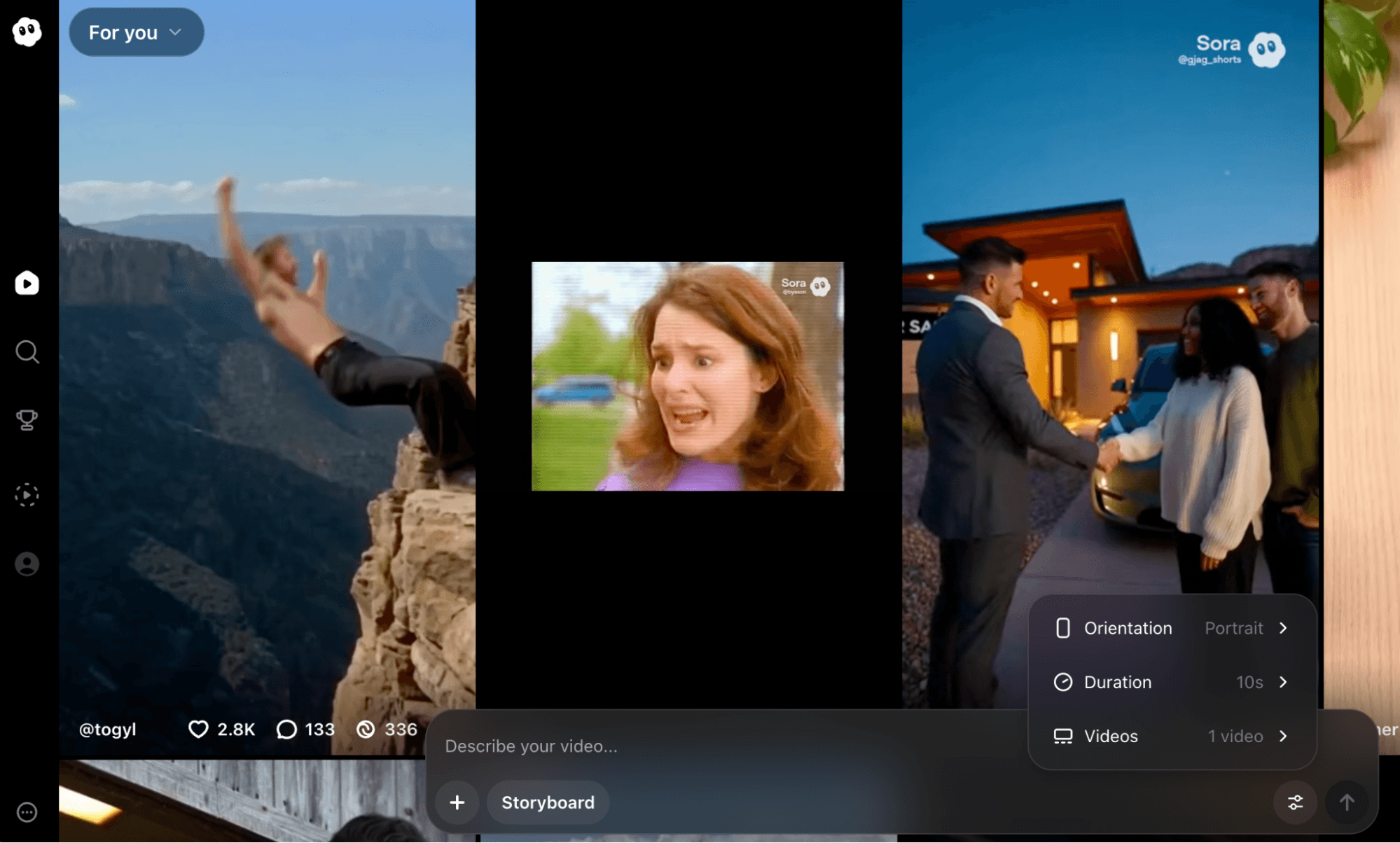
Feed it a reference image of your product and describe the scene loosely:
A cinematic video of someone holding this product.
Sora 2 will write a script, assemble the clips, add music, and layer in a voiceover. The result is a fully packaged ad without scene-by-scene management.
The trade-off is control. Sora 2 is the right tool when you want a fast result and are comfortable letting the model make creative decisions. For advertisers who need precise outputs with a specific camera angle, a particular movement, or exact dialogue, Kling and Google's Veo 3 offer more precision.
Note: Veo 3’s visual realism is strong, particularly for anything shot in an iPhone-style UGC format, but the AI-generated voices still sound slightly robotic, an area Caleb expects to improve quickly.
Refresh Existing Video Ads With Kling or Sora 2
One of the most immediately actionable use cases for AI video ads is recasting the main subject of a top-performing video ad with a different persona while preserving every motion and timing beat from the original.
Upload the original video to Gemini, which can watch the full video, analyze it, and generate the prompts needed to recreate it.
From there, both Kling and Sora 2 offer a character-swap feature: you upload the original video and provide a new reference image, and the model maps the original's movements and lip-sync onto the new character.
Tips for Enhancing AI Video Ads
Voice Cloning and Lip-Sync
The workflow for producing a talking AI persona has simplified dramatically. Current models output fully lip-synced, animated avatars speaking in a natural voice, generated in a single step.
For advertisers who want to use their own voice or a cloned voice, ArcAds integrates directly with ElevenLabs. The process involves uploading about 2 hours of audio to ElevenLabs, which then clones the voice. That cloned voice can then be applied to any AI-generated video directly within Arc Ads with a single click.
Sound Effects
Sora 2 handles sound effects natively. Caleb tested it with a fight sequence prompt and received laser sounds, impact effects, and a full dramatic music score as part of the generated output.
For more precise control over specific sounds, ElevenLabs also offers a sound effects generator: describe any sound you want (a cardboard box tearing, a bicycle bell, a door hinge, etc.) and it generates it on demand for layering into the final edit.
Aspect Ratio Adaptation
One underused workflow Caleb highlights is AI-driven aspect ratio conversion. Rather than cropping or stretching an existing image, AI models can intelligently rebuild it for different formats.
Caleb built an Airtable template with columns for the three main aspect ratios he uses (9:16, 1:1, and 4:3) and connected them to each model's API. Clicking a button triggers the model to vectorize the ad and reconstruct it for each format, adding additional context where needed (such as expanding the frame on a landscape image converted to vertical) rather than simply scaling the image.
Caleb Kruse is an AI ad strategist and media buyer with twelve years of experience in paid social advertising. He runs the AI Ad Alchemist, a private membership community for marketers and business owners learning to build and scale AI ad creative. Follow him on TikTok, Instagram, YouTube, and LinkedIn.
Other Notes From This Episode
- Connect with Michael Stelzner @Stelzner on Instagram and @Mike_Stelzner on X.
- Watch this interview and other exclusive content from Social Media Examiner on YouTube.
Listen to the Podcast Now
This article is sourced from the Social Media Marketing Podcast, a top marketing podcast. Listen or subscribe below.
Where to subscribe: Apple Podcasts | Spotify | YouTube Music | YouTube | Amazon Music | RSS
✋🏽 If you enjoyed this episode of the Social Media Marketing podcast, please head over to Apple Podcasts, leave a rating, write a review, and subscribe.
Stay Up-to-Date: Get New Marketing Articles Delivered to You!
Don't miss out on upcoming social media marketing insights and strategies! Sign up to receive notifications when we publish new articles on Social Media Examiner. Our expertly crafted content will help you stay ahead of the curve and drive results for your business. Click the link below to sign up now and receive our annual report!

Where Do You Actually Stand With AI?
Most marketers use AI, but they don't know what's holding them back from real results.
Our 3-minute quiz pinpoints the one gap keeping you stuck — and gives you the exact next step to fix it.
GET MY RESULTS






