 by
by  Do you want more social engagement on your website?
Would you like visitors to tell their friends about you?
In this article I'll show you six ways to integrate social visibility into your website.
#1: Start with Social Share Buttons
The easier your site is to share, the more likely your visitors are to share it. Whether you want shares for a blog, an ecommerce product or a conversion landing page (such as an ebook download or a contest), code in prominent sharing options.
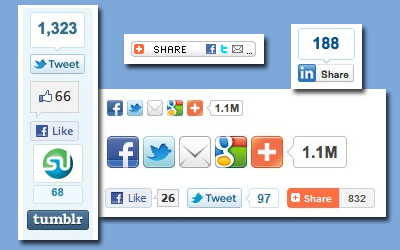
There are many options for social share buttons on your website.
Tips for adding social share buttons:
- Use arrows and calls to action to draw attention to your sharing ask.
- Test the optimal number of share buttons for your website—too many buttons can actually decrease your shares.
- Try adding free social share buttons such as those from AddThis, ShareThis, AddToAny or Markerly.
Now that you've got your share capability covered, let's take a look at how you can use sharing and other social elements to garner social visibility for your brand.
#2: Build From the Blog Up
If you have a business website, you likely have a blog. A great business blog can become the social foundation of your website.
Use it to publish sharable content written specifically for your niche demographic. Write about lifestyle, how-tos or problem-solving. Post articles with visually appealing images. Use short, bite-sized sentences to make your blog easy to skim. Add social elements like share buttons and comments.
The more your blog connects with your readers, the more likely they are to engage with and share its content with their friends and followers.
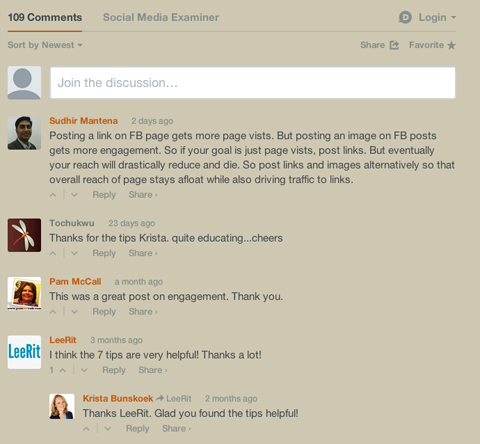
Social Media Examiner uses the commenting platform Disqus to create a highly engaged, social community on their blog.
Tips to make your blog social:
- Ask questions and request comments to increase social engagement.
- Make it easy to comment with social commenting applications like Disqus, ShareBloc or Livefyre.
- Invite other industry influencers to guest blog.
#3: Integrate Social Actions in Contests
A photo contest creates visual appeal and visuals dominate socially shared content.

Which AI Moves Actually Matter?
That's what every marketer is wrestling with now. New AI strategies, new tools, new takes every week — but no clarity. Most marketers and business owners are trying to figure out AI alone.The AI Business Society is your trusted guide. Get expert-led training you can put to work immediately. Plus a community of marketers sharing what's actually working.
I'M READY FOR REAL AI RESULTSCreate photo contests that are irresistibly themed to connect your brand with your market. Show the photos of all entrants to create a community of like-minded people and reinforce your brand as the community facilitator.
Make it easy to share the contest and entries with social share buttons.
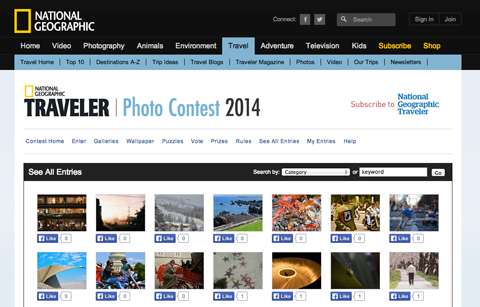
National Geographic hosts annual themed photo contests and shows all entries on their website.
Tips for making a shareable photo contest:
- Create a branded theme to attract your target market.
- Use incentives such as a monetary prize, unique experience or bragging rights.
- Encourage shares by choosing the winner by votes.
#4: Stream Social Feeds
Cross-promote social sites on your website to generate more social followers and website viewers.
3 Days of World-Class Training—Zero Travel!

Couldn't make it to Social Media Marketing World and AI Business World this year? Get all of the great content at a fraction of the price with a Virtual ticket.
That’s full access to recordings of every keynote, workshop, and session—the ones people travel thousands of miles to see. Don't wait. Get your Virtual ticket and enjoy actionable content that you can watch anytime, anywhere.
You can stream a Twitter, Instagram or even Pinterest feed on your site. Use the social sites that most connect with the demographic of your audience. For example, if you market to a younger than 25-year-old crowd, stream your Instagram feed. If you host webinars, stream your Twitter feed on your webinar landing page to increase followers, retweets and @mentions.
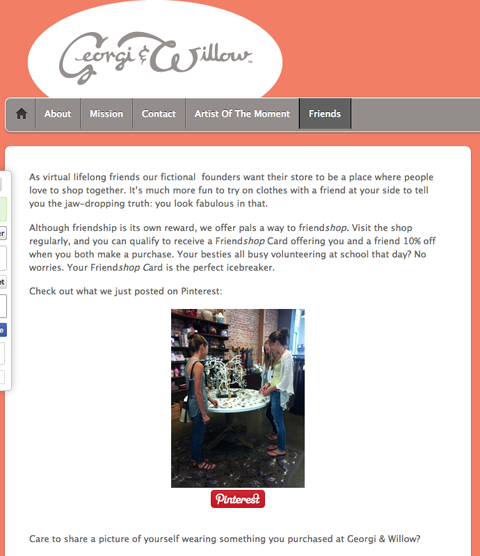
Georgi & Willow (a non-profit store) streams their Pinterest feed on their Friends page. They create further engagement by asking visitors to share their own photos.
Tips for streaming social on your website:
- Think of your demographics when choosing social platforms to share.
- Ask website viewers to follow you on your social site too.
- Take it further by getting customers to share their own pictures or tweets with you on your streaming pages.
#5: Use Social Sign-in
Social sign-ins streamline a website registration process, making it very easy for people to share their social information with you in exchange for your website offer.
When a member signs up with their preferred social site, it makes it simple for them to share your site pages. You can even create permission-based social sharing promotions. For example, you can create a status update for your members to share with the mere click of a button.
For marketers, most social sign-ins provide you with permission to access data from their social sites. Use this to create and deliver more highly relevant content, send targeted email campaigns and even deepen your connections with socially influential customers.
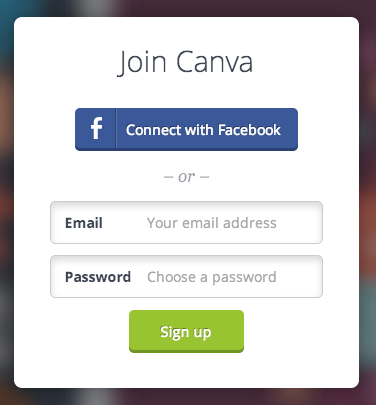
Canva uses a social sign-in option to increase shares on Facebook.
Tips for using social sign-ins:
- Make website membership easy, with no passwords to remember, by installing social sign-ins for exclusive access to parts of your site.
- Give your customer the choice of which social site they prefer to use, but include an email sign up too.
- Use social sign-in APIs like Gigya, Oneall or LoginRadius.
#6: Capitalize on Crowdsourcing
Crowdsourcing doesn't have to be overly complicated. You're basically just asking your site visitors for their opinions or input and then acting on them. It's a brilliant method of both engaging your market and making your website interactive.
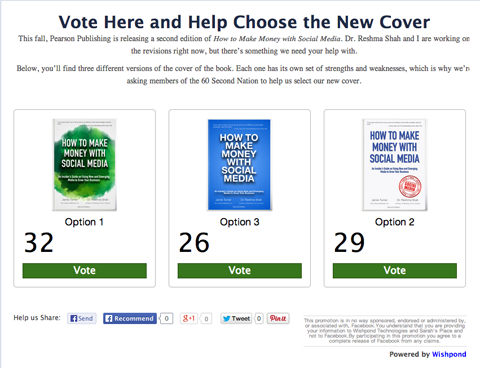
You can crowdsource product decisions, such as what your consumer would like to buy from you next, what book cover or product label to use or even what new product they'd like to see you create.
Use a voting contest app that includes social share buttons to encourage sharing of your crowdsource campaign.
Tips for crowdsourcing:
- Make your request for input relevant to your target market.
- Only use crowdsourcing if you are willing to follow through with your visitors' votes and suggestions.
- Use crowdsourcing, such as choosing a book cover, to enhance a book launch strategy.
Your Turn
These are a few examples of how you can turn your website into your own social hub and deepen your personal connection with customers. Incorporate your own versions to increase brand awareness, build long-term relationships and get more social visibility.
What do you think? How have you brought social into your website? What successes have you had? Share your thoughts in the comments section below.

Curious About How to Use AI?
Our newest show, AI Explored, might be just what you're looking for. It's for marketers, creators, and entrepreneurs who want to understand how to use AI in their business.
It's hosted by Michael Stelzner and explores this exciting new frontier in easy-to-understand terms.
Pull up your favorite podcast app and search for AI Explored. Or click the button below for more information.







