by
by  Looking for new ways to engage with your YouTube subscribers?
Have you heard of the YouTube Community tab?
The Community tab allows creators to post updates, create polls, share GIFs, and interact with subscribers and visitors.
In this article, you'll find out how to use the YouTube channel Community tab to engage with subscribers, inspire new content, and promote your business.
What Is the Community Tab?
The Community tab replaces the Discussion tab, which has been an optional discussion area for YouTube channels. To find out if you have the new Community tab, visit your channel and look below your channel art. If you have the Community tab, you'll see it in place of the Discussion tab.
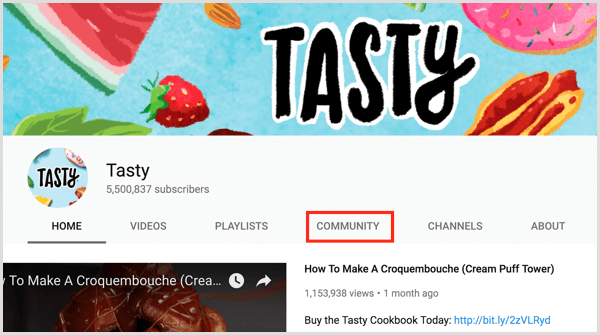
The primary difference between the new Community tab and the old Discussion tab is the posting capabilities. The Discussion tab allowed creators, subscribers, and visitors to post only text-based status updates and replies based on the channel's Discussion settings.
The Community tab gives channels a Facebook page-like experience where creators can post various types of status updates – text, images, links, and GIFs. Subscribers and visitors to the channel can like posts and reply (text only).
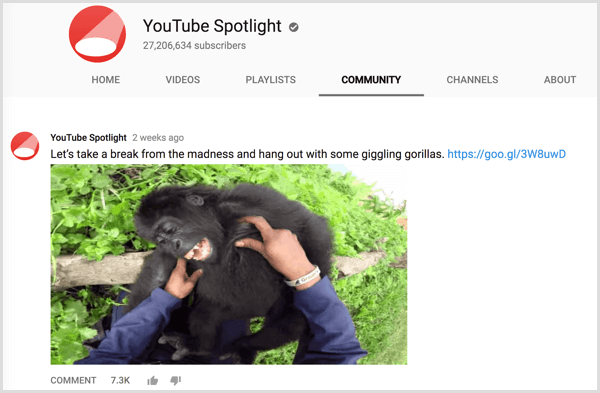
If the Community tab is empty, it will display the following message:
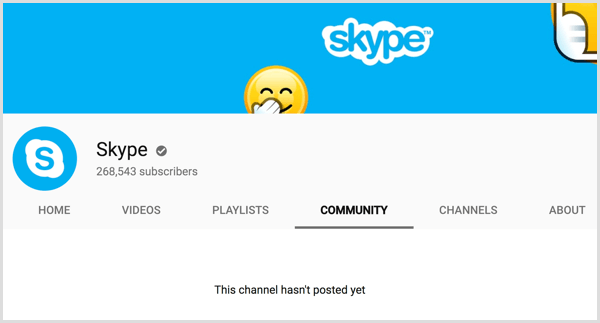
The Community tab is rolling out first to select YouTube channels (both verified and non-verified) with over 10,000 subscribers. As with most social networks, the feature will likely roll out to larger brands, advertisers, and active YouTube creators first and then roll out to everyone else.
To get inspiration for your own community posts, follow the community posts of channels you subscribe to by visiting their Community tab or by viewing the Subscriptions tab of the YouTube app.
Ready to Supercharge Your Marketing Strategy?

Get expert training and an unbeatable conference experience when you attend Social Media Marketing World—from your friends at Social Media Examiner.
Broaden your reach, skyrocket your engagement, and grow your sales. Become the marketing hero your company or clients need!
🔥 Save $800 on an All-Access ticket. Sale Ends Friday! 🔥
GET THE DETAILS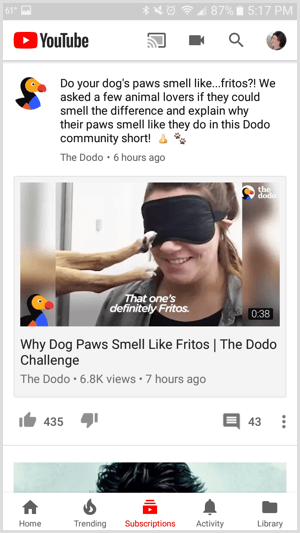
Once you have access to the new YouTube channel Community tab, you can use it to reach audiences in the following ways. Note that the “highlighted” posts in the examples are community posts accessed by clicking the post's timestamp. They're not posts that were highlighted by the YouTube creator.
#1: Introduce Your Community Tab in a Video
Because YouTube subscribers and visitors expect video from your channel, it might be best to introduce your channel's Community tab with a video.
https://www.youtube.com/watch?v=8geR0yacozY
To add a link to your Community tab in the video description, open the tab and copy the URL from your browser's address bar. Share the video on your Community tab to ensure first-time visitors to this tab know what they can do to engage with your channel.
#2: Encourage People to Enable Notifications
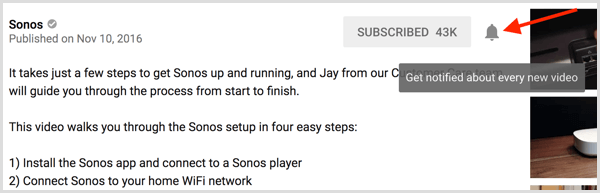
In addition to helping your YouTube audience get to know your Community tab, use a video or a community post (or both) to let subscribers know how to get notified about your latest channel activity. Explain that they need to click the bell icon to the right of the button they use to subscribe.
AI Is No Longer Optional for Marketers—Ready to Master It?
Join over a thousand forward-thinking marketers at AI Business World—a conference-in-a-conference at Social Media Marketing World.
Get two days of practical AI training where you'll discover:
✅ Systems that 3x your output—leaving time for strategy and creativity
✅ Proven strategies you can deploy right away—no guesswork, no wasted budget
Become the indispensable AI expert your company needs.
GET YOUR TICKETS—SAVE $300#3: State the Purpose of Your Community Tab
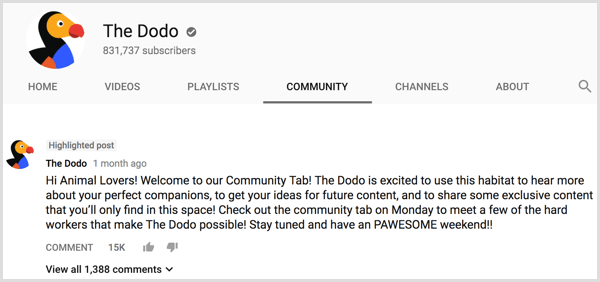
The first post on your Community tab is the perfect place to welcome your YouTube audience and let them know your intentions. YouTube suggests creating a creed as a way to build a strong community via this tab.
#4: Market Your Products
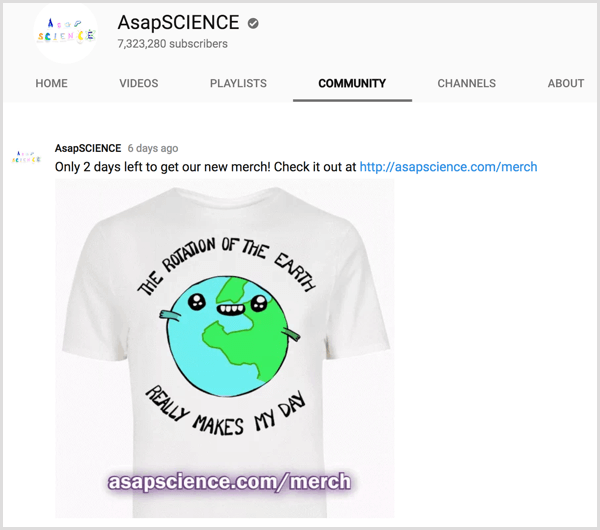
You can market products to channel subscribers and visitors on the Community tab. Post a status update to the tab with an image of your product and a link to the product's sales page. Consider creating a special landing page on your website for your channel subscribers and offer an exclusive discount just for YouTube visitors to measure the results.
#5: Promote Your Latest Video
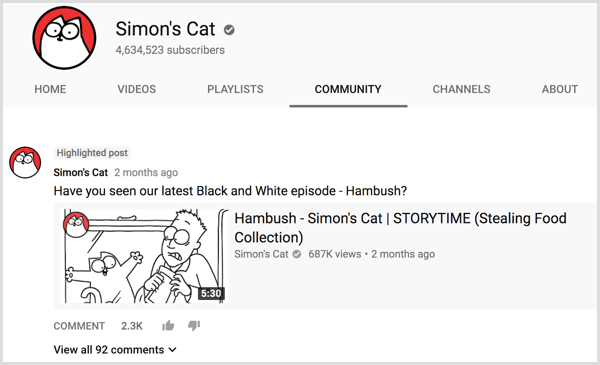
Just posted a new YouTube video to your channel? Promote it by sharing a link to the video on your Community tab. YouTube will add the thumbnail image, title, number of views, and age of your video to the update as a part of the link preview.
#6: Offer a Sneak Peek of Your Video
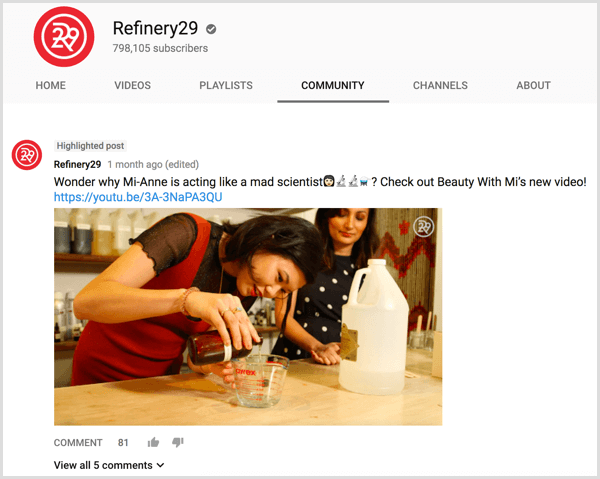
Another way to promote a video on your Community tab is to give subscribers a sneak peek or teaser that piques their interest and makes them want to click through to your video link. Each video on your channel should give lots of sneak peek and teaser options for multiple community posts. Don't forget to promote past popular videos to new audiences too!
#7: Poll Viewers About Your Video
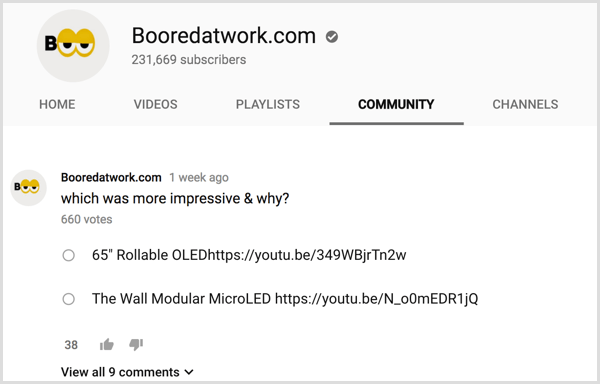
Does your video talk about two or more things or ideas? Find out what your subscribers and visitors like most about it by posting a poll on your Community tab.
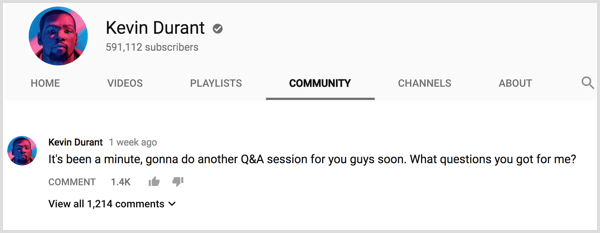
#8: Host a Q&A
Engage with channel subscribers and visitors by hosting a Q&A on your Community tab. If you plan to answer questions for a set length of time, promote the Q&A in advance on your Community tab to maximize participation. You can also leave the Q&A open by answering as many questions as you receive, based on your channel's popularity.
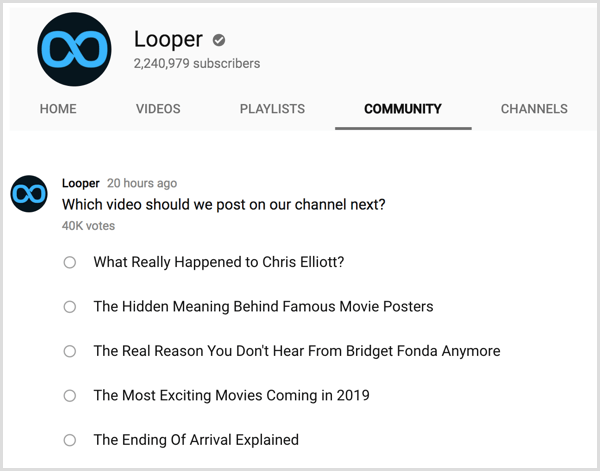
#9: Get Inspiration for Your Next Video
Another great way to use polls on your Community tab is to find out what your subscribers and channel visitors want to see next. Use polls to gauge interest in general and in specific topics for your upcoming YouTube videos.
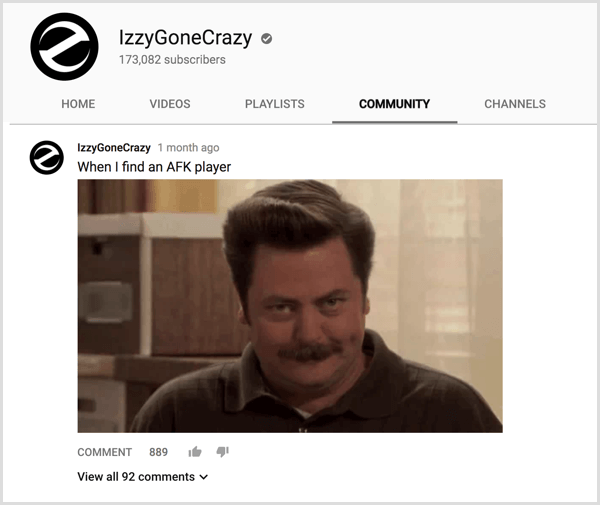
#10: Share Relatable GIFs and Memes
Most audiences have specific GIFs and memes they can relate to. You can now share those images as community posts to further entertain channel subscribers.
#11: Rally Your Community
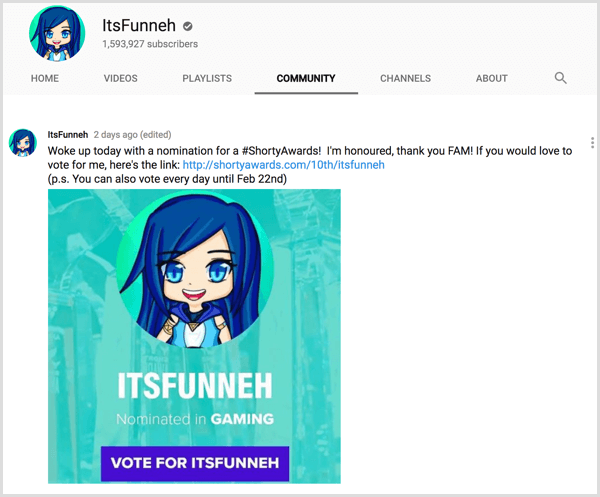
Do you need support from your YouTube audience? Use a community post to direct your subscribers' attention toward a particular topic or prompt them to complete a specific task such as helping you win an industry-specific award by voting.
Conclusion
YouTube's Community tab allows creators to engage with their channel subscribers and visitors beyond just video. Use this tab like you would your Facebook page wall: post status updates, ask questions, encourage visitors to ask questions, poll your fans, and much more.
What do you think? Do you have access to the Community tab on your YouTube channel? How do you plan to use it? Let us know what you think about it in the comments!

Want to Unlock AI Marketing Breakthroughs?
If you’re like most of us, you are trying to figure out how to use AI in your marketing. Here's the solution: The AI Business Society—from your friends at Social Media Examiner.The AI Business Society is the place to discover how to apply AI in your work. When you join, you'll boost your productivity, unlock your creativity, and make connections with other marketers on a similar journey.
I'M READY TO BECOME AN AI-POWERED MARKETER