 by
by  Are you wondering how your business could use Pinterest?
To say there's been a lot of buzz about Pinterest in recent months would be putting it mildly!
Pinterest's ease of use for visually bookmarking, organizing and sharing things you love has made it a hit among individuals and businesses alike.
What follows are 26 tips, an A-Z guide for creating a business presence on Pinterest.
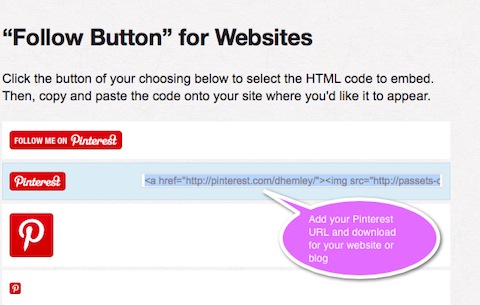
#1: Add a Pinterest “Follow” and/or “Pin It” Button
One important way to let your clients and prospects know about your presence on Pinterest is to add a Pinterest button. Pinterest has several choices available on their goodies page. Find the one that works for you. When you add a Pin It button, you can encourage your customers and readers to pin your products onto Pinterest.
#2: Brands and Pinterest
While Pinterest hasn't yet created a distinction between a personal profile and brand page (like Facebook), early adopting brands are making good use of their Pinterest presences and the pins and boards they're sharing.
Brian Honigman points out that because Pinterest's integration with Facebook is still only for personal profiles and not fan pages,* you should choose the email associated with your brand's Twitter account to set up your Pinterest profile.
“Once you're on Pinterest, it's time to either keep the profile photo that's been pulled from your Twitter account or upload a new one… You can alter the name and email associated with your account, add a location and website and then add a brief description of your brand. Here you can also choose to link your Twitter profile to your Pinterest account publicly.”
*Note: Pinterest is one of the 60 new open graph websites and apps that allow a tighter integration with Facebook's Timeline.
#3: Crowdsource
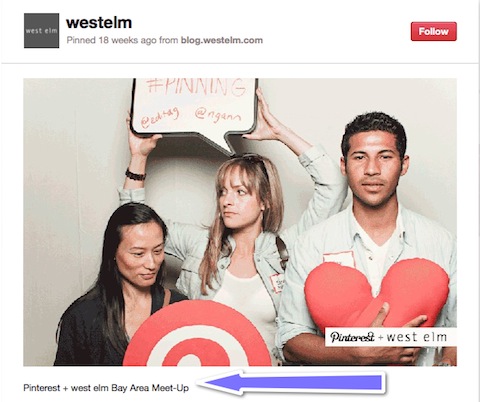
Lauren Drell‘s tip about crowdsourcing can be very effective for brands. She suggests you ask fans of your brand to pin pictures of themselves with their favorite product of yours and tag you, then you can repin those photos onto a VIP board. “It'll give a shout-out to these fans and show potential customers that your current users really like using your product.”
#4: Do Follow Links
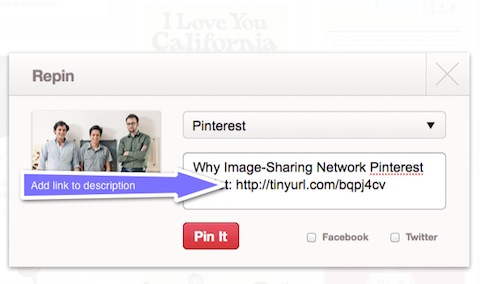
Pinterest is not only a great visual representation of your business; it also has the extra bonus of having SEO value. As Angie Pascale points out, “Other large social media sites—Facebook, Wikipedia, etc.—started out with Do Follow links, but eventually implemented No-Follows in an effort to deter spamming. While we cannot predict whether Pinterest will also make this change as they grow… the current setup provides legitimate SEO value.”
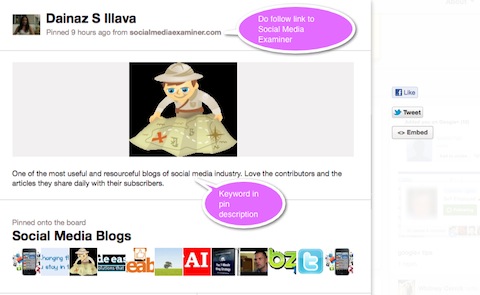
UPDATE: The links from the images pinned on Pinterest have now been changed to “no-follow” links. For now, it appears that “do follow” links can still be added to the pin description. We'll keep you posted as we learn more.
#5: Etiquette
Be mindful of pin etiquette as outlined by Pinterest: be nice, credit your sources, avoid self-promotion, report objectionable content and tell them how they're doing.
Brian Honigman has some pointers regarding etiquette for brands: by sharing images and videos from other industry-related user's boards, you will “keep your profile community-based and not just a promotion center for your assets and products. Repin and like other content that suits your community, which will help strengthen your reach in the long-term.”
Go Deeper Than an Article Can Take You

Join thousands of small-business marketers at Social Media Marketing World — three days of AI, social media, and marketing strategy taught by world-class experts. April 1–3, 2027 in Anaheim.
Every session is pitch-free and built around tactics you can use yourself, no big team required. Your All-Access ticket includes an extra day of workshops, full access to AI Business World, and recordings of everything.
GET MY ALL-ACCESS TICKET — SAVE $800#6: Focus Group
Pinterest users' likes and interests are easily viewable for all to see. Lauren Drell points out that with millions of people using Pinterest to keep track of objects “they love, places they enjoy, foods they devour and things that inspire them” that marketers can use Pinterest as a focus group.
She suggests you look at the pinners who follow your brand and see what they're pinning and who else they're following. “They're volunteering a lot of information about their interests, passions, dreams and sense of humor in a more natural way on Pinterest than they would on, say, a survey or even on Facebook, where they have to manually enter ‘sarcasm' or ‘travel' as an interest. Use this information to your advantage to glean insights about your target consumers.”
#7: Grow Your Pinterest Pins and Boards
Pin and maintain your boards regularly to keep your Pinterest presence alive and well. If you have a regular update schedule for other platforms you're on, make a point of going to Pinterest on a pre-determined schedule to see what's being pinned by people/brands you already follow, everything and popular pins (ones with a high number of likes, comments and repins). By looking at popular pins, you'll also get an idea of the type of content that the Pinterest community tends to favor.
#8: How to Use Pinterest
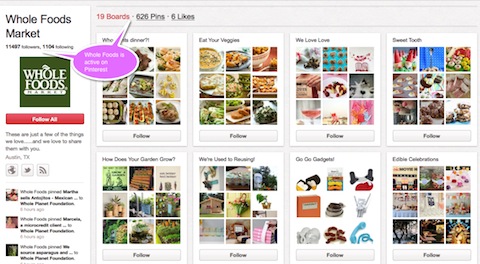
Wild Hair Media‘s post about how Whole Foods Market is using Pinterest demonstrates some good takeaways that other businesses can adopt. They write, “Instead of posting things like their weekly newspaper insert to advertise sales, Whole Foods has taken the opportunity to enhance its brand image instead.”
With theme-based pinboards such as Edible Celebrations, How Does Your Garden Grow, We're Using to Reusing, Super HOT Kitchens, Sweet Tooth, and Who Wants Dinner, Whole Foods is pinning items that “relate to a lifestyle that can be achieved by shopping at their store.”
What types of pinboards will enhance your brand image?
#9: Install the “Pin It” Bookmarklet to Your Browser
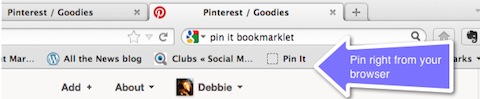
The Pin It bookmarklet lets you grab an image from any website and add it to one of your pinboards. When you pin from a website, Pinterest automatically grabs the source link to credit the original creator. You can find the bookmarklet on Pinterest's goodies page.
#10: Justification for Creating a Presence on Pinterest
Feeling like you need to justify to your company why you need a presence on Pinterest?
For starters, you can pass along Monetate‘s influential infographic, Is Pinterest the Next Social Commerce Game-Changer? Wow them with this info: Pinterest reached 7.2 million visitors in the U.S. in December 2011, according to Compete.
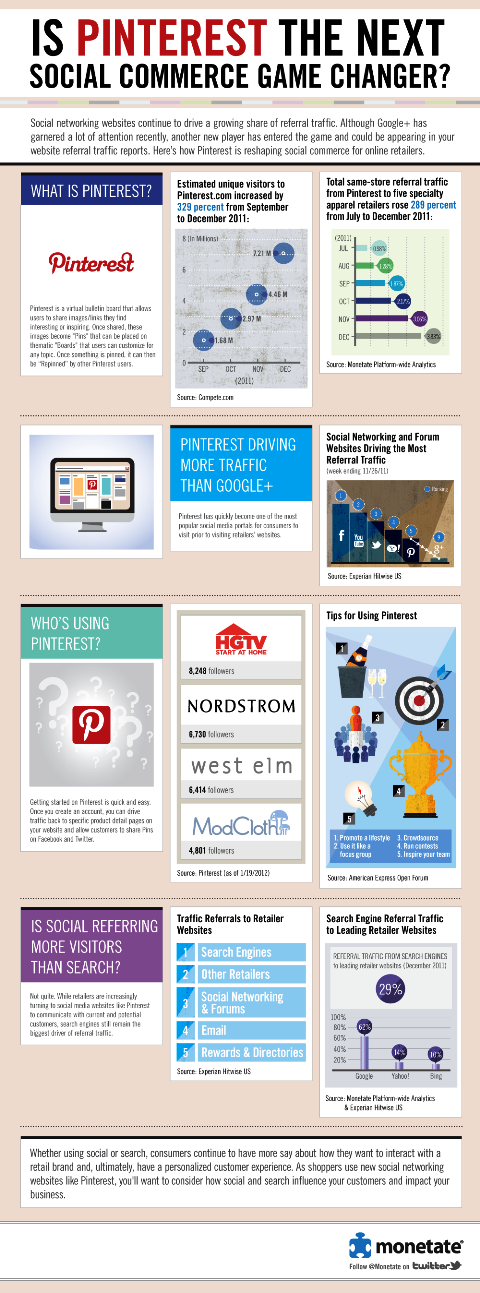
You can always share the Shareaholic Referral Traffic Report that states in January 2012, Pinterest drove more referral traffic than Google+, LinkedIn and YouTube combined. And how the Experian Hitwise report listed Pinterest as the #7 social network, beating out Google+ for share of visits.
These should help get their attention!
#11: Keywords and Hashtags
When creating a description for a new pin, you can optimize the pin by adding keywords that users may be more likely to use if they're searching for specific content on Pinterest.
Sharon Vaknin writes, “You can also add multiple hashtags (keywords) at the end of your description. For example, you might add “#fashion, #style, #dress, #bright” to the end of a pin about a dress. Add as many as you want, but beware that too many hashtags can look like spam.”

Tired of Guessing Which AI Moves Matter?
New AI tools and strategies launch every week — and figuring out which ones matter takes hours you don't have.The AI Business Society filters the noise for you, with expert-led training you can put to work the same day — plus a community of marketers sharing what's actually working.
I'M READY FOR REAL AI RESULTS#12: Link Back to Your Own Sites
Want to make sure that people can find you online? Be sure to add links to your company website and Twitter page on your Pinterest profile. You can also bring users to specific web pages by adding the URL in the pin description.
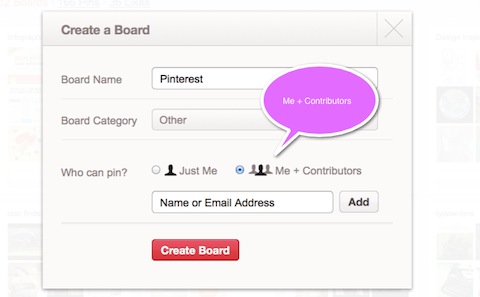
#13: Me + Contributors
Pinterest has great collaborative functionality with the “me+contributor” posting capability where you can allow others to contribute to your boards (note: they must already be one of your followers to be added).
#14: Network With Others
Francisco Rosales sees Pinterest as a great way to network with other users. “Connect, comment, like and repin others, this is a s-o-c-i-a-l network after all. Interact with others as you do on Facebook, Twitter and Instagram. You can also expand your reach by getting out and sharing pins on other networks. Or promote specific boards.”
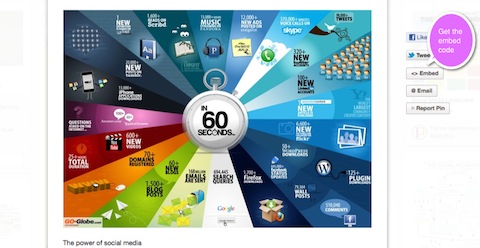
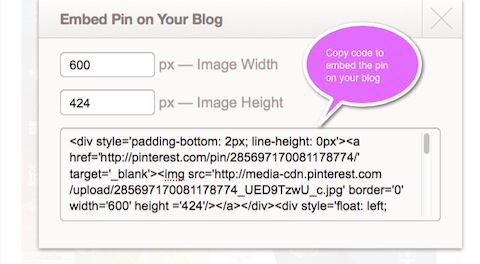
You can also cross-network by embedding a pin directly onto your blog.
#15: Observe and Comment
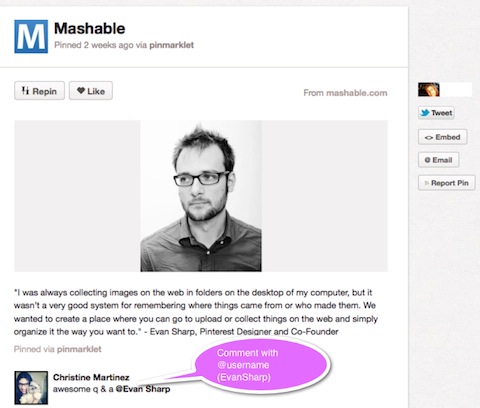
It's clear to see that users' observations and comments are very welcome and appreciated on Pinterest. People like to know that their pin was helpful and their board served as an inspiration. You can mention other users in a comment by typing @username.
#16: Pinterest for Content Marketing
Janet Aronica says that B2B companies or business-oriented blogs can drive traffic to their content if they're willing to get creative. She offers five great examples:
- Curate infographics relevant to your industry.
- Collect charts to share statistics for your industry.
- Create more visual content for your followers to share.
- Don't list your tips—put tips on a visually appealing slide with a short phrase.
- Include a photo with each blog post—give your readers something to pin.
#17: Quality Photos
Images and videos are at the heart of the Pinterest experience. Angie offers three tips regarding photos:
- Because Pinterest emphasizes pictures over text, it's important to have high-quality photos.
- Make sure your photos can be pinned; sites in Flash do not allow photos to be pinned.
- Ensure that photos are tagged correctly on your site so that they index properly within Pinterest.
#18: Referral Traffic
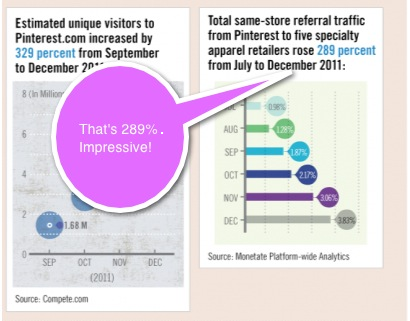
Monetate‘s infographic below shows how referral traffic from Pinterest to five specialty apparel retailers rose 289% from July to December 2011.
If you're already on Pinterest, do you check your analytics reports? Has Pinterest been a source of web traffic for your business? How does it compare to your other efforts?
#19: Search for Pins From Your Website or Blog
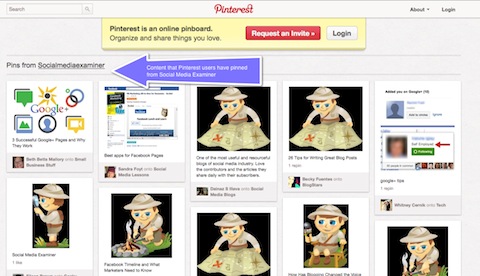
Want to see what's being pinned about your company? By using this specific URL, http://pinterest.com/source/socialmediaexaminer.com/, we can see everything that has been pinned from Social Media Examiner.
Tip: Substitute your company URL (http://pinterest.com/source/ADD YOUR URL HERE) to see what's been shared from your website or blog.
#20: Team Communication on Pinterest
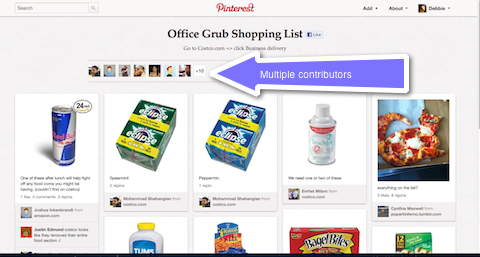
Pinterest is a great way to communicate with members of your team. At Pinterest headquarters for example, the team has a board entitled, “Office Grub Shopping List” which is described as, “Go to Costco.com => click Business delivery.” Multiple people at the corporate headquarters pin to the board to keep track of shopping wants and needs.
You can also use boards creatively for team-building. Maybe a board about a new business book you've read or a link to an upcoming webinar you signed up for? The possibilities are endless!
#21: Useful
Brands that are perceived as being helpful to Pinterest users are making a splash on Pinterest. How can you be useful? In the same ways that you might offer thought leadership ideas in your blog posts or white paper, you could use your pins and boards to educate (ideas might include: pin an instructional video, a business book that you recommend, a link to a blog post that you think would make your customer's life easier or pins to productivity and business apps for smartphones or iPads).
#22: Videos
Videos have their own distinct section on Pinterest. Brian Honigman suggests another way to draw attention to your videos is by adding annotations—basically a call to action—for your audience to pin videos they find appealing. These annotations should tell the visitor to “pin this video to Pinterest” or provide a link to your Pinterest profile. The annotation serves as another reminder to users to engage with you in another way in a different community.
#23: Welcome and Encourage Comments
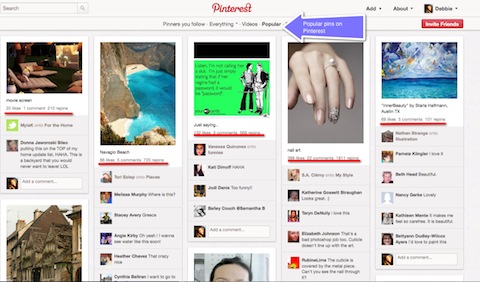
Popular pins on Pinterest have three things going for them: likes, comments and repins. Rather than leaving it to users to decide on their own whether to take the time to comment on a pin, you can help create interest by asking a question (e.g., “Guess where was this photo taken?”, “Tell us what you think of our new product offerings.”). Use your new pins and boards as opportunities to converse with users on Pinterest.
#24: (E)xamine Use of Pinterest for Your Business
Pinterest may not be right for every brand. Angie suggests that if your brand has “stunning imagery and develops unique products, Pinterest might be a good fit for you.” She has a list of 13 verticals that can leverage Pinterest.
- Apparel—men's, women's and children's
- Food/beverages, especially recipe-driven
- Architecture
- Interior design
- Wedding themed
- Technology
- Sports
- Health care
- Personal care
- Home improvement/DIY accessories
- Pets
- Kids products/toys
- Travel
If your business doesn't fit into these categories, you'll still want to examine the ways you can use Pinterest. What makes Pinterest intriguing to you?
#25: (Wh)y Pinterest?
Why do businesses love Pinterest? Let us count the ways:
- Skyrocketing popularity
- Ability to drive traffic
- Build SEO value with Do Follow links
- Appeal to multiple vertical markets
…to name but a few!
By this point (here at letter “W” in our A-Z guide), we can see that creating a presence for your business on Pinterest may very well be a wise decision. However, it's always important to not let yourself get caught up in the “next shiny object” syndrome and take the time to assess whether you realistically have the resources to manage another social media platform. What will you decide?
#26: Zine
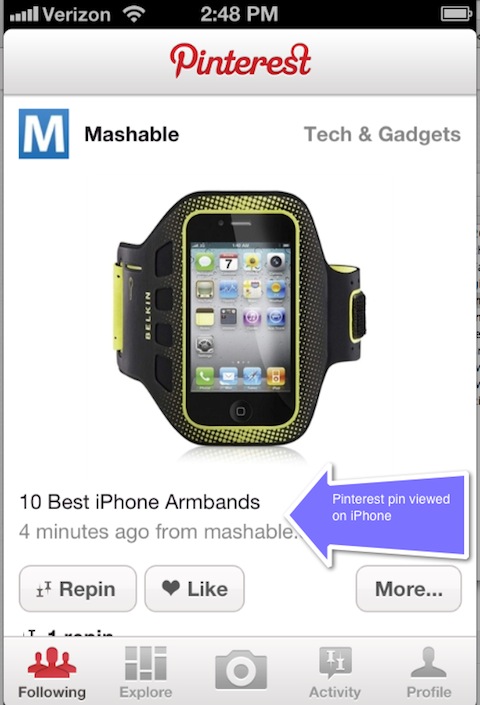
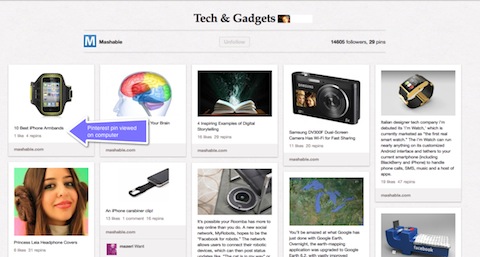
Still having a hard time wrapping your head around the appeal of Pinterest? Think of Pinterest as a much-loved zine and a user-friendly way for people to move through content, whether on their desktop or on a smartphone. It's a visually appealing way for users to interact with products and ideas.
What do you think? Will you create a business presence on Pinterest? And if your business has been one of the early adopters, what tips would you add? Leave your questions and comments in the box below.

Where Do You Actually Stand With AI?
Most marketers use AI, but they don't know what's holding them back from real results.
Our 3-minute quiz pinpoints the one gap keeping you stuck — and gives you the exact next step to fix it.
GET MY RESULTS






