 by
by Struggling to get traction on LinkedIn despite posting consistently? Wondering what separates content that stops the scroll from posts that actually get shared?
In this article, you'll discover a three-part framework for writing LinkedIn posts that capture attention, hold readers through to the end, and drive meaningful shares.
Making the LinkedIn Content Gap Work for You
Did you know that only 1% of LinkedIn's users create content? That supply-and-demand gap means the platform rewards those who show up with something worth reading.
But publishing consistently isn't enough on its own. Kasey Brown knows that you need three foundational components in place.
The first component is your ideal client/customer profile (ICP). Your ICP shouldn’t be a vague demographic sketch. It should be specific enough that a virtual assistant could plug its keywords into LinkedIn's search and find prospects who fit your ICP.
Rather than “People who want to build a brand online,” your ICP should be more precise, such as: “Speakers, coaches, and consultants earning at least $20K per month who need systems for organic content so they can scale their impact and their business.”
That level of specificity is what separates an ICP that actually informs content from one that doesn't.
Paired with the ICP is the transformation component. What transformation would a 30-day follower walk away with? The answer frames every piece of content before it's written.
The final foundational principle is the understanding that your content should be for the reader, not for you. Most creators publish while thinking primarily about themselves: did I sound smart, did I share enough client wins, will this drive sales? When the question shifts to what the ideal reader gets from the content, that's when posts start generating the kind of attention that compounds business growth.
With these foundations in place, the Triple S framework becomes actionable.
The Triple S Framework for LinkedIn Content: Stop, Stay, and Share
The Triple S Framework covers three dimensions of LinkedIn user engagement: stop, stay, and share.
#1: Stop: Pause a Viewer's Scroll With Images and Hooks
The first job of any LinkedIn post is to make someone stop scrolling. Kasey identifies two levers for this: the attached image and the first two lines of text. Together, they're responsible for roughly 80% of a post's impressions.
How to Use Images to Stop the Scroll
On LinkedIn, most creators who post images reach for professional headshots or polished speaking photos. That consistency is actually an opportunity. The goal isn't to post a better version of what everyone else is posting. It's time to post something different.
Go Deeper Than an Article Can Take You

Join thousands of small-business marketers at Social Media Marketing World — three days of AI, social media, and marketing strategy taught by world-class experts. April 1–3, 2027 in Anaheim.
Every session is pitch-free and built around tactics you can use yourself, no big team required. Your All-Access ticket includes an extra day of workshops, full access to AI Business World, and recordings of everything.
GET MY ALL-ACCESS TICKET — SAVE $790Kasey tested this directly. After a speaking engagement, she attached a wide-angle selfie she took from the stage using her phone's back camera at 0.5x zoom. It was a casual, unpolished shot that showed the entire audience behind her. The caption offered her slides in exchange for a comment. That post generated 3,000 leads. She then reposted the same offer with a professionally shot, well-lit, high-resolution photo of her presenting with a microphone. That post generated 200 leads.
As Kasey puts it, “We don't have to be better. We have to be different.” The tactical lesson: vertical images take up more screen real estate in the LinkedIn feed and won't get cropped, which increases the chance someone pauses. Using the back camera at 0.5x zoom produces a wide-angle shot that reveals more of the surrounding environment, creating natural curiosity about what's happening in the frame. That curiosity is what slows the scroll.
For infographics and guide images, the principles are the same, but the execution differs. Kasey recommends packing the image with actual content rather than a title card. An infographic with the header graphic “Framework for Winning on LinkedIn” does nothing. One that contains the full framework, structured to look like a screenshot of a working document, creates a pattern interrupt that makes someone want to stop and read it.
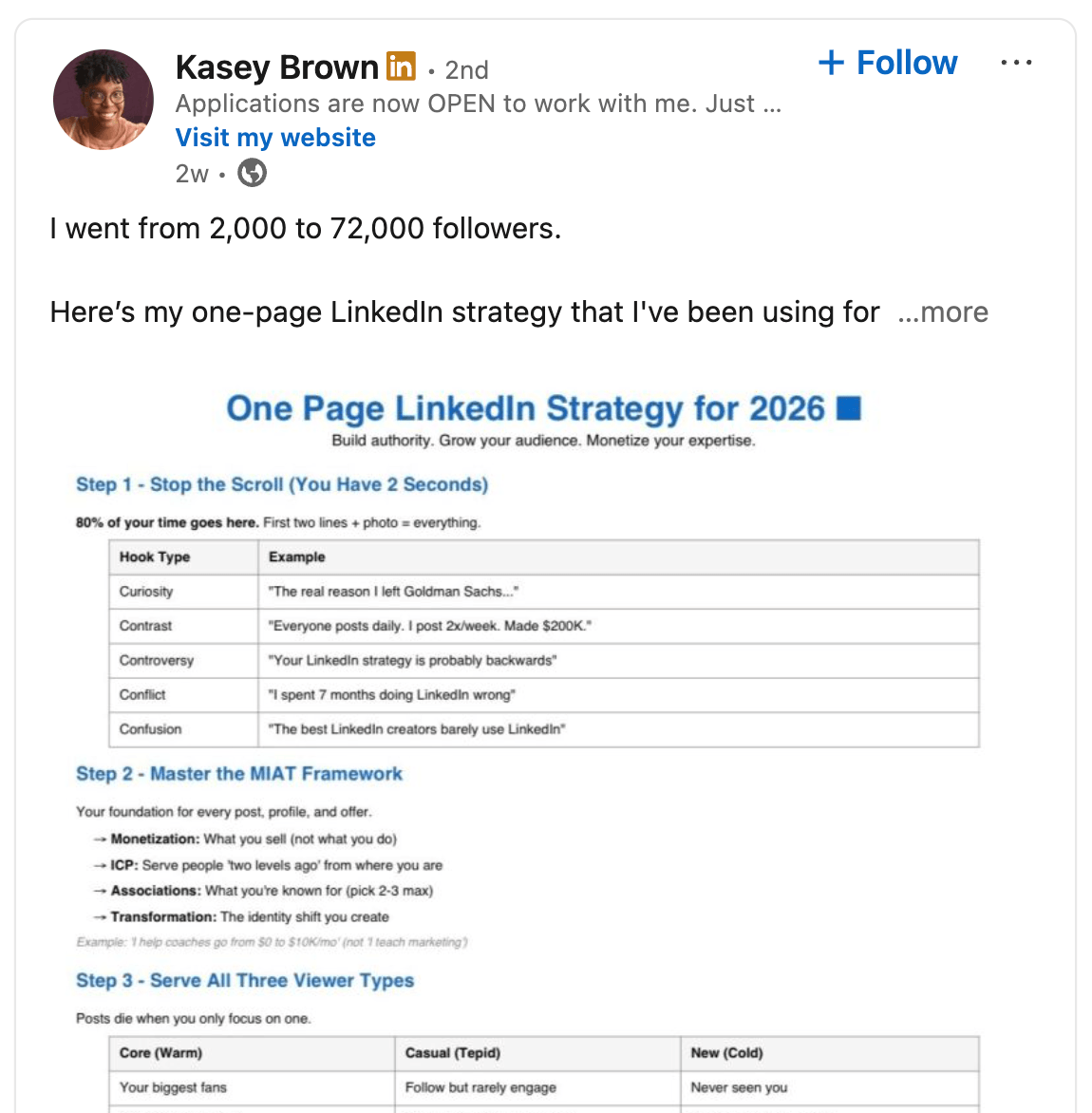
She often photographs infographics displayed on her office TV, with her face in the shot, combining a personal visual with dense content and standing out from standard graphic uploads.
Pro Tip: After client sessions, Kasey notes the best question from the session, writes her answer, and prompts Claude to format it as a one-page infographic. She then uploads that image to LinkedIn with a post explaining where the question came from. The result reads like an inside look at her client work, and the format consistently generates strong engagement.
How to Write a Hook That Triggers the Five Cs
The first two lines of text work alongside the image. Together, they have one job: get the reader to click “see more.” Kasey uses a framework called the Five Cs as a lens for evaluating whether a hook is doing its job.
The Five Cs framework is something Kasey learned from video strategy. In short-form video, the first few seconds have to create enough tension that the viewer doesn't swipe away. Written content on LinkedIn operates by the same psychology.
The five elements are curiosity, contrast, contradiction, controversy, and confusion. A strong hook triggers two or three of the five.
The contrast between a weak hook and a strong one is clearest with a direct example.
A vacation photo captioned “On vacation in Bali, having a great summer” delivers none of the Five Cs. There's nothing to wonder about, nothing that contradicts expectations, nothing that creates any tension.
The same photo is positioned very differently with these two lines: “I was at a job I hated. 2021.” / “2026. I just spent $30K to come here…” The reader is now curious where this is going, confused by the $30K detail, and drawn in by the contradiction between the job they hated and the beach they're now standing on.
#2: Stay: Keep Readers Engaged From Hook to Finish
Once someone stops on a post, the next job is getting them to stay there. Kasey frames this as earning the right to keep someone's attention. The stay is harder to achieve than the stop, but it's what determines how much of the post actually gets consumed.

Tired of Guessing Which AI Moves Matter?
New AI tools and strategies launch every week — and figuring out which ones matter takes hours you don't have.The AI Business Society filters the noise for you, with expert-led training you can put to work the same day — plus a community of marketers sharing what's actually working.
I'M READY FOR REAL AI RESULTSHow to Re-Hook Readers After the Click
When someone clicks “see more,” the third line of the post should confirm that the click was worth it. This is the re-hook, and its job is to build more tension, not resolve it.
The wrong approach is to deliver the payoff as soon as the reader clicks “see more.” “I'm here in Bali with the family. I took five weeks off from my business, and it's thriving without me.” That resolves the story before the reader is invested.
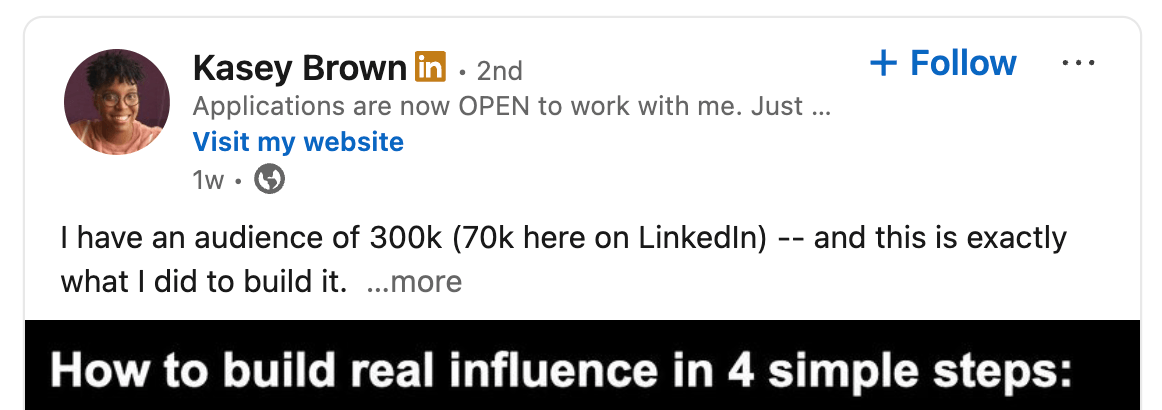
The right approach keeps building. Returning to the Bali example: “It was a wild dream I had last February. I never thought I could actually leave my business and spend this kind of money to come here, especially with so many fires going on in the business and everything feeling like it was about to fall apart. But somehow I made it.” That's three more lines of tension. The resolution still hasn't arrived, and the reader stays because they want that resolution.
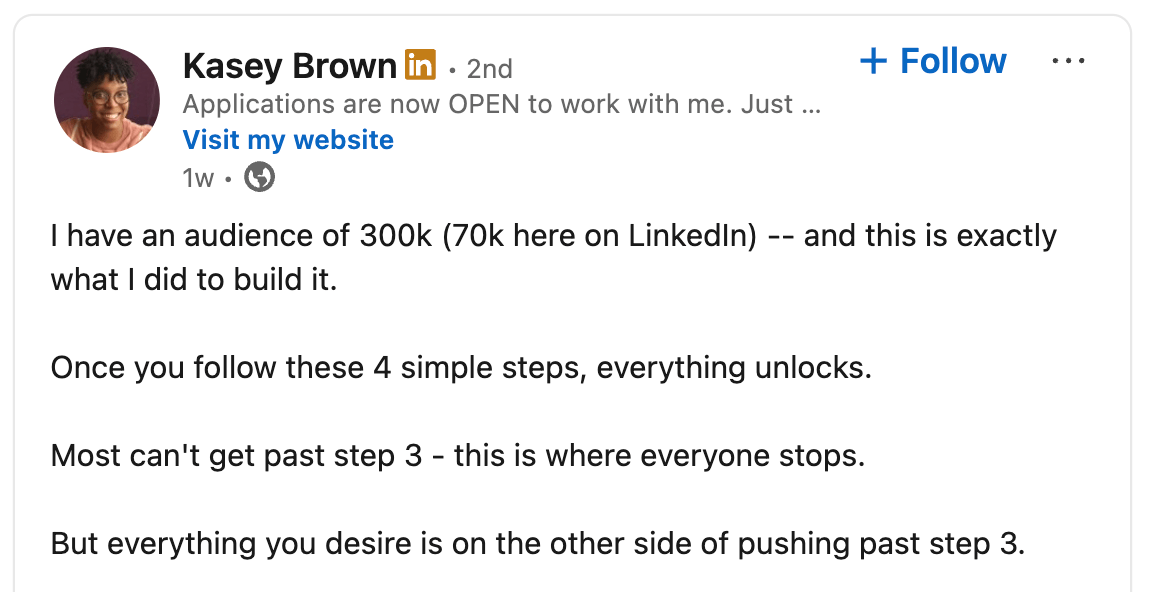
Kasey compares this to the first 60 seconds of a YouTube video. The thumbnail and title get the click, but those first 60 seconds determine whether someone watches through to the end. The re-hook line does the same work.
How to Structure Posts for Maximum Readability
Beyond the re-hook, the post's structure determines whether someone reads all the way through.
Kasey optimizes for rhythm: a deliberate mix of single-sentence lines and multi-sentence blocks, rather than a line break after every sentence. The rhythm she uses: three or four short one-sentence lines, then a block of two to three sentences, then back to shorter lines. Short sentences land the key points; blocks develop the ideas.
Reading level matters too. Posts that consistently score a nine or ten out of ten on what Kasey calls the “stay” metric are written at a fourth-to-seventh-grade reading level. The Hemingway app is the tool she uses to verify reading level before posting.
Because 70% of LinkedIn users scroll on mobile, Kasey's final step before posting is to open the draft in LinkedIn's mobile app and read it from her phone. Sentences that look reasonable on a desktop often collapse into dense paragraphs on a small screen. She also uses a tool called Authored Up, which previews how a post will render on mobile before it goes live.
Pro Tip: LinkedIn caps posts at roughly 3,000 characters. When Kasey has strong content that hits the limit, she continues it in the first comment, a tactic that also keeps readers engaged with the post longer, which signals value to the algorithm. Length itself, Kasey says, isn't the variable to optimize. The right length comes back to the ICP and the transformation, which together determine what format will work.
#3: Share: Optimize Content for Transformation
The third S in the Triple S framework is share, and it's what Kasey tracks as the primary indicator of whether content is actually working. Views and comments are relatively easy to generate. A share, or a repost on LinkedIn, means someone found the content valuable enough to attach their name to it and send it to their network.
The metric she uses is shares per impression. A ratio of 0.3 is solid. A ratio of 0.5 or above is great. Any post that hits 0.5 goes into a rotation to be reposted every 60 to 90 days using the exact same text and image.
Posts that land well below that threshold are diagnostic: either the content wasn't valuable enough, or it didn't end with a clear takeaway.
The structural element that drives shares is a post that ends with a concrete transformation for the reader.
Returning to the Bali example: after the story, a shareable ending gives the reader a step-by-step breakdown of how the person did it: “Step 1: audit your time. Step 2:…” That closing section turns a personal story into something actionable that a reader would forward to a friend going through the same situation, save to revisit later, or comment on to grab the lead magnet being offered.
Kasey describes this as a goodie bag at the end of a party. After everything the reader just consumed, they leave with something tangible. When that transformation is present, explicit CTAs actually work: “tag a friend who needs to see this” or “share with your network if this was valuable.” Without the substantive takeaway, those prompts are empty.
The reader-first principle from the foundation closes the loop here. Content built around the reader's transformation generates shares. Content built around the creator's credibility doesn't. Kasey's argument isn't complicated: most people posting on LinkedIn haven't actually applied that distinction, which is why the platform remains as open as it does for creators who do.
Kasey Brown is a LinkedIn growth strategist and founder of Digital Kairos, an agency that helps executives, founders, speakers, coaches, and consultants build organic content systems on LinkedIn. Follow her on LinkedIn and YouTube.
Other Notes From This Episode
- Connect with Michael Stelzner @Stelzner on Instagram and @Mike_Stelzner on X.
- Watch this interview and other exclusive content from Social Media Examiner on YouTube.
Listen to the Podcast Now
This article is sourced from the Social Media Marketing Podcast, a top marketing podcast. Listen or subscribe below.
Where to subscribe: Apple Podcasts | Spotify | YouTube Music | YouTube | Amazon Music | RSS
✋🏽 If you enjoyed this episode of the Social Media Marketing podcast, please head over to Apple Podcasts, leave a rating, write a review, and subscribe.
Stay Up-to-Date: Get New Marketing Articles Delivered to You!
Don't miss out on upcoming social media marketing insights and strategies! Sign up to receive notifications when we publish new articles on Social Media Examiner. Our expertly crafted content will help you stay ahead of the curve and drive results for your business. Click the link below to sign up now and receive our annual report!
Where Do You Actually Stand With AI?
Most marketers use AI, but they don't know what's holding them back from real results.
Our 3-minute quiz pinpoints the one gap keeping you stuck — and gives you the exact next step to fix it.
GET MY RESULTS






