 by
by Are you still directing your Instagram followers to a link in bio page? Looking for new ways to make Instagram work for your brand?
In this article, you'll discover how to use caption links, profile grid customization, custom sticker tools, and major Edits app improvements to enhance your marketing.
#1: Drive Traffic With Instagram Post Caption Links
Instagram is currently testing clickable links directly inside post captions. The test, limited to Meta Verified users, allows participants to use up to 10 clickable links per month.
Access to the feature appears to be tied to what Instagram calls Creator and Publisher accounts rather than Business accounts.
Chelsea Peitz notes that this distinction could confuse many marketers who hold business accounts and assume they simply don't have access yet, when the real answer may be that they need to switch to a different account type.
Switching between business and creator account types is still fairly easy in Instagram's settings, and Chelsea points out that Instagram hasn't made clear how it intends to enforce or verify the distinction, which makes switching worth a try.
The same switching logic already applies to the music library. Business accounts have long been restricted from using the full copyright-free music library that creator accounts can access. However, Chelsea notes that business accounts can sometimes unlock that access by changing their account category in the backend settings without fully converting to a creator account. If caption links follow a similar access pattern, category adjustments may provide a workaround worth testing before making a full account switch.
The obvious concern with any outbound link on a social platform is reach suppression. Chelsea acknowledges that Instagram will almost certainly never confirm whether posts with caption links receive reduced distribution, but she's clear-eyed about the logic: sending people off the platform works against Instagram's interests.
Her take is that Meta may be tying this feature to paid Meta Verified accounts precisely to offset that loss. Instagram almost certainly calculates a dollar value per second of watch time retained on the platform. When a caption link sends a user off-site, that watch time is lost. The subscription fee is the hedge, and is one explanation for why Meta Verified pricing exists at all.
Chelsea notes that at the $49/month tier, subscribers currently receive only two links in the bio, with very little else. She speculates that the 10-link caption feature may be bundled into that same tier, though no price point has been confirmed.
How to Use Caption Links for Marketing
Chelsea says her first move would be to link directly to a paid product, such as a course, book, or physical product from a sales-focused post. She recommends starting with a product or freebie you already have and treat the link as a direct trackability experiment.
She'd also reserve one of her ten monthly links for a pinned “start here” post at the top of her profile. New content constantly pushes older posts further down the grid, so a high-value conversion post without a caption link effectively loses its reach over time. Adding a clickable link to that pinned post keeps the conversion opportunity alive regardless of when someone first discovers it.
#2: Optimize Your Instagram Profile With Grid Customization and Editable Thumbnails
Instagram has added the ability to edit post thumbnails directly from your profile grid, without going back into the original post.
Marketers Are Learning AI Alone
Sound familiar? 85% of marketers learn AI by experimenting on their own, just 7% get company training, and more than half spend their own money on tools.
Our third annual AI Marketing Industry Report surveys 681 marketers and distills everything into 32 clear charts — what's working, what platforms marketers rely on, and what to learn next.
SKIP THE GUESSWORK — READ THE REPORTYou can zoom in, reposition the image, or upload a completely different cover photo, and the change only affects how that piece of content appears in your grid view, not how it looks in the feed.
You can also now rearrange the order of posts on your grid by dragging content to different positions without deleting and reposting.
View on Threads
How to Use Profile Grid Customization for Marketing
Chelsea is candid about the limits of this feature's practical impact for most accounts. The reality, she says, is that very few people who follow you go back to look at your Instagram profile regularly.
Profile visits happen primarily when someone discovers you for the first time: they stumble on a reel, land on a search result, or get directed to your profile from somewhere else entirely.
That “somewhere else” is actually the strongest case for caring about your grid presentation. Chelsea points out that if someone finds you through your website, a Google search, LinkedIn, or even a ChatGPT recommendation, and they click through to your Instagram profile, that visit is often happening on a desktop or laptop rather than a phone. What they see in those first few seconds forms their first impression of your brand.

Which AI Moves Actually Matter?
That's what every marketer is wrestling with now. New AI strategies, new tools, new takes every week — but no clarity. Most marketers and business owners are trying to figure out AI alone.The AI Business Society is your trusted guide. Get expert-led training you can put to work immediately. Plus a community of marketers sharing what's actually working.
I'M READY FOR REAL AI RESULTSFor lifestyle brands, hotels, artists, and other businesses where visual aesthetic is directly tied to brand credibility, Chelsea sees real value in keeping the grid polished, however, the more compelling use case is going back to your existing posts and adding hooks or clarifying text to thumbnails that never had them, a simple update that could improve click-through rates from profile visitors.
Her overall assessment is that grid rearrangement is more compelling than thumbnail editing for most people, but neither is a marketing priority unless your profile is already doing significant traffic. If you're already seeing thousands of monthly profile visits, thumbnail optimization is worth the time. If your profile visits are low, the grid is a lower priority.
#3: Underscore Your Branding With Instagram Sticker Tools
Instagram is expanding its sticker capabilities in two directions.
The first is the Cutouts and Your Stickers tools built directly into Instagram, which let users create custom, reusable stickers from images in their camera roll, including branded photos, logos, or other visual assets.
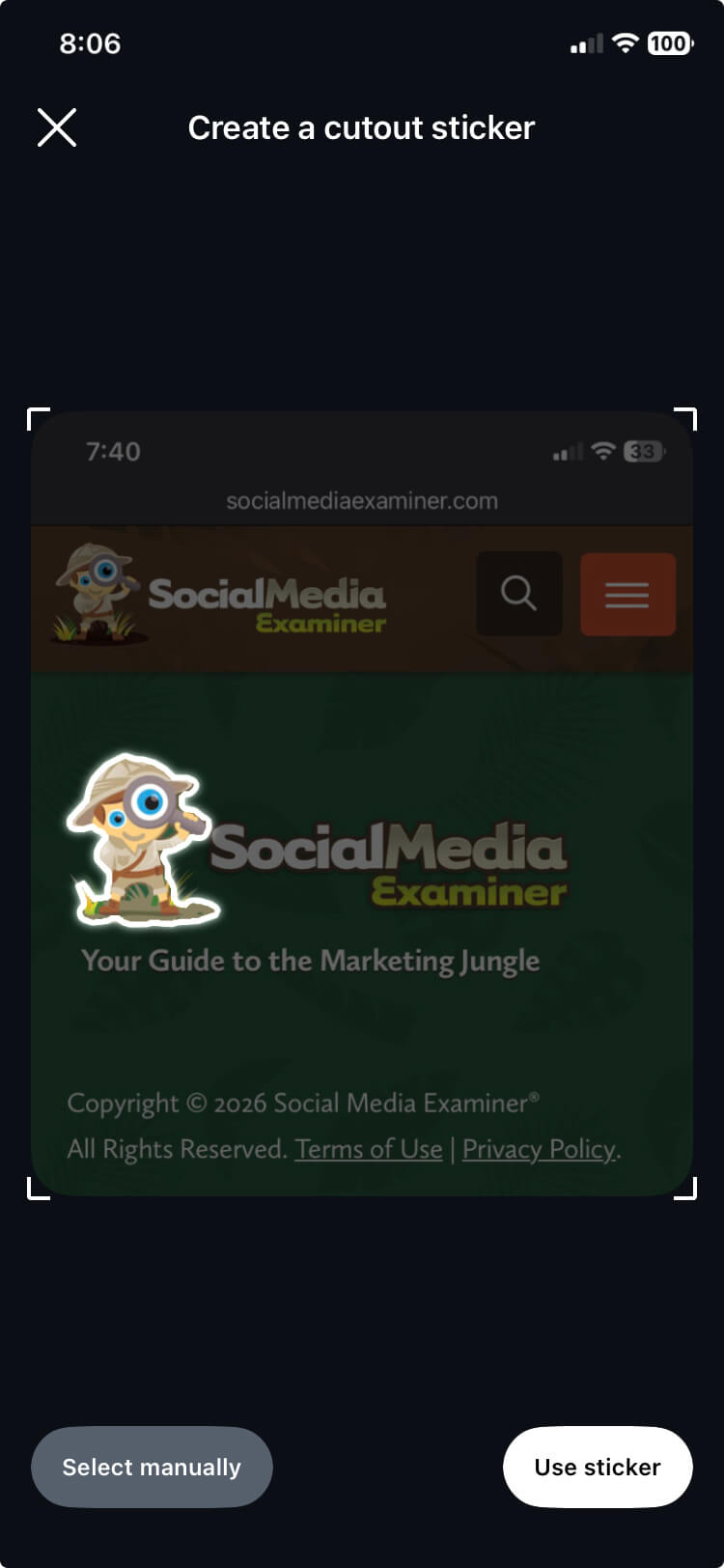
The second is enabling users to upload custom stickers to Giphy, making those stickers discoverable and usable by the broader Instagram audience.
How to Use Branded Stickers for Marketing
Creating a branded sticker that people outside your organization will actually search for and use is genuinely difficult. People look for stickers that say something about who they are, not something about a company they buy from. A heavily branded logo sticker is almost always ignored by everyone except your own employees.
What works better, Chelsea says, is something closer to a meme, such as content that captures a mood, a feeling, or a shared identity that users want to express, where the brand connection is secondary.
The use cases where branded stickers actually make sense, according to Chelsea, are event and UGC (user-generated content) campaigns where the sticker becomes part of the campaign mechanic rather than something you're hoping people will find on their own.
For example, if you're running a contest where participants are posting about your product and you've told them to use a specific sticker or hashtag, there's a reason to go to the trouble of creating and uploading one.
Pro Tip: Chelsea recommends tagging the custom GIFs or stickers you upload to Giphy with a search keyword so unusual that only your team would ever type it. Something like a random string of letters that means nothing to anyone else. If you tag them with a common word or phrase, your stickers will be buried under millions of results, and your own team won't be able to find them when they need them.
#4: Instagram Edits App Updates
The Instagram Edits app, Instagram's native video editing application, has added a series of features that collectively push it well beyond basic trimming and filtering. Chelsea now does all of her video editing exclusively inside the Edits app.
Video Format Templates
The Edits app now lets you create templates for pre-built video formats with transitions, timing, and music, and share them with anyone.
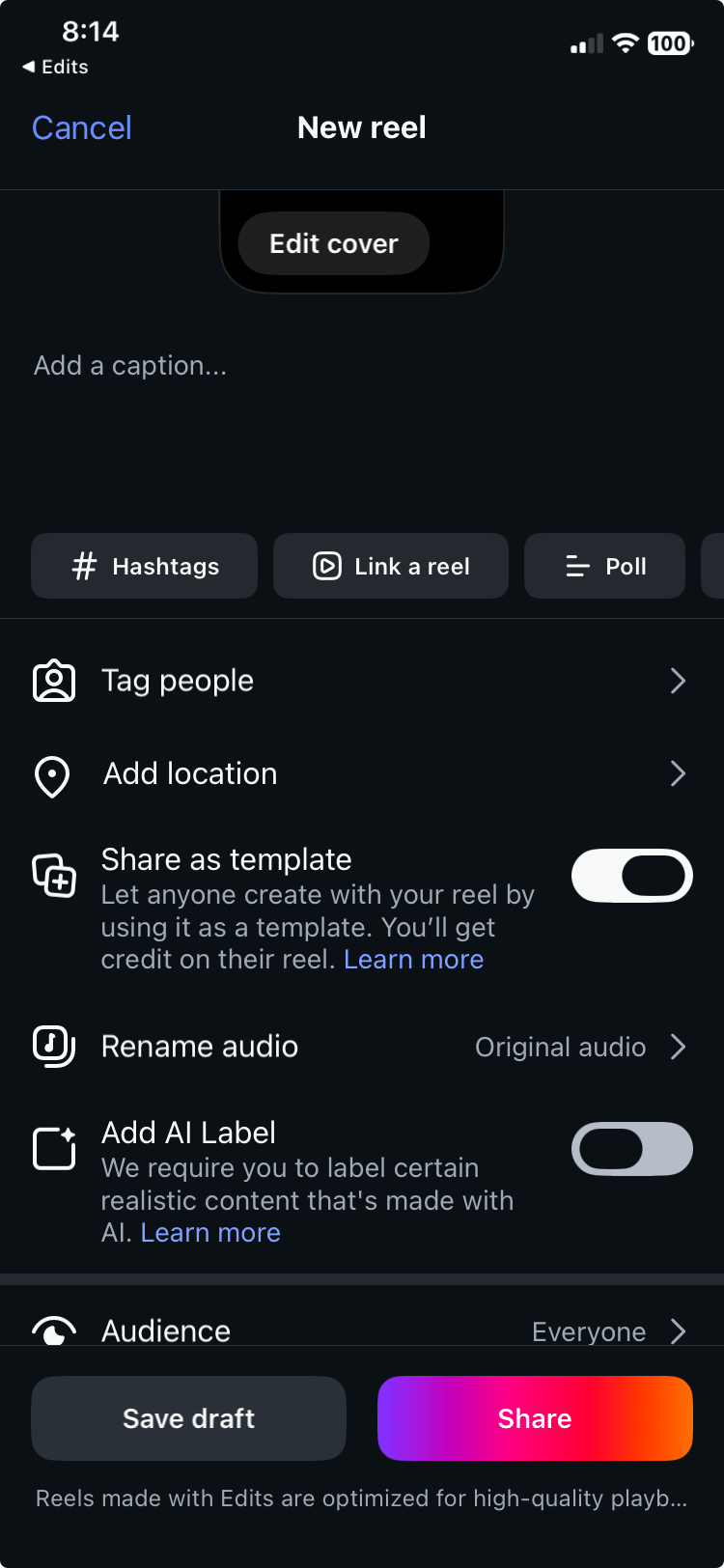
Chelsea says her husband, who has no background in video editing, uses templates to create Reels without going through the full editing process, which gives her a clear example of their value for non-technical users.
How to Use Video Format Templates for Marketing
For marketers, Chelsea sees the strongest application of video templates in UGC campaigns.
A brand can build a template with its logo, colors, and music baked in, then share it publicly and ask followers to drop in footage of themselves using the product and post with a campaign hashtag for a chance to win. The template handles the production barrier while the branding travels automatically.
The Voiceover Teleprompter
The Edits app now includes two distinct teleprompter modes.
The standard teleprompter displays your script near the top of the screen while you record directly to the camera.
The voiceover teleprompter is the feature Chelsea is more excited about.
Instead of watching the video playback while narrating it in real time, this mode displays your script on screen while you record the voiceover audio separately. You're not watching the video, you're reading your script and recording audio, which Chelsea says removes the stress of trying to sync your words to a video timer.
In-Reel Linking from the Edits App
The Edits app now also allows you to link directly to profiles or other Reels from within a Reel.
Chelsea flags this as a meaningful addition, particularly for creators who want to connect individual Reels to a related series or direct viewers to their own profile without relying on the link in bio.
Chelsea Peitz teaches sales professionals how to leverage social media and technology to build a personal brand and generate real leads. She is the host of The Chelsea Peitz Podcast and the author of What to Post. Follow her on Instagram.
Other Notes From This Episode
- Connect with Michael Stelzner @Stelzner on Instagram and @Mike_Stelzner on X.
- Connect with Jerry Potter on LinkedIn and YouTube.
- Watch this interview and other exclusive content from Social Media Examiner on YouTube.
Listen to the Podcast Now
This article is sourced from the Social Media Marketing Podcast, a top marketing podcast. Listen or subscribe below.
Where to subscribe: Apple Podcasts | Spotify | YouTube Music | YouTube | Amazon Music | RSS
✋🏽 If you enjoyed this episode of the Social Media Marketing podcast, please head over to Apple Podcasts, leave a rating, write a review, and subscribe.
Stay Up-to-Date: Get New Marketing Articles Delivered to You!
Don't miss out on upcoming social media marketing insights and strategies! Sign up to receive notifications when we publish new articles on Social Media Examiner. Our expertly crafted content will help you stay ahead of the curve and drive results for your business. Click the link below to sign up now and receive our annual report!
Discover Proven Marketing Strategies and Tips
Want to go even deeper with your marketing? Check out the Social Media Marketing Podcast! Publishing weekly since 2012, the Social Media Marketing Podcast helps you navigate the constantly changing marketing jungle, with expert interviews from marketing pros.
But don’t let the name fool you. This show is about a lot more than just social media marketing. With over 650 episodes and millions of downloads each year, this show has been a trusted source for marketers for well over a decade.







