 by
by  Do you use Pinterest to drive traffic to your blog or business?
Wondering how the latest Pinterest changes will affect your account and overall marketing approach?
In this article, you'll discover the latest Pinterest updates and how to leverage them to improve your business presence.
#1: Business Profiles Feature Dynamic Cover Images
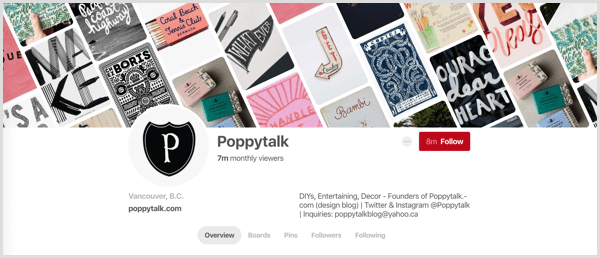
The first noticeable Pinterest update is the new business profile that gives you more control over how your business appears on Pinterest so you can make a stronger first impression.
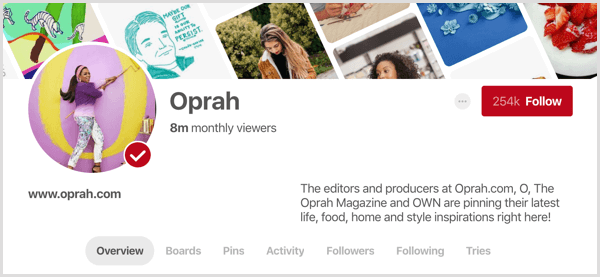
You can customize the dynamic cover image of tilted pins from the board of your choice, pins saved from your website, or simply your latest pins.
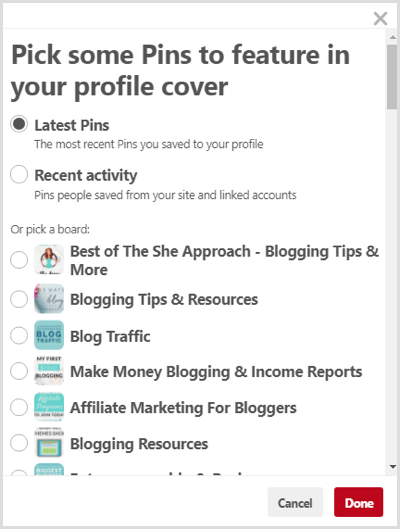
To edit your cover image, click the pencil icon in the top-right corner of your profile header. In the pop-up window, you can choose to feature your Latest Pins or Recent Activity, or pick a board.
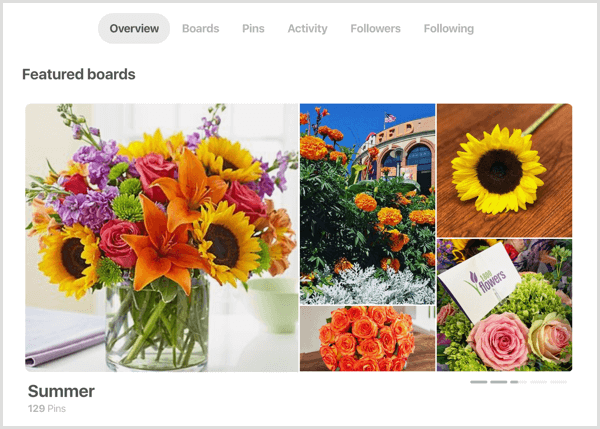
The new default profile overview features the following elements in order: your chosen top-five boards (featured boards), latest 15 pins (or so), newest boards, and recent activity (pins you or other users have saved from your domain).
Monthly Viewer Counts Appear on Business Profiles
Another prominent change is the monthly viewers number displayed at the top of your profile instead of the follower count you're used to seeing. This helpful stat signifies the total number of people who saw your pins in the last 30 days.
Marketers Are Learning AI Alone
Sound familiar? 85% of marketers learn AI by experimenting on their own, just 7% get company training, and more than half spend their own money on tools.
Our third annual AI Marketing Industry Report surveys 681 marketers and distills everything into 32 clear charts — what's working, what platforms marketers rely on, and what to learn next.
SKIP THE GUESSWORK — READ THE REPORTI believe this is Pinterest's way of showing you that your reach extends beyond your followers, so you can focus on creating more great content instead of just focusing on numbers.
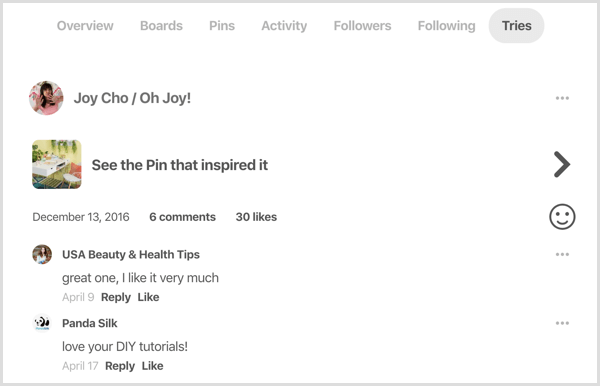
You'll still find your follower count on your profile, along with a few new additions: Activity (where you can see the most recent pins saved from your domain) and Tries, which are hidden on separate tabs.
#2: Pinterest Officially Recommends a 2:3 Aspect Ratio for Vertical Pins
The much-debated ideal pin dimensions have been set straight. For vertical pins, Pinterest recommends a 2:3 aspect ratio (600px wide x 900px high). Square pins (600px wide x 600px high) can also perform well, but Pinterest discourages giraffe pins that are taller than 1260px because they'll get cut off in the feed and won't get as much overall distribution.
Work toward replacing your tall pin images with 2:3 aspect and square images.
#3: The New Following Tab Shows Your Latest Pins
In an effort to help users grow their following and reach, Pinterest has introduced a few new ways to improve discoverability of your account and content.
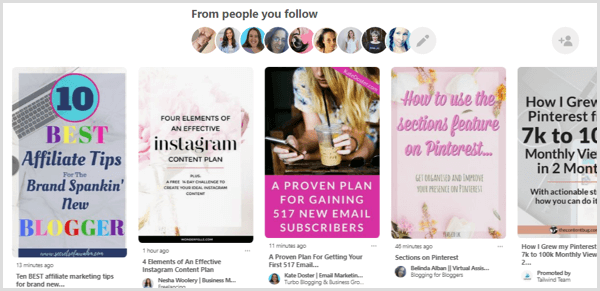
The new Following tab lets you see curated content, saved in chronological order, from the people you follow. To access this feature on mobile, tap the Following tab at the bottom of the screen. To view it on desktop, tap Following at the top of the page or go to www.pinterest.com/following.
With this new tab in mind, it's more important than ever to publish pins consistently.
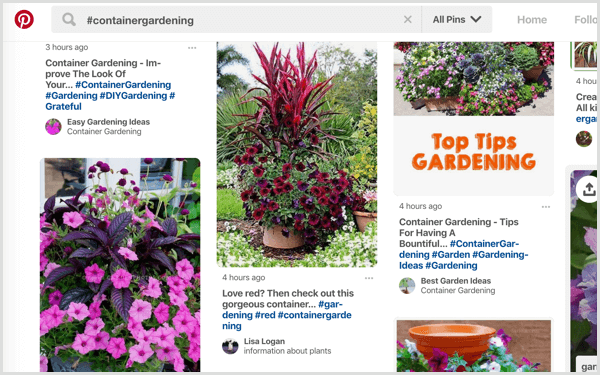
You can also be discovered in the smart feed within search results or by using hashtags. Hashtags are useful only when added to new pins because hashtag search is sorted chronologically, too. According to Pinterest, pins with hashtags get more distribution on the first day they were saved than pins without them. Check out this article for more tips on using hashtags on Pinterest.
#4: Your First Five Pins of the Day Are Prioritized for Distribution
To help users create a more intentional pinning strategy, Pinterest has introduced a new principle known as the “First 5 Pins of the Day,” giving insight into how to properly publish your content to give it the best chance to be seen.

Which AI Moves Actually Matter?
That's what every marketer is wrestling with now. New AI strategies, new tools, new takes every week — but no clarity. Most marketers and business owners are trying to figure out AI alone.The AI Business Society is your trusted guide. Get expert-led training you can put to work immediately. Plus a community of marketers sharing what's actually working.
I'M READY FOR REAL AI RESULTSAccording to this rule, Pinterest will prioritize distribution of the first five pins you save each day (after midnight UTC). This means your first five pins should be your best-performing or highest-converting pins, and you should save them to the most relevant boards.
Sarah Hoople Shere, head of product marketing at Pinterest, also recommends that you save your first five pins of the day at times when your followers are most active. Otherwise, due to the chronological aspect of the Following tab, your pins will be moved to the bottom.
So if midnight UTC is 6 AM in your time zone, but your followers aren't active on the platform until 8 AM on weekdays or 10 AM on weekends, save your first five pins of the day for those times. The reason for this is that Pinterest shows your pins to your followers first, and based on how they interact with the pin, Pinterest will distribute your content further.
Pinterest Best Practices to Improve Performance
Here are some additional tips to help you get more out of your Pinterest marketing efforts.
Post Fresh Pins and Content for Better Distribution
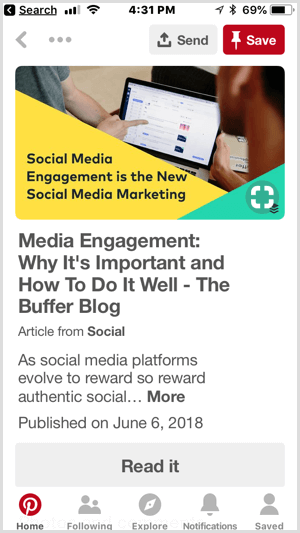
When sharing your own content, Pinterest has revealed a preference for fresh pins and fresh content over repins. In their eyes, pins that lead to new blog posts are the best, new pins for old blog posts follow in importance, and pinning the same pins from one board to another is at the bottom of the pecking order (it matters, but not as much).
When it comes to your own content, it's always better to go directly to your website and repin from there than to go to an existing pin to repin it (which is the job of your followers). Pinterest offers a fresh pin more distribution value if it's saved by the owner of that domain.
To successfully reshare your content to your own board or group boards, it's okay to use a Pinterest-approved scheduler because it will create fresh pins rather repins.
Optimize Your Pin Descriptions for Search
Because Pinterest has always been more of a search engine than a social media network, successful pinners know the importance of optimizing their pin descriptions for search, and that hasn't changed. In fact, the platform places more importance on that than ever.
In addition, Pinterest recommends that you add a call to action to each pin description to drive more click-throughs and to make your descriptions sound human, instead of stuffing keywords one after another separated by commas.
For pins that lead to your website, add a new description every time you pin the same image to make it fresh and new (as Pinterest likes it). Make sure the keywords you choose are also included in the blog posts or pages you link to. In an attempt to cut down on spammy pins, Pinterest is putting a lot of effort into making sure pins lead to the URLs they're supposed to.
Incorporate Copy in Your Pin Designs to Add Context
Because your pins are the determining factor of your success on the platform (they bring traffic to your website, after all), there's a lot more you can do to create stunning Pinterest graphics.
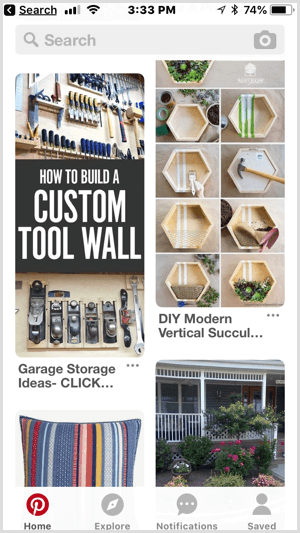
Lifestyle images, along with high-resolution and high-quality visuals, are encouraged, while images that are too busy or hard to digest aren't recommended because 85% of users use Pinterest on mobile.
Pinterest also suggests that you incorporate copy in your pin designs to add context and better communicate your message (even before people read the pin description).
Make sure the text is legible in the feed (especially on a small screen), as well as in a closeup.
Pinterest takes this a step further and encourages you to add “tasteful branding” to your pins in the form of a logo, packaging, or URL because these details lend credibility to your content and clarify where it's from.
Create Multiple Pins That Link to the Same Destination
A question often asked by content creators is if it's okay to create multiple pin graphics or images that lead to the same link, article, blog post, or product. Pinterest answered that question with a resounding yes. The new best practices encourage this, noting it can be helpful to “save a variety of images that might appeal to different types of Pinners.”
Pinterest also gave the green light to bloggers looking to create more than one graphic per post, saying it doesn't affect the pin distribution if the actual image is in the post or not.
Work Toward Becoming a Recommended Pinner
To become a recommended pinner and have Pinterest suggest your account or boards to other users, follow these guidelines:
- Have a business account.
- Claim your website.
- Pin content regularly, especially fresh pins that lead back to your own website.
Conclusion
Pinterest truly wants users to succeed on the platform, so they've created countless opportunities for us to learn and implement tested strategies. The updates and best practices outlined above are a roadmap that Pinterest users, content creators, and business owners can follow to achieve results and reach their target audience.
What do you think? Have you heard about these Pinterest updates? Have you made any of these changes yet and how has it impacted your reach or business? Let me know in the comment section below!
Discover Proven Marketing Strategies and Tips
Want to go even deeper with your marketing? Check out the Social Media Marketing Podcast! Publishing weekly since 2012, the Social Media Marketing Podcast helps you navigate the constantly changing marketing jungle, with expert interviews from marketing pros.
But don’t let the name fool you. This show is about a lot more than just social media marketing. With over 650 episodes and millions of downloads each year, this show has been a trusted source for marketers for well over a decade.







