6 Powerful LinkedIn Marketing Tips for Small Businesses

Let’s face it, LinkedIn is a very underutilized social media network. Most people believe that it’s too hard to make connections, and therefore use it more as a résumé site. There is so much more potential with this professional social media network.

How many of us have created a LinkedIn account and left it dormant for months?

It was my goal recently to attend more LinkedIn webinars and teleseminars to learn more about this mysterious network. I have often thought to myself, “I’m a professional. Why am I not utilizing this site?” I’ve even heard LinkedIn referred to as the “red-headed stepchild” of social media.
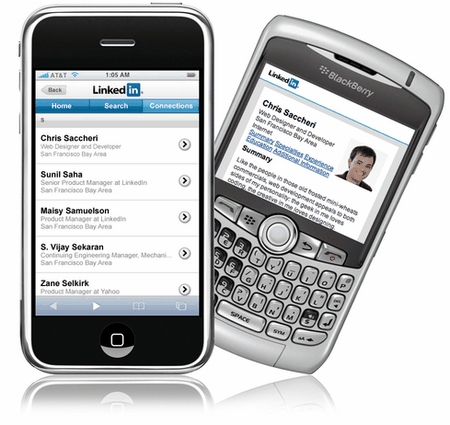
linkedin on blackberry

Here are some interesting facts that I learned about this often misunderstood network:

LinkedIn is a search engine and has a ton of authority on Google and other popular search engines.

Likely if you Google your name and you have a LinkedIn profile, it will show up on the first page of Google. This demonstrates the ranking authority of LinkedIn on Google.

Here are the top 6 things that I learned about this powerful network:

#1: Boosting Your Search Engine Optimization

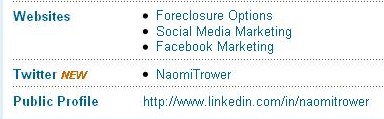
There are three areas to add website links to your LinkedIn profile. Instead of displaying “My Blog” & “My Website,” click on Edit and then click on Other.  Type in a keyword phrase that describes how people can search to find your business.
Twitter Profile

For example, I changed my main mortgage website to say Foreclosure Options

I changed “My Blog” to say Social Media Marketing

I changed my Facebook fan page to say Facebook Marketing

What an incredibly easy way to boost your rankings in the search engines! Be sure to optimize your LinkedIn profile as soon as possible before your next client enters your main keyword(s) and finds your competition.

#2: Promoting Your Blog Feed

It is also possible to import your Wordpress blog feed to your profile by searching for the Wordpress application. This is a quick way for others to scan your blog content at a glance.
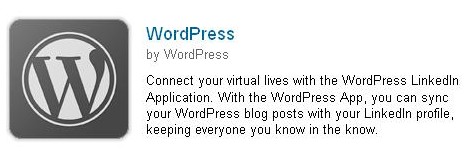
WordPress

There is also another blog application on LinkedIn—Blog Link—which supports TypePad, Movable Type, Vox, Wordpress.com, Wordpress.org, Blogger, LiveJournal and many more.
Blog Link

Promote your blog and develop your personal brand. Everyone knows blogs are the best way to cultivate your personal brand. Now you can share your thoughts and insights on your blog on your professional home, LinkedIn.

#3: Creating LinkedIn Ad Campaigns

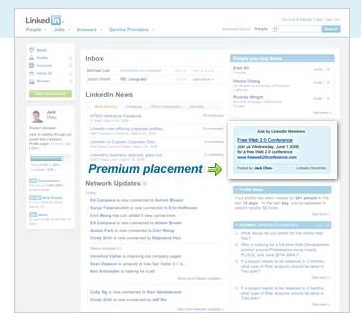
I had no clue that LinkedIn has its own Direct Ads Campaign targeted to professionals. I felt like I found a hidden treasure at the bottom of a huge sea! Because LinkedIn is a professional site, there is less likelihood of views from random people; rather, more from people interested in business-related information. I will definitely be utilizing this advertising feature this year.

li4

Reach a rapidly growing community of over 57 million professionals (average household income: US $108,000), and select your ad’s audience by seniority, industry, job function, company size, and more.

It is possible to write, target, and start your ad in minutes, pay by clicks or impressions and get started with as little as US $50. Be sure to leverage the power of LinkedIn by using your professional brand to put a face to your business.

#4: Utilizing Events to Engage Clients

I really love LinkedIn’s event features because I “plan” to be an event planner in my next life. It’s not required to be the event coordinator to create an event. An event can be created if you have an interest in going to an event or will be an attendee.

Invitations can also be sent to your LinkedIn network, which will give you an opportunity to meet face to face if they decide to attend. The best feature is the ability to view at a glance all of your network’s upcoming events. As an event planner geek, it rocks my world to promote business events online just like I do in my personal hemisphere.

#5: Using Groups to Connect With People

Most people join groups and never come back to participate in them. I can raise my hand and say that I’m guilty of this bad practice too. I’ve started changing and participating in a lot more groups lately. However, STARTING a group is a great way to have access to email and stay in touch with your group as it grows. It does take some focused effort to grow your group but a great place to start is to invite your current network. As the people from your network join your group, this is visible to their networks’ news feeds which can potentially pique new interest.

I’m really amazed at the size of various groups on LinkedIn. Then I remember that professionals really enjoy networking, so I really shouldn’t be so surprised. Let’s take a look at a few groups on LinkedIn:

Social Media Today18,078 members at the time of this writing

On Startups—Community of Entrepreneurs—123,680 members at the time of this writing

Real Estate Open Networkers17,795 members at the time of this writing

Can you imagine having access to this many people at your fingertips?

#6: Getting Recommendations to Attract More Clients

Recommendations are one of the unique features of LinkedIn that sets it apart from other social media networks. What better way to really market your business than by having your colleagues and clients share your expertise?

I’m sure your next question is, “How can I obtain recommendations?” The best way is to live by the old adage:

“Give and you shall receive.”

Recommend your peers and they will return the favor. This is one area that I need to work on this year. It doesn’t take that much time, but if we don’t make it a focus, it won’t happen.

So what about you? Do you feel that LinkedIn is the red-headed stepchild of social media? Do you have any plans for this network in 2010? Let us know in the comments.

Tags: , , , , , , , , , , , , , , , , , , , , , , , , , , , , ,

About the Author, Naomi Trower

Naomi Trower is a real estate broker for her company Premier Equity Group, Inc. She has helped her team bring in new business by utilizing social media strategies. Other posts by Naomi Trower »


Share this post

 
  • you have covered almost all the things and all the parts has been defined in very good way, the post is very impressive. i no waited more longer to keep my feelings in your article

    pracas upreti
    CEO
    Pracas Infosys
  • Your blog is very motivating. When I was reading it, I get drawn in. I am totally agreed with your thoughts. Thanks for sharing this beautiful thoughts with me.
  • Great post. I would add another tip...

    #7: Proactive Invites to New In-Person Contacts

    Attend multiple in-person networking events each week, at each event you'll make a number of good connections and you'll do what everyone does... exchange business cards. This is sadly where many leave it. Always follow up any networking connection with a personal eMail and LinkedIn Invite, NOT spam. This builds your connections, reconfirms to the person about your business and expertise... and they get to see your recommendations. Whether they are a potential lead or a potential referral partner, if you are not proactive and ask to keep a connection using LinkedIn, they would likely be lost.

    Cheers
  • edithhadiansyah
    very informatif post, it really somethings.
    thanks for sharing.
  • retrostruggle
    Ahh that is pretty sweeet. Thanks for sharing. awesome to look at a cool site about this stuff again and find out whats going on in the industry.

    --BurnList--
  • retrostruggle
    Ohh that is pretty sweeet. Thanks for sharing. Nice to see a cool site again in this industry.

    !--BurnList--!
  • Heath
    I am trying to perform the first step however it says it requires a URL...has this process changed>
  • ian
    Clearly I now have to re-visit linkedin. BIG THANKS for the heads up.
  • Hi Sahar:

    Doh--I just figured out my problem--there was a teeny-tiny (at least to these Baby Boomer eyes) check box for having it display on your profile and one for your Home page. I somehow missed the Profile check box.

    Yes, I knew about adding the blog to my network updates. I appreciate the help!
  • I had a question. I had my Wordpress blog application for some time on LinkedIn. It always appears on my Home page when I sign in but I notice if I look at my Profile, it's not on there. The fact that it's on my Home page, does that mean others are seeing it, too?
  • Hi Cathy:
    Actually your blog will appear in both the Homepage (On the right handside at the bottom of the page) as well as on your profile page wherever your WP application appears on the left handside on the page you need to scroll down (You can choose where each section of your profile appears)
    Anpther good idea is whenever you have a new blog add it to your network updates with the link to the blog (if the URL is long use a shortening application like bit.ly, personalize the link and you can track the number on clicks on it as well) this way all your connections will get the link to the blog without you sending a message about it - overtime will help you with your traffic to the blog
    Hope this helps
    Sahar Andrade
  • It's time for me to further explore the "groups" part of LinkedIn. I understand that most people sign-up never to return, but to me that just means that the ones that stay connected with the group are genuinely interested in connecting and communicating. Currently, on LinkedIn, I belong to an "expat" group, just because I'm fascinated by people who pick up and move to exotic locales! For me it's vicarious, as I am really enjoying living in LA. Next, I will see if there is a productivity for GTD enthusiasts, or maybe a group for those exploring the raw foods lifestyle!
  • Naomi:
    A great way to look at LI which is not only the only professional networking site ever but it can help in business development, finding partners, increasing visibility for your business, establishing your credibility and expertise, fnding venture capitals as well as a great tool for job seekers
    I would add few great features that have actually drove business to my company (I am on the top 10 LI experts of all times) the constant participation in the Q&A forum either by answering or asking a question, another feature that is great to use to always create new and fresh content that is great for SEO is to regularly update your network status you can add your blogs, articles, events etc... it gets Emailed to all of your network and can be seen by anyone that can check your profile
    It is very important to optimize your LI profile including your tagline with keywords so you can appear in searches, the applications (you mentioned a couple for the blogs) offer more options like box.net where you can publish any DOC or PDF sample of your work or even your resume - Also Slideshare is another application where you upload your presentations for others to see.
    Twitter has been added as an application as well where your tweets specially that google rank them now offers continuous fresh content
    You can use LI for social calling instead of cold calling by properly tapping into your network for introductions to your 2nd and 3rd tiers connections
    There is so much more about LI that I don't think people even started to scratch the surface of its potential and the best part is that you are in direct touch with business people including executoves from the 500 fortune companies
    Hope this helps
    Sahar Andrade- www.saharconsulting.com
    You can connect with me on LI for any further help
    www.linkedin.com/in/saharandrade
  • Jeanne
    Thanks Naomi - great tips. Quick "novice" question ... did you do something to this article to make the "tags" at the bottom of it appear, or did that come about through some other way? If it was you, how did you make it happen? Jeanne
  • Hi Jeanne,

    There is an area in the Wordpress editing section to add those tags to this post. :)
  • Thanks for sharing. Always meant to open a linkedin account but always been procastinating
  • Excellent tips! Totally agree as an under-utilized social media tool, and I'm definitely guilty. Time to change!
  • Great post. I just changed my links from my profile to my Web site (http://www.willhull.com) and I hope it drives more traffic that way. Also, I too, use the Wordpress app on LinkedIn to generate traffic to the blog portion of my Web site. Thanks for the wonderful and insightful suggestions in your post.
  • Wow! This is great information. The amount of contacts that can be reached is staggering, too! Thanks and much success with your endeavors everyone! Marie Brewer
  • Thanks for the post. I have connected to the most powerful and important individuals in our 20 year history on LinkedIn. It is by far the best. Great tips - esp. SEO
  • Great post! The SEO portion is definitely a solid suggestion!
  • Great Article, like others I implemented the website section changes immediately and then read the rest of the article. I am now going to check out the Answers section and see if I can increase and excite potential smart phone apps development clients as a result of my participation in this. Great advice!
  • Great article! Thanks for sharing 6 great tips which unlock the power of LinkedIn.
  • Nice tips, exept the number 1, that can drive out traffic without any extra SEO advantage behind, because they currently pass through their script to redirect to the external resource.

    Compliment for the smart graphic of your site. I like it.
  • barryharrison
    Great post Naomi. The LinkedIn DirectAds are new to me and I'll definitely be checking that out!
  • zbrunner
    Great tips. Was trying to figure out how to integrate my program's blog into my profile and appreciate your tip on Blog Link!
  • Hi Naomi,

    thanks for a well written and very practical post. Especially the My webpage tip is simply a stroke of genius! I hope you will keep sharing your insights :)
  • Thanks for this post. I was making changes while reading through it. Now I need to follow up with the other points as well.
  • Thanks for referring to the OnStartups community. Could you link to the group for the convenience of your readers: http://linkedin.onstartups.com?

    Cheers.
  • Sure! That will be updated shortly. :) *UPDATED* Links are now displayed.
  • Great tips! I am guilty of setting up the profile and never going back, but I will be now. I had no idea LinkedIn offered so many features!
  • I love LinkedIn. It is not a red-haired stepchild to me. I am on it several times a day. I share many of my Twitter messages on it (great addition, by the way). It's the best way that I've found to find other professionals in my area and in my areas of interest. I also really enjoy the groups I am part of and the discussions they have; I read those that feed into my LI home page, but I also like the weekly e-mails sent directly to me. I appreciate the search function where I can find people who work at specific companies I am interested in. I also like being able to see who is viewing my profile. It's all good stuff. Wouldn't want to give up LinkedIn; it's my favorite!
  • Naomi - great article. I too have recently rediscovered LinkedIn. Making recommendations for others without being asked is a sure-fire way to build relationships and a practice I'm putting in place.
  • Noami, you hit a home run with this article. Thanks to you, I have made my LinkedIn profile more SEO friendly. I have also started participating in some key groups on LinkedIn. I notice that LinkedIn limits the number of connections you can have to about 220. Are you going to be using the paid membership option, or are you doing so already?
  • Thanks Steve! That's a great question! If I remember correctly from 1 of the teleseminars that you can have more than 220 connections w/a free account. I would have to listen to the replay to confirm that for sure but even after reviewing this list, I don't see amount of connections as an increase in an upgrade. http://www.linkedin.com/static?key=business_inf...
  • I have commented before how I receive more gigs from LinkedIn than any other platform. (I'm a freelance writer). I apologize if someone else offered this tip but I agree with handi45 about using Answers. You can get RSS feeds to categories. Just click on the category and find the "Subscribe to new question in [your selected category]

    Great post, Naomi, about effective use of LinkedIn.
  • Excellent information. I use LinkedIn quite a bit, but learned 2 new tips that I can implement. 1.) I will be starting a Direct Ad campaign. (I had no idea about this feature) and 2.) It was so simple to change the generic "My Website" and "My Blog" to show the actual titles of each. Thanks to your post, I am able to make those minor "tweaks" and I know they will enhance my marketing efforts.

    Thanks so much!
  • Great post Naomi,I loved the tip # 1 and implemented it even before reading the rest of the article :)
    I have been on linkedin since 2004,the credibility attached to this network is huge and all the new features makes it better,thanks for the tips and I am glad I managed to reach your aticle thanks to socialexaminer....great going...all the best
  • RChorev
    Hey Naomi - great tips, and very happy it is working for you!
    For some additional ways to make the most out of linkedin, check out www.razchorev.com.

    Cheers
  • geraldsantoro
    Hello Naomi,
    Have been dabbling with my internet footprint, LinkedIn, etc. for a while now. Time to get serious! Following you has been very informative....looking forward to meeting you @ MRev in May!
  • Hi Gerald! Sweet! I will definitely look for you in May at #MREV! I can't wait. :)
  • Naomi: Great suggestions here! I currently show/invite white-collar career advisees of the power of LinkedIn. I will be this article with them as validation of the many uses. Thanks for putting this together!
  • Thanks for these excellent tips Naomi,
    Indeed a lot of the LinkedIn possibilities are unknown. Strange as LinkedIn would benefit from their public knowledge.
  • Nice work, Naomi! I learned a lot. Many thanks indeed. P. :)
  • Siana
    Great article! I'm a huge fan of LinkedIn, and have made some great connections using it. You opened my eyes to some great uses I hadn't thought of in the past...
  • guccicn
    Good point. I think social media is a important way to advertise your company or your products!
  • handi45
    For me, one of the best tools for maximizing Linkedin is the "Answers" section. I actively search the questions that relate to my field, and answer those that I have helpful information to inpart. Just as in any social media setting, it is not a sales pitch, but hopefully helpful information. The poster of the question is asked to rate the answers, and if yours is rated "best" then Linkedin adds the expert rating for that category in your profile.

    Good solid information also gets other members to contact you and expand your network or even connect to give you business. This has happened to me a few times.

    Ralph
  • Hi Ralph! I totally agree! Lewis Howes addresses this very thing in his previous post here on Social Media Examiner http://www.socialmediaexaminer.com/top-5-ways-t...
  • Thanks Naomi! Great tips and like many ... I too treat it like the redheaded stepchild. I need to go back in a tweak it.
  • Thanks Naomi! I never thought about the wording of the website links. It was a real eye opener for me. You're a genius!
  • It's a great article. And it's very practical. Thanks Noami.
  • hdmrobinson
    Thanks for some great tips.

    I have been wondering how I could make better use of my LinkedIn account, you've certainly provided me with a lot of suggestions.

    Heather
  • Do any readers here also have a great deal of trouble uploading images in Slideshare?
    In theory it is great, but perhaps not so great for photos?
  • Hi,

    Very nice post, and some cool tips. However, your first tip: please stop that. Using these types of terminology on that, only to get a higher ranking in Google is a bit, well, sad. Use the name of your blog, or a description. But these 'nice' key words, well, if your blog is about that topic, well, allright. Maybe. But if I'm interested in say 'Facebook Marketing', click the link and land on your facebook fanpage about you and real estate, to me that will be a disappointment. Which would steer me away from your profile - to never coe back, to find somebody who is talking about using Facebook as a tool to promote a charity. What I am saying is, that using these keywords can be very tricky, and damaging to your personal brand.
  • That's ok if it would steer you away from my fan page. I'm not looking for everyone to become a fan. I'm looking for people that are interested in promoting their real estate & mortgage business via social media. If others become fans for other reasons (they know me personally, enjoy the content that I share, etc) then that's ok too. But if there is no genuine interest, I'm a-okay with that. :) Everyone has a choice. Click on Become a Fan or Not. Thanks for your comment!
  • laurademeo
    Hi Naomi-- You always write about such practical applications, thank you for sharing. I personally need to start take more advantage of the power of Linked-in. You came up with great suggestions, thanks again!
  • Thanks so much Laura! I try to break things down to prevent others from being overwhelmed. We don't need anymore of that in our lives. :)
  • Naomi, this is great information. Unfortunately, I've treated LinkedIn as my online resume too. It's nice to know about all of the other uses that LinkedIn can provide. I need to spend more time on LinkedIn. Thanks again!
  • Thanks so much for the great article. I have to see if both of my WordPress sites have the LinkedIn application. If not, I plan to add it.
  • I use these and they work well....
  • Great article! Concerning the first point, I think it is great to add the keywords to help with SEO, but then how will people find my websites if keywords are there instead? Glad you mentioned the ad campaigns. I will have to give that a try. Thanks!
  • Excellent reminders of things we should all be doing as part of our marketing strategy -- especially as most are low-cost in terms of time and $$. Thanks, Naomi.
  • pam
    Hmm - I just tried updating my profile to other vs. websites and the changes don't come up on my profile. Great article thank you for wharing
  • petekane
    Great reminder on 5 but I had no idea you could place an ad. Thanks Naomi
  • janinelibbey
    I had updated my website and blog listings to show our company name but it never occurred to me to use keywords instead. Great suggestion.
  • ckwrites
    HI - great tips. Two questions

    1) Any thoughts on Wordpress versus Blog Link - assuming that you use WP they seem to do exactly the same thing - am I missing something?

    2) Any insights on CPC versus CPM strategies on the ads? When is which most appropriate?

    Thnx

    best,
    ck
  • I have one blog on wordpress and two on other platforms, so I have utilized both the Wordpress and the BlogLink.
  • Hi there,
    The Wordpress app is for Wordpress blogs and the BlogLink app is for Typepad and other blog platforms. I've just started to experiment w/ LinkedIn ads w/only a CPC strategy. I haven't done much w/CPM yet.
  • Great tips as usual Naomi! This is a great reminder that LinkedIn can be very POWERFUL and often very neglected! Thank you for sharing your knowledge!
  • Great article, you've definitely inspired me to dive back into my LinkedIn account and make some changes. I created it a while ago but kind of forgot about it until I read this article.

    Thanks again for the inspiration :-)
  • Thank you Naomi for sharing these 5 fantastic points on the use of LinkedIN. Like many others, I forget the power and reach LinkedIN allows.

    Exploring the use of Groups and Events is an excellent way to share and engage with local community!

    Great Post Noami!
  • Hi Ric,

    I look forward to meeting you in person very soon as we aren't that far away! :) I will be in the Irvine area at the end of March. Maybe we can connect.
  • Great post! I'd love to see a post to boost company profiles, too!
  • Great reminder on how best to utilize LinkedIn. I have a group I manage but could probably do a better job of engaging the members of the group.

    Thanks for the reminder!

    @socialpmchick
  • Naomi great post. I especially liked your tip #1 and using a keyword phrase for your websites

    LinkedIn has an incredibly rich demographic for networking and I advise my clients
    (particularly B2B) to make LinkedIn a priority part of their Social Media Strategy
    Now that those active on Twitter can easily & automatically re-post periodically over on LinkedIn
    that has been beneficial

    One of the areas I'm working on myself and plan to add to my LinkedIn profile next
    week is the use of the Slideshare Apllication. I think being able to share on LinkedIn
    via Slideshare is going to lead to seeing some creative and dare I say fun content on LinkedIn
    Kevin Ferrasci OMalley
    @KFOM
  • Definitely a great read! There are so many nooks and crannies in LinkedIn that help you not only network but become an authority figure in your industry. Including dynamic feeds adds extra value to your visitors and provides them with further information to either build that relationship or secure that next paid contract.
  • LinkedIn is the only social network I participate in on a regular basis, and it's been fantastic for me. I use the Groups, Answers, and Status features on a regular basis, have a detailed profile, write and receive recommendations, and have integrated my blogs (combined through Yahoo! Pipes), with plans to add SlideShare.
  • Great article!! I've learned a lot. Now I'm going to update my LinkedIn profile.
  • Hi Naomi.

    Thanks for a wonderful article. Yeah you are right.. LinkedIn is a very underutilized social media network. Well, I have used LinkedIn for a long time. Think I actually joined LinkedIn before I joined Facebook.

    But as you said, my reason for do so was to boost my resume out there. LinkedIn did several changes last year. And is now a outstanding professional Social network. There is tremendous value to find here.

    One of the things I focused on this year is to totally revamp my LinkedIn profile. As you say there is a SEO benefit.

    After I previously read Ruth's article here on Social Media Examiner I will have to get the LinkedIn Dummy book. So I can learn even more about this awesome Social Network.

    I will have to search up your LinkedIn profile, unless you add it here...

    Cheers.. Are
  • That's awesome that you've been on LinkedIn for so long! Feel free to connect with me there! http://www.linkedin.com/in/NaomiTrower
  • Thanks for the LinkedIn link. It has the been the last year where I truly has used LinkedIn as a great Social Network. Starting to learn some of the nuts and bolts there.
  • Thanks Are! And for readers who want to see Ruth's article, go here: http://www.socialmediaexaminer.com/everything-y...
  • Thanks for adding the link to Ruth's article..

    Cheers.. Are
  • Excellent tips! I'd add "Extend your profile using the applications." My favorite thing to do is to add my presentations via SlideShare and have them show up on my profile so connections and potential connections can see what I am all about.
  • I really like that feature as well Phil! Thanks for sharing!
  • I agree, slideshare is a great resource to add to your profile. And yes, linkedin is in my opinion way underrated by business people of all types.

    Just changed my websites to keywords to see if you're right about page rank, thanks for the tip Naomi!
blog comments powered by Disqus