by
by  Are you using a Facebook page for marketing?
Have you checked to make sure it's up to date?
Facebook regularly provides marketers and business owners with new ways to update their presence on Facebook.
In this article you'll discover five checks to ensure your Facebook page is up to date.
Listen to this article:
Where to subscribe: Apple Podcasts | Spotify | YouTube Music | YouTube | Amazon Music | RSS
#1: Review Your About Box
One of the big differences between pages in the Local Business category versus the other categories has been the About box in the page's left sidebar. Pages in the Local Business category would show the business's address and phone number, while pages in all other categories have the page's short description displayed.
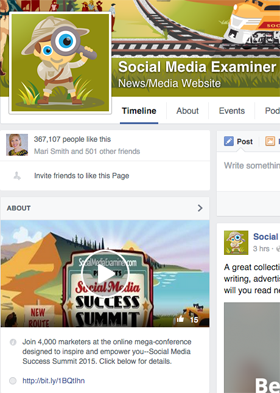
Now, some pages in other categories, such as Company, display the address and phone number in the About box, instead of the short description. Pages that have not yet added their address and phone number, like the one for Gucci, show “Ask for” links to visitors.
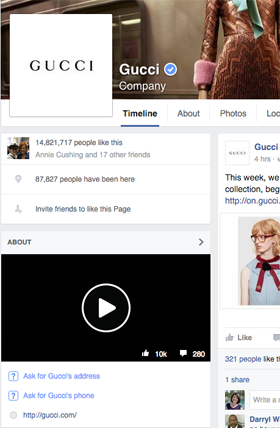
It's important for marketers who have a Facebook page in a category other than Local Business to visit it to make sure it shows their short description, as opposed to a missing address and phone number.
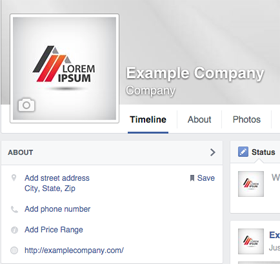
If your page is missing information, you either need to update your address and phone number (which you can do by clicking on what needs to be changed) or switch your page to a different category.
To edit your page category, go to your About tab and edit it under Page Info.
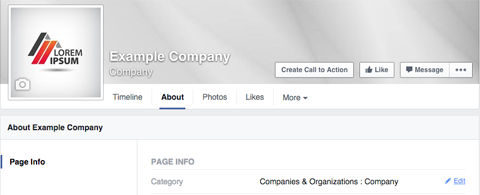
The updated category will appear beneath your Facebook page name, so choose something highly relevant for your page.
#2: Add a Call to Action for Different Devices
The Call-to-Action button allows you to display a specific call to action next to your page's Like button.
This drives traffic to your website or mobile app, and ensures people who like your page will be presented with the most options to follow your page.
Here are two examples of Facebook pages in a similar industry: Due.com and Hiveage.
Ready to Supercharge Your Marketing Strategy?

Get expert training and an unbeatable conference experience when you attend Social Media Marketing World—from your friends at Social Media Examiner.
Broaden your reach, skyrocket your engagement, and grow your sales. Become the marketing hero your company or clients need!
🔥 Save $500 on an All-Access ticket. Sale Ends Friday! 🔥
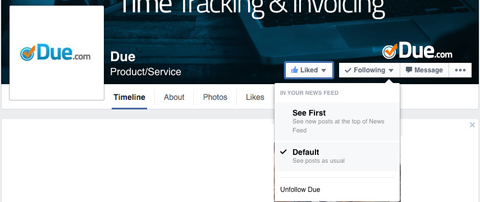
GET THE DETAILSDue's Facebook page does not use the Call-to-Action button. When someone likes the page, the options to Get Notifications from the page and have the page's posts show up first in the news feed are separated under two drop-downs.
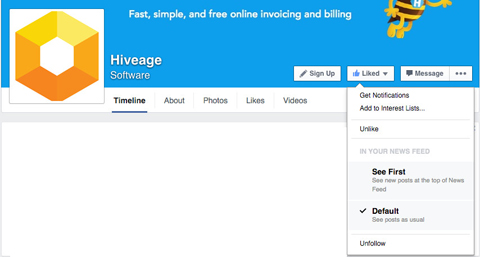
On the other hand, Hiveage's Facebook page uses the Call-to-Action button. When someone likes the page, the options to Get Notifications from the page and have the page's posts show up first in the news feed are under the Liked drop-down. This is where new fans are more likely to hover.
If you don't have a Call-to-Action button on your Facebook page, you can easily add one. Go to your page and click Create Call to Action.

Next, you will find options to set your Call-to-Action button for website visitors (from a computer), as well as for iPhone and Android users.
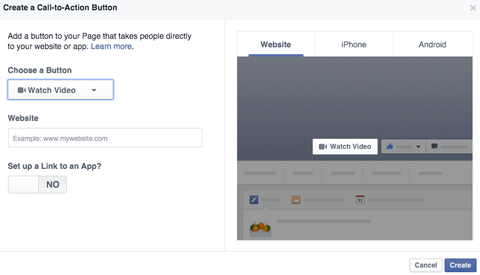
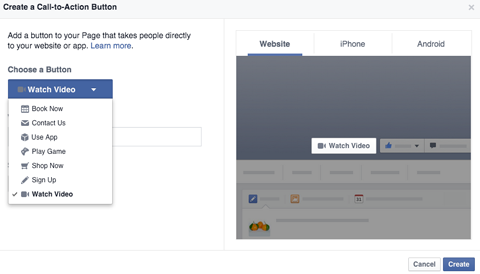
Click the drop-down under Choose a Button to see your call-to-action options.
Next, enter a relevant website URL in the website field. Alternately, switch No to Yes under Set up a Link to an App and then choose a specific app for iPhone or Android users.
AI Is No Longer Optional for Marketers—Ready to Master It?

Join over a thousand forward-thinking marketers at AI Business World—a conference-in-a-conference at Social Media Marketing World.
Get two days of practical AI training where you'll discover:
✅ Systems that 3x your output—leaving time for strategy and creativity
✅ Proven strategies you can deploy right away—no guesswork, no wasted budget
Become the indispensable AI expert your company needs.
GET YOUR TICKETS—SAVE $150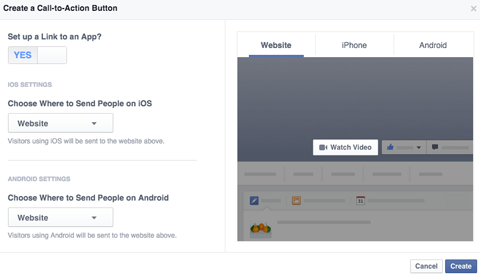
When you've finished the setup, click the Create button to test your Call-to-Action button. You want to make sure it directs Facebook page visitors to the right web page or app.
#3: Choose a Featured Video
Video on Facebook is a hot commodity. Add a Featured Video to your Facebook page. It will appear at the top of your About box, as shown on the Facebook page of Subaru.
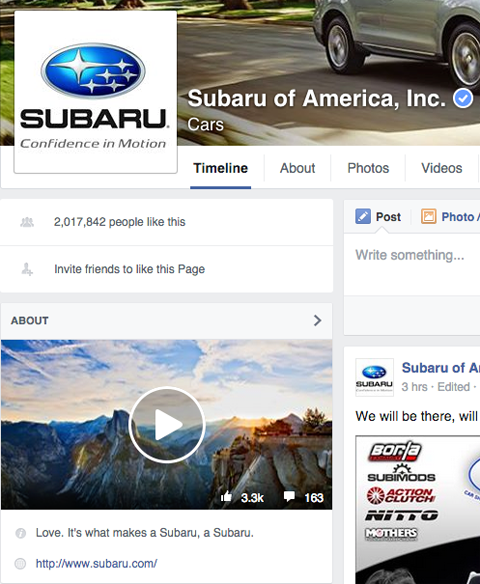
To include a Featured Video on your page, start by uploading a video to the Videos tab. Afterward, you get the option to add it as a Featured Video.
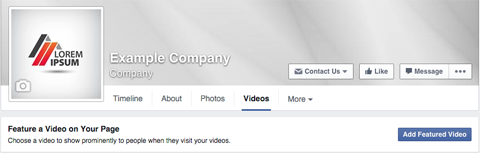
Simply select a video from your uploads to add as your Featured Video. Once you do that, you can click the pencil icon at the top right of the Featured Video on the Videos tab to add a description to your video, change it or remove it.

It is particularly important to add a description to your Featured Video, since anyone who clicks to watch the video will see it. Think of it as another call to action, like Chipotle does on their page.

As long as you're thinking about descriptions, add one to your Facebook page's cover photo. The same rules apply. Anyone who clicks on it will see whatever you added for the photo description as a call to action.
#4: Allow People to Privately Message Your Page
While this feature has been around for a while, some businesses don't realize its value. Think of messaging as a great reputation-management tool. People might be more likely to click the Message button on your page with a complaint before posting something publicly on your page.
To enable this feature (if you haven't already), go to your page's General settings and check the box to allow people to privately message your page.
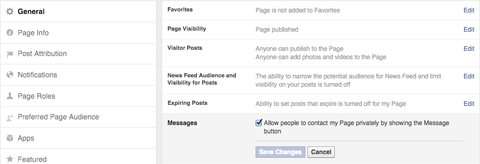
The Message button will then appear next to your Like button.

The Message button is also a great option for businesses that don't allow people to write posts on their pages. The alternative is forcing people to put complaints as comments on random page posts.
#5: Post Regularly With Publishing Tools
When did you last post to your Facebook page wall? In addition to the above cosmetic tips, you want to continuously make sure your Facebook page has new posts for your fans to enjoy.
If you don't want to invest in a third-party tool and can't remember to post to your Facebook page daily, try the built-in Publishing Tools.
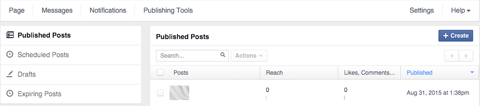
This set of tools allows you to schedule posts, so you keep your page updated regularly. All you have to do is take a little time one day a week to write some great updates for your page. Then schedule a new post to publish each day.
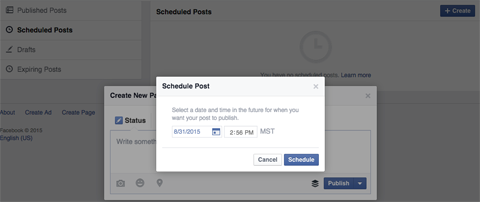
Once you schedule your posts, you just have to wait for the notifications to roll in and monitor comments. The updates will keep your page fresh and open the door to engagement opportunities with your audience.
In Conclusion
Your Facebook page represents your business, so make sure it's accurate and fan-friendly. Perform these basic checks to ensure your page is up to date in terms of the latest features Facebook has to offer. This is essential for page owners and their audiences.
What do you think? When was the last time you updated your Facebook business page? What other things should Facebook page owners be on the lookout for? Please share in the comments.

Want to Unlock AI Marketing Breakthroughs?
If you’re like most of us, you are trying to figure out how to use AI in your marketing. Here's the solution: The AI Business Society—from your friends at Social Media Examiner.The AI Business Society is the place to discover how to apply AI in your work. When you join, you'll boost your productivity, unlock your creativity, and make connections with other marketers on a similar journey.
I'M READY TO BECOME AN AI-POWERED MARKETER