by
by Want to create better video thumbnails without a graphic designer? Wondering if AI tools can help?
In this article, we explore how to create great-looking YouTube thumbnails using AI tools.
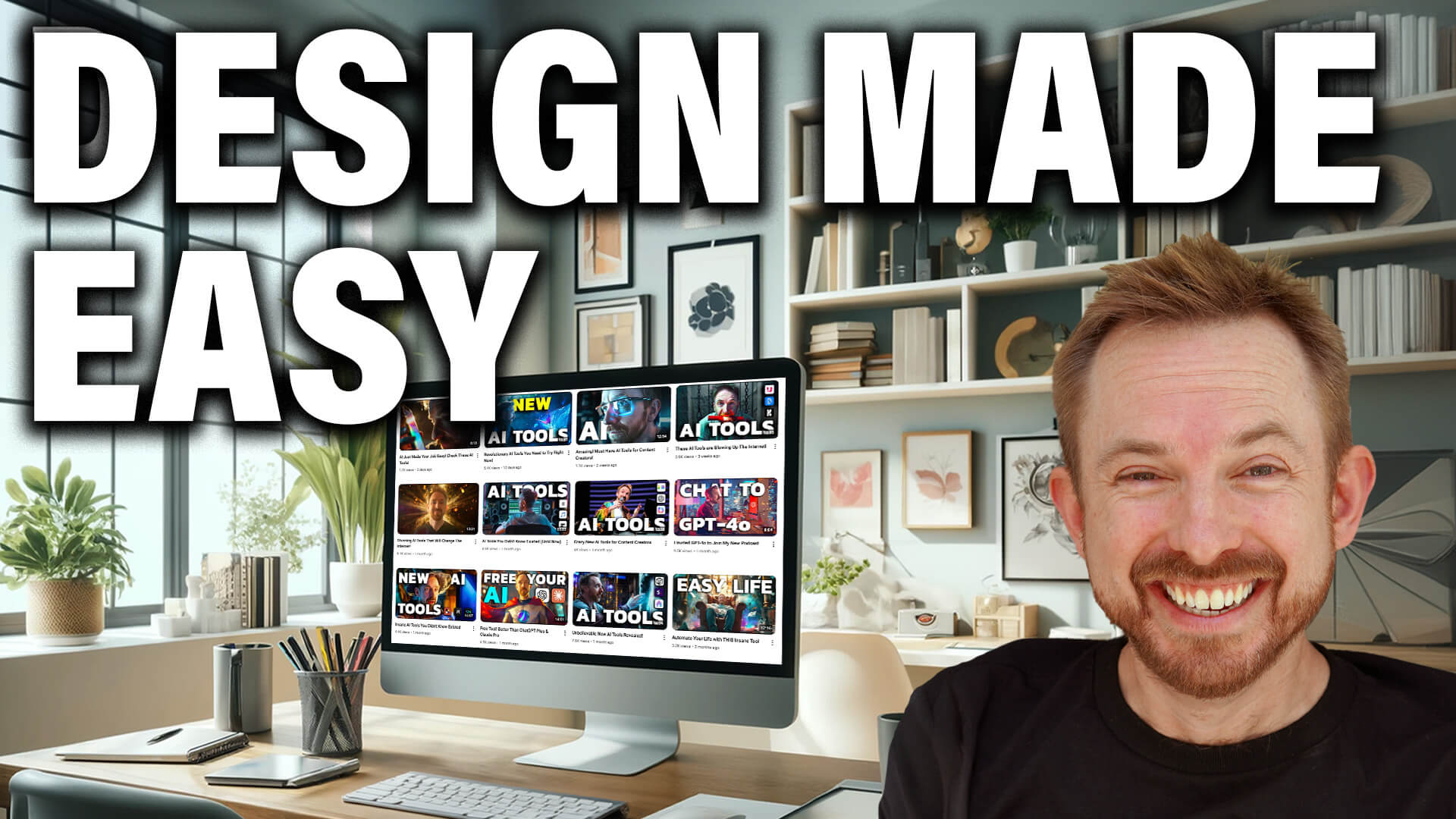
How to Create Visually Appealing Thumbnails With AI
Custom YouTube thumbnails are crucial for getting people to click on your videos. But creating, testing, and optimizing thumbnails is a time-intensive process.
By using these AI-powered techniques, you can create stunning YouTube thumbnail images that accurately represent your content, leading to better engagement and watch time for your YouTube videos.
#1: Use ChatGPT for Thumbnail Ideation
Before creating your AI YouTube thumbnail, you need to generate inspiration for visuals that might convey the main topic of your content to your audience. If you have an idea in your mind's eye, use as many words as possible to describe it to ChatGPT.
If your channel has a general theme, like Magic and Wizardry, you can incorporate that into your thumbnail ideas. For instance, you could ask for “a wizard shooting a lightning bolt at a microphone” for a video about podcasting. This keeps your captivating YouTube thumbnails consistent with your channel's theme while still relating to the video content.
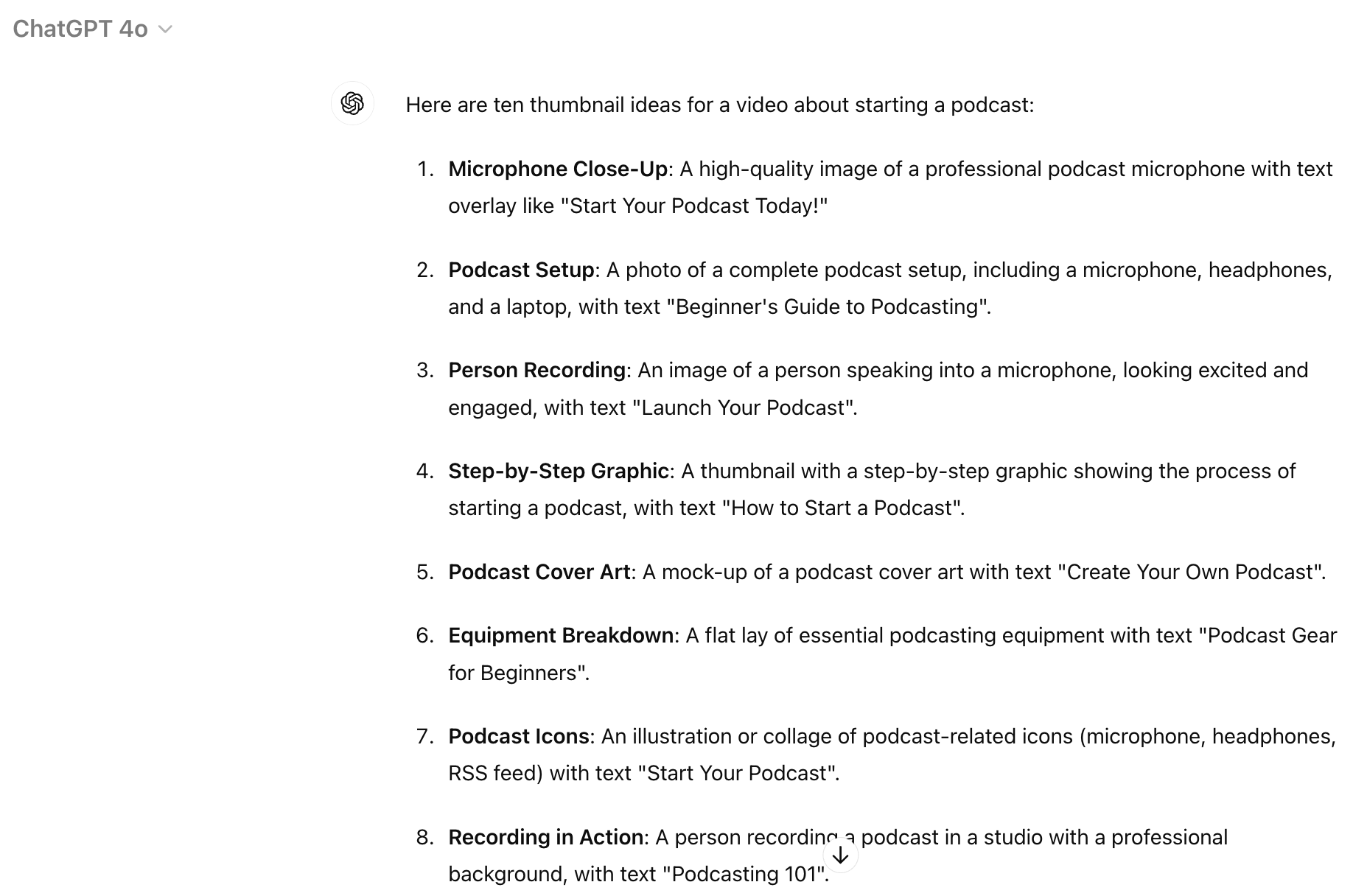
If you don't have any ideas, you can give ChatGPT your video topic and ask for at least 10 thumbnail suggestions. Alternatively, you can feed your video transcript or outline into ChatGPT and ask for thumbnail ideas based on the content. This helps ensure your thumbnail accurately represents your video.
For example, if you're making a video about starting a podcast, you might ask ChatGPT, “Give me 10 thumbnail ideas for a video about starting a podcast.” ChatGPT will suggest ideas like “a person speaking into a large microphone” or “a collage of podcast equipment.” You can then refine these ideas to fit your style.
Some results might not be great, but you'll likely find one or two that spark your creativity.
Pro Tip: Consider using ViewStats Pro, a tool from MrBeast, to search for successful thumbnails on similar topics. You simply type in a thumbnail idea, and the tool will give you all the thumbnails across YouTube that have performed incredibly well on that subject.
#2: Use AI to Create Podcast and Video Thumbnail Image Drafts
Once you have a concept, it's time to prompt the AI (artificial intelligence) to create the image.
Be as specific as possible when you describe the scene you want. Tell the AI what people are doing and communicate any important details you want to appear in the image.
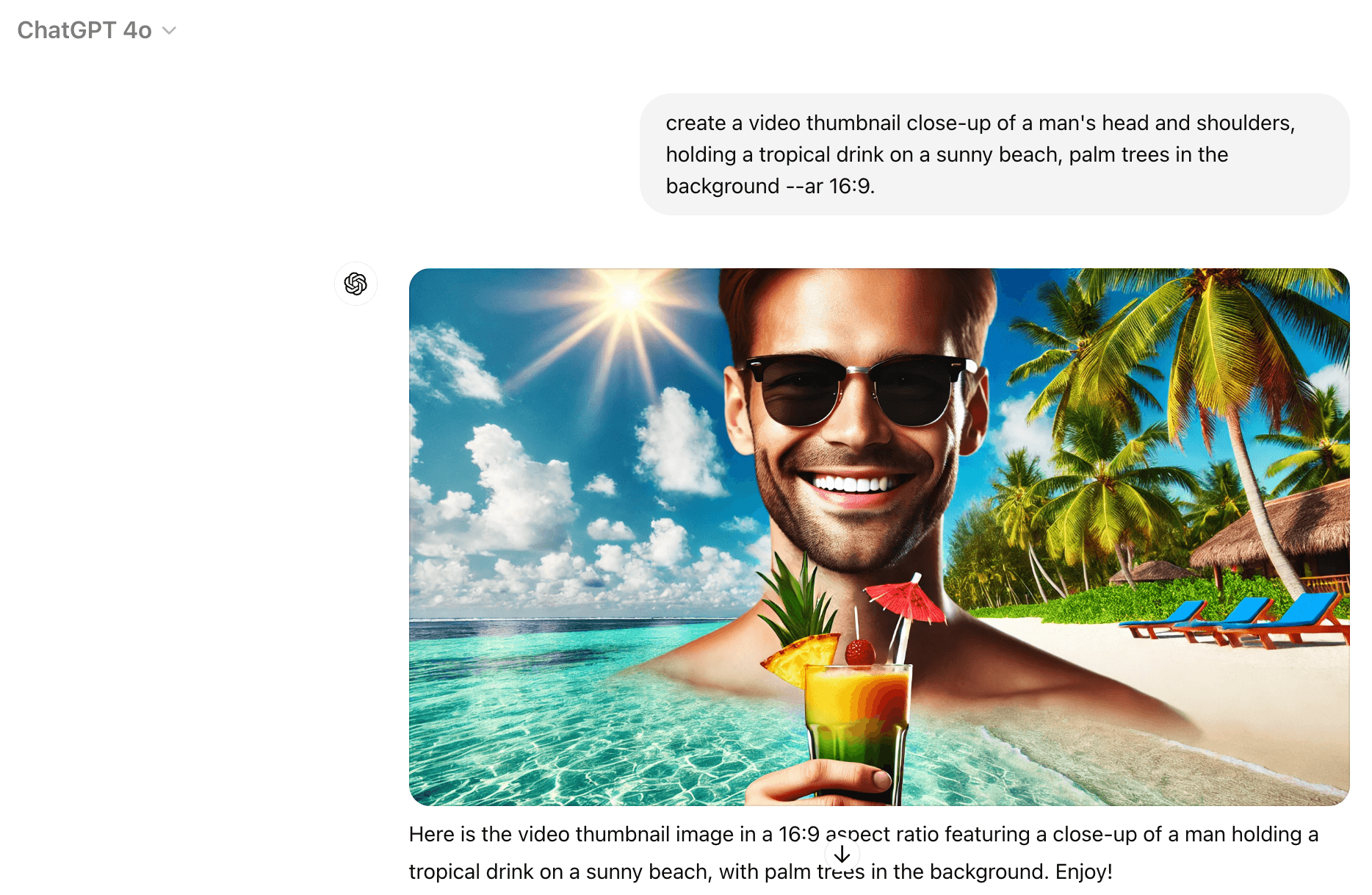
For example, instead of saying “man on a beach,” say “close-up of a man's head and shoulders, holding a tropical drink on a sunny beach, with palm trees in the background.”
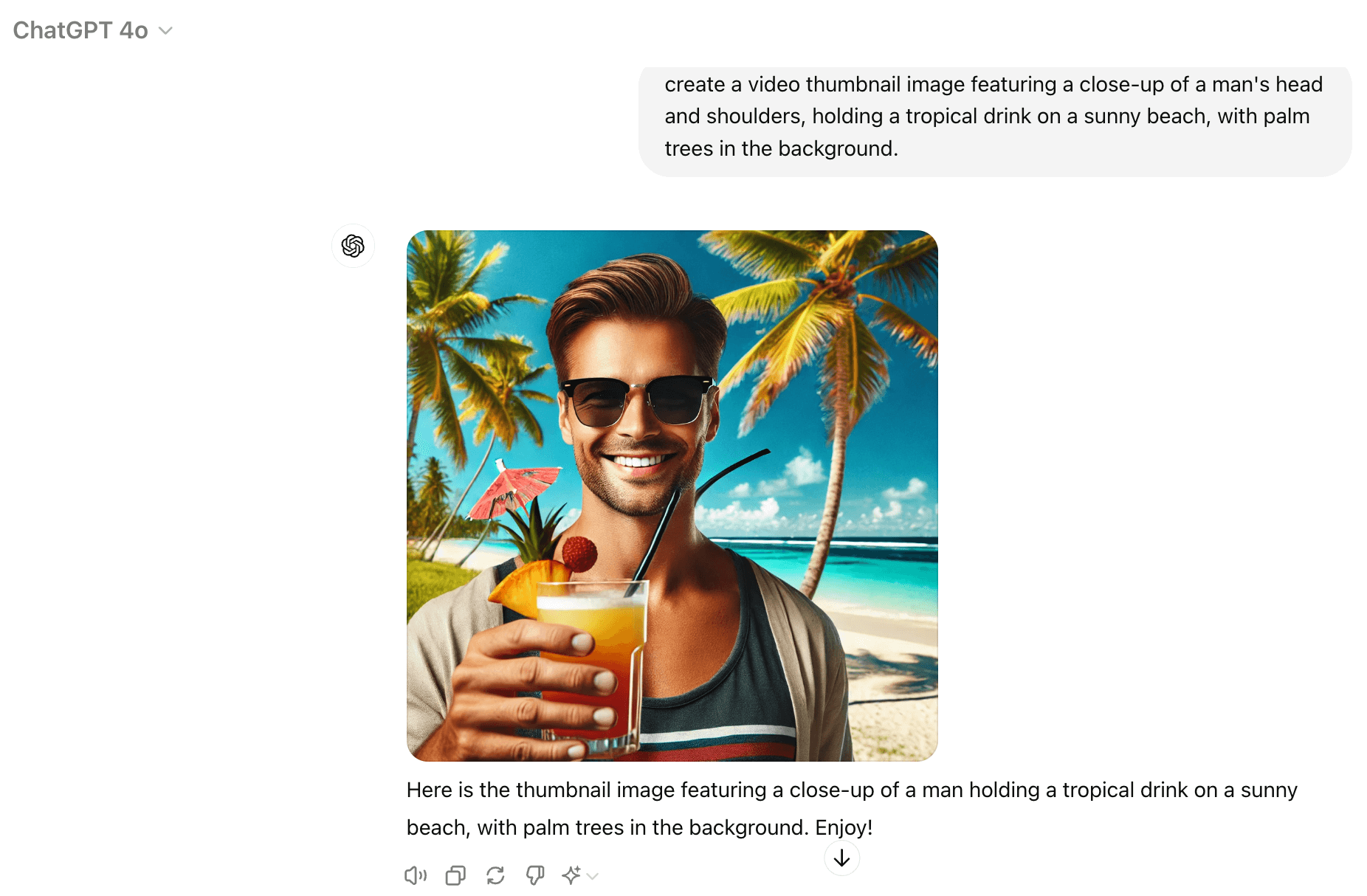
Mike Russell, founder of Music Radio Creative, recommends using AI image generators like Midjourney or DALL-E 3 because they will create realistic, high-quality images based on your descriptions.
Ready to Supercharge Your Marketing Strategy?

Get expert training and an unbeatable conference experience when you attend Social Media Marketing World—from your friends at Social Media Examiner.
Broaden your reach, skyrocket your engagement, and grow your sales. Become the marketing hero your company or clients need!
🔥 Save $560 on an All-Access ticket. Sale Ends Friday! 🔥
GET THE DETAILSFor instance, Mike created a thumbnail for a video about an AI tool that brings together multiple AI chats. He imagined “a big superhero with a cape, wearing the logos of different AI chat platforms all around.” This creative concept would be challenging to photograph but is easily generated by AI.
Mike prefers Midjourney for its ability to create superior photorealistic and detailed images but says DALL-E 3 is easier to use as it's integrated with ChatGPT but notes, “DALL-E is very good at following a text-based prompt… So if you want something to look a specific way, DALL-E is probably going to do it a little bit better than Midjourney.”
Remember to keep your thumbnail in a 16:9 aspect ratio, the standard for YouTube. When using Midjourney, you can specify this using the “–ar 16:9” tag in your prompt. For example, your full prompt might look like this: “close-up of a man's head and shoulders, holding a tropical drink on a sunny beach, palm trees in the background –ar 16:9.”
Pro Tip: Use Midjourney's character reference feature to create a character that looks similar to you. Upload an image of yourself to your website, then enter “–cref [URL]” into Midjourney with a prompt to create a character based on the person in the image.
#3: Use AI to Edit and Refine Your Podcast and Video Thumbnail Image
After generating your image, you might want to make some changes. Both Midjourney and DALL-E 3 allow you to edit specific parts of the image. For instance, you can change a person's shirt color or add objects to the background.
AI Is No Longer Optional for Marketers—Ready to Master It?

Join over a thousand forward-thinking marketers at AI Business World—a conference-in-a-conference at Social Media Marketing World.
Get two days of practical AI training where you'll discover:
✅ Systems that 3x your output—leaving time for strategy and creativity
✅ Proven strategies you can deploy right away—no guesswork, no wasted budget
Become the indispensable AI expert your company needs.
GET YOUR TICKETS—SAVE $250In Midjourney, you can use the Inpainting feature to select an area of the image and make changes. Mike gave an example: “If you didn't like the shirt you had on, it was a big red shirt, and you wanted a Hawaiian shirt, you could paint over it and say, ‘Make a Hawaiian shirt.'”
For more detailed edits, Mike suggests using Adobe Photoshop or Adobe Express. These tools let you make precise changes and add text to your thumbnail.
Adobe Photoshop's Generative Fill feature is particularly handy for making minor tweaks or removing unwanted elements from your image. For example, if the face in your image isn't well-lit, you can use the Exposure Brush to paint over it and brighten it up.
#4: Use AI to Add Your Face to a Podcast and Video Thumbnail
To personalize your thumbnail design, you can use AI face swap tools. This technique helps create a consistent look across your stunning thumbnails while allowing for creative scenarios that might be difficult to photograph in real life.
The face swap works well most of the time, but there can be occasional issues, so be sure to check your work carefully.
Mike recommends using Replicate, which offers free face swap options.
Step 1: Go to Replicate and create an account (requires GitHub login).
Step 2: Search for a face swap model on the site.
Step 3: Upload a clear, front-facing photo of yourself as the source.
Step 4: Upload your AI-generated thumbnail as the target image.
Step 5: Run the face swap process.
Step 6: Review the result and download if satisfied. If not, try adjusting your input images or using a different model.
The tool will swap your face—including your hair, facial features, and even facial hair, for the face in the original thumbnail image.
Other options for face swapping include InsightFace (available as a Discord plugin) and more advanced tools like FaceFusion or Stable Diffusion with DreamBooth. Mike explains, “If you want to get really techy, you can install something like FaceFusion on your own server, but again, that requires a little bit of code knowledge, but FaceFusion is pretty powerful.”
#5: Test and Optimize Your Podcast and Video Thumbnails
Once you have 3–5 thumbnail options, it's time to see which will perform the best.
For Video Thumbnails
A good option for this is YouTube's native A/B thumbnail testing, which lets you try different thumbnail versions to see which one gets more clicks.
Step 1: Upload your video to YouTube and set up A/B testing for thumbnails in YouTube Studio.
Step 2: After a week, check the performance of each thumbnail variant.
Step 3: Select the best-performing thumbnail.
Mike also suggests looking at your video's retention graph in YouTube Studio after it goes live for thumbnail inspiration.
Find the parts of your video where viewer interest peaks. Then, create a thumbnail that highlights those exciting moments. You can even use ChatGPT to turn these high-interest moments into short, powerful quotes to use on your thumbnail.
Create new eye-catching thumbnails highlighting these moments and repeat the testing process to see what gets the most watch time. That's your winner.
For Podcast Thumbnails
This process is similar to checking retention on videos, but you look at your audio performance.
Step 1: Identify peaks in the retention graph.
Step 2: Copy the transcript from these high-interest moments.
Step 3: Use ChatGPT to turn these excerpts into short, powerful quotes (8 words or less).
Step 4: Create new captivating thumbnails using these quotes and test them.
Mike Russell is founder of Music Radio Creative, an audio agency for creators. His AI-focused YouTube channel is Creator Magic. He’s also host of the Creator Magic Podcast. You can find him on YouTube.
Other Notes From This Episode
- Connect with Michael Stelzner @Stelzner on Facebook and @Mike_Stelzner on X.
- Watch this interview and other exclusive content from Social Media Examiner on YouTube.
Listen to the Podcast Now
This article is sourced from the AI Explored podcast. Listen or subscribe below.
Where to subscribe: Apple Podcasts | Spotify | YouTube Music | YouTube | Amazon Music | RSS
✋🏽 If you enjoyed this episode of the AI Explored podcast, please head over to Apple Podcasts, leave a rating, write a review, and subscribe.
Stay Up-to-Date: Get New Marketing Articles Delivered to You!
Don't miss out on upcoming social media marketing insights and strategies! Sign up to receive notifications when we publish new articles on Social Media Examiner. Our expertly crafted content will help you stay ahead of the curve and drive results for your business. Click the link below to sign up now and receive our annual report!

Want to Unlock AI Marketing Breakthroughs?
If you’re like most of us, you are trying to figure out how to use AI in your marketing. Here's the solution: The AI Business Society—from your friends at Social Media Examiner.The AI Business Society is the place to discover how to apply AI in your work. When you join, you'll boost your productivity, unlock your creativity, and make connections with other marketers on a similar journey.
I'M READY TO BECOME AN AI-POWERED MARKETER