by
by Are you still manually copying data into your AI tools every time you need an analysis? Do you keep uploading the same files to Claude or ChatGPT only to find they're already outdated by the time you need them again?
In this article, you'll discover how to connect live data to your AI tools for real-time intelligence.
What Connecting Real-Time Data With AI Can Do for You
Most people still use AI reactively — copy data in, get an answer, start over when anything changes. That approach treats AI like a smarter search engine, leaving most of the value untouched.
A paradigm shift happens when AI has a live connection to the data that runs your business via your CRM, your documents, and your meeting transcripts. Instead of stopping your workflow to find, compile, and paste information into a prompt, you give a command, and the AI retrieves and analyzes everything in real time.
When AI can look across months of client interactions, pipeline data, and internal notes simultaneously, it surfaces patterns and opportunities that would take even experienced operators days to find manually, if they'd notice them at all. That's the gap most business owners don't realize they're sitting on.
Ryan Staley describes three core benefits when live data is properly connected to AI.
The first is what he calls operating at the speed of thought. Instead of stopping your workflow to go find data, log into a CRM, pull a spreadsheet, and copy it into a prompt, you just ask. The AI is already connected to all of it. You describe what you want, and it goes and retrieves it.
The second benefit is pattern and opportunity recognition that humans simply can't replicate without enormous time investment. An AI with access to months of your client transcripts, HubSpot data, and internal documents can surface things that would take even an experienced operator days to find on their own, if they'd notice them at all.
Third, and most obviously, it saves time. Tasks that require manually reviewing multiple systems, cross-referencing data points, and producing a report can be reduced from hours to minutes.
3 Examples to Use Real-Time Data in AI for Your Work
Rather than treating AI as a tool you pick up for individual tasks, Ryan structures his use around three interconnected operating systems that use live data: a CEO operating system, a sales operating system, and a product operating system. Each serves a different function in running his business.
The CEO Operating System
This setup draws from HubSpot, a meeting transcription service, Notion, and Google Drive to run daily, weekly, and monthly check-ins. The system embeds frameworks from multiple leadership experts and produces goal outputs across monthly, quarterly, and annual timeframes.
He also uses it to get strategic advice based on regular stream-of-consciousness brain dumps of what's on his mind. The system will synthesize it, cross-reference it against everything it already knows about his business and goals, and surface patterns. It calls out where he's scattered, where he's missing obvious opportunities, and where he has clear strengths that his clients are already responding to that he’s not fully addressing.
The Sales Operating System
Ready to Supercharge Your Marketing Strategy?

Get expert training and an unbeatable conference experience when you attend Social Media Marketing World this April 28-30—from your friends at Social Media Examiner.
Broaden your reach, skyrocket your engagement, and grow your sales. Become the marketing hero your company or clients need!
🔥 Save $500 on an All-Access ticket. Sale Ends Friday! 🔥
GET THE DETAILSThis setup connects to his CRM and gives him a report he previously had to produce manually. In one session, Ryan pulled up a next-best-actions report for every active deal, had them stack-ranked and prioritized, and then asked the system to update the deal stages directly in HubSpot. Deals that had been sitting in the wrong pipeline stage were corrected in a single command.
At a simpler level, he uses ChatGPT connected to HubSpot to run ICP pattern analysis: pulling the last nine days of contacts, identifying company size, type, and behavior patterns, and producing a prioritized list of who to follow up with immediately.
The Product Operating System
This setup tracks the deliverables he produces for clients, including transcripts, resources, and output quality. It lets him continuously improve what he delivers based on patterns across all client engagements.
How to Connect AI Tools to Your Live Data
What holds marketers back from integrating real-time data with their AI tools?
The most common misconception Ryan sees is the belief that real-time data integration is only for coders. At the same time, terms like Claude Code and OpenAI Codex can sound intimidating from a technical skills perspective.
The barrier isn't a technical skill. It's the assumption that using these models requires one.
The more difficult hurdle to clear is a mental one. Ryan describes catching himself falling into old habits, such as manually reviewing pipeline reports and writing to-do lists, despite having access to a resource that works 24 hours a day and can operate 100 times faster than a human when pointed at the right task.
His practical suggestion: ask the AI directly. Go to whichever model you use and type:
I want to deconstruct how I could work better with AI agents compared to the way I work.

I currently spend a lot of my time on [Insert Task, e.g., manually reviewing pipeline reports and writing out daily to-do lists].

Please provide a side-by-side comparison of:

The Classic Approach: How I currently handle this (line-by-line review, manual synthesis, static list-making).

The Agentic Approach: How I should be thinking if I treat you as a 24/7 resource that operates 100x faster.

Specifically, highlight where my old habits are costing me cognitive energy and show me how to shift from being the doer of the task to the architect of the outcome.
#1: Address Security
Ryan is direct on this first point: don't connect business data to a free AI account. Pay for the plan that includes a commercial data protection guarantee, which means the models aren't training on your inputs.
Then go into your settings and confirm that data sharing for model training is turned off. That's the non-negotiable baseline.
Ryan runs Claude at the $100/month API tier, given the volume he uses. For most users starting out, the entry-level paid plan ($20–30/month) is sufficient. Claude is stricter about usage limits than some competitors, so a paid account is necessary for any meaningful volume of agentic work.
#2 Connect and Call Your Real-Time Data in Any AI Chat
You don't need to build anything elaborate to start benefiting from real-time data. Every major AI platform now has a connectors feature, and accessing it takes about 60 seconds.
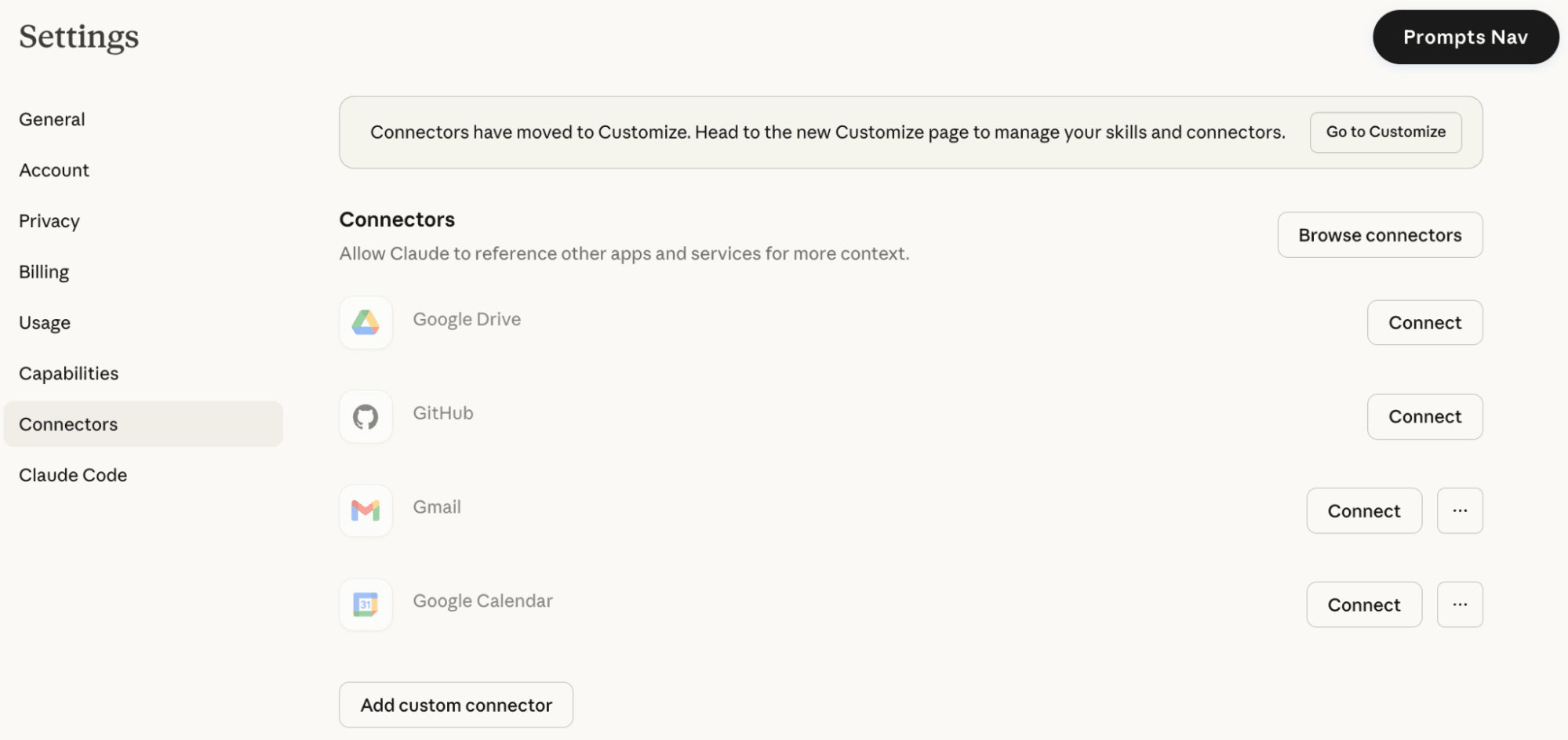
In Claude, ChatGPT, Gemini, or Co-Pilot, go to settings and look for “Connectors” or “Apps” to choose your sources.
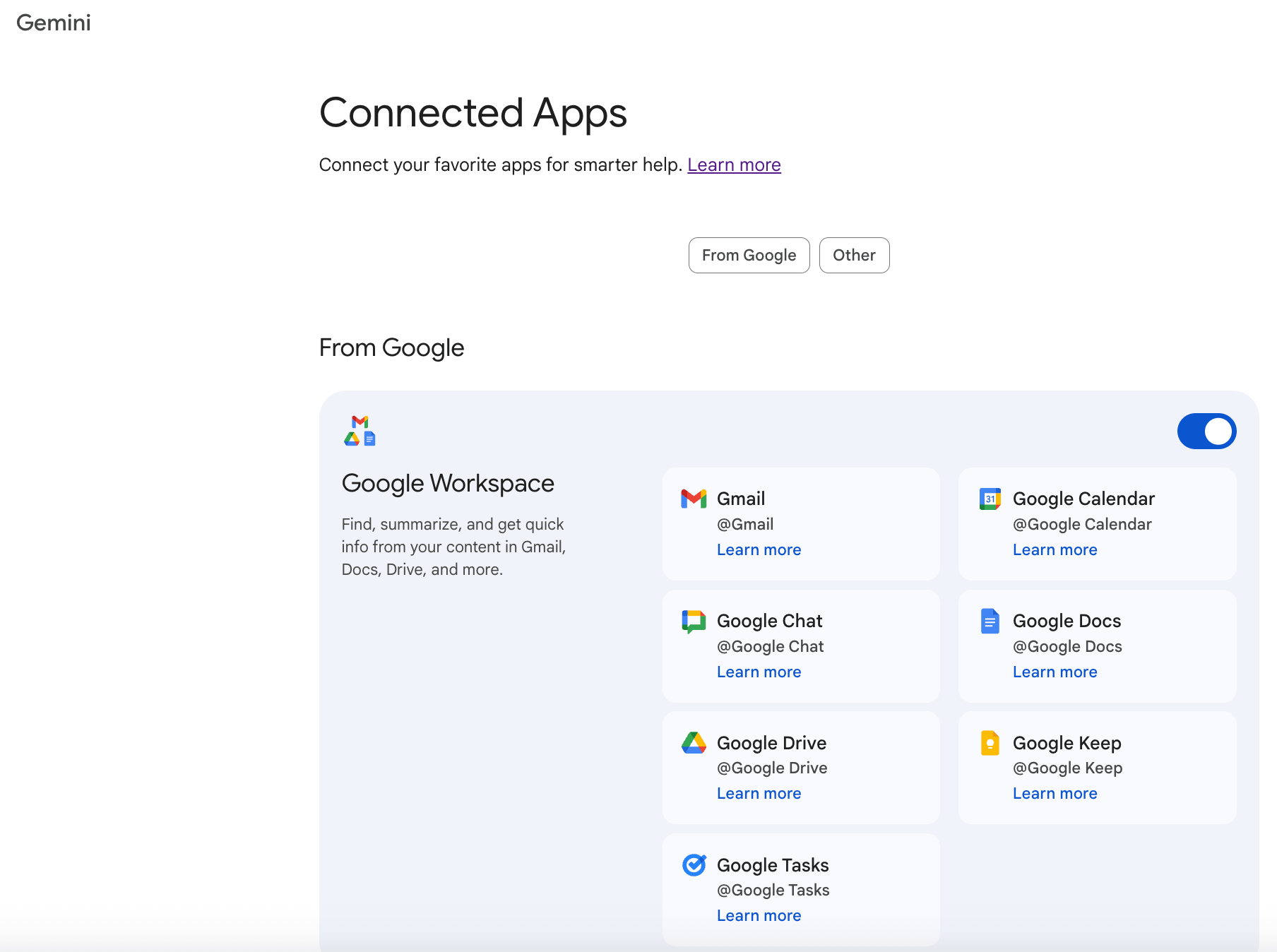
Once a connector is active, you reference it within a chat conversation using a simple UI trigger. In Claude or ChatGPT, hit the plus (+) symbol and select the relevant data source. In Gemini, use the at (@) symbol. In Copilot, use a slash (/) command to pull up different files and data sources.
AI Is No Longer Optional for Marketers—Ready to Master It?

This April 29-30, join over a thousand forward-thinking marketers at AI Business World—a conference-in-a-conference at Social Media Marketing World.
Get two days of practical AI training where you'll discover:
✅ Systems that 3x your output—leaving time for strategy and creativity
✅ Proven strategies you can deploy right away—no guesswork, no wasted budget
Become the indispensable AI expert your company needs.
GET YOUR TICKETS—SAVE $150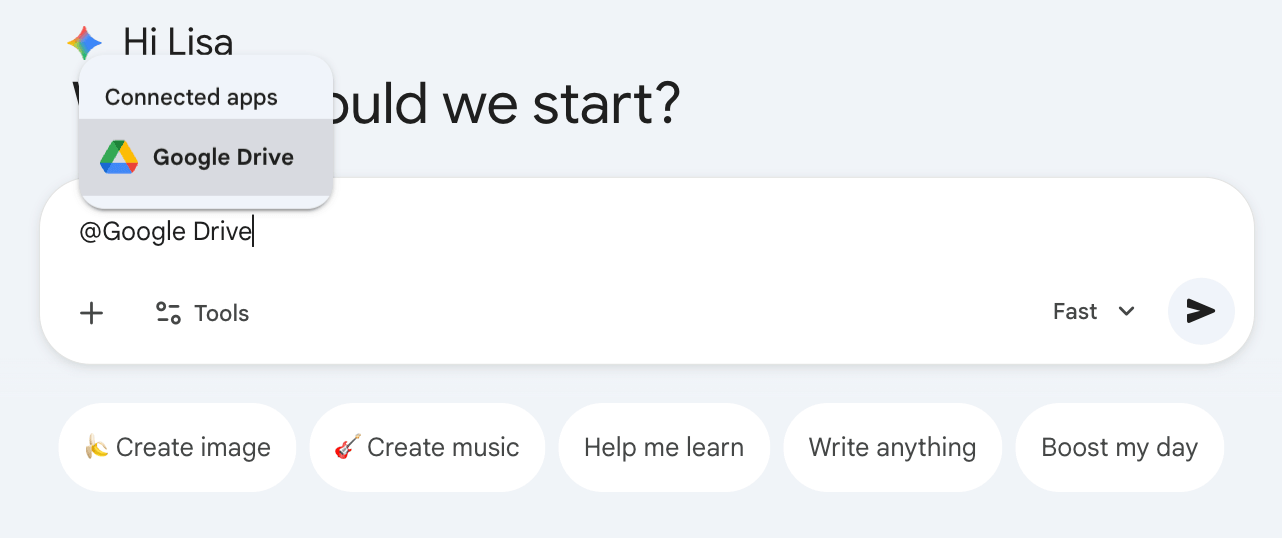
Pro Tip: Claude tends to look across multiple connected tools within a single workstream, whereas ChatGPT typically works with a single source at a time. If you're doing anything that requires cross-referencing multiple data sources in a single query, Claude handles it more naturally.
Where to start:
Ryan recommends connecting your CRM or a file storage system like Microsoft OneDrive where you have a large volume of accumulated data, then asking one of two high-value opening queries.
The first:
Look across my data and tell me the trends and patterns I should be paying attention to that I'm not.
The second:
Identify five unique, game-changing opportunities I don't see right now.
Not every answer will be a home run, Ryan says, but most of the time, two or three genuinely surprising insights come back. Things that were always in the data but invisible will be surfaced by the AI.
#3 Use Claude Code With Skills
Once you've been using connectors in a standard chat interface, you can advance to using Claude Code with Skills to orchestrate multi-step workflows that would previously have required setting up an n8n or Make automation chain.
Claude Code is a simple way to build agents or to interact across multiple resources and data in real time to do work for you.
Skills are workflows of instructions that an agent stores and references so it always knows how to do a specific job. Instead of rewriting a complex prompt every time you want the same kind of output, a skill handles that automatically. The agent knows what to do, which data to pull, and how to format the output, without you having to specify each step.
For example, Ryan described running three agents simultaneously in Claude Code to draft social posts.
One researches the top 10 trending topics from the last seven days, the second reviews those topics and matches them against his existing content style and areas of expertise, and the third drafts the actual posts in his unique format. The full pipeline runs without him manually handing off tasking to each agent at each step.
You could use a similar setup to produce 10 or 30 YouTube video scripts from a single content brief.
Pro Tip: Skills can be created, exported as a ZIP file, and shared with others. Once the team member uploads and activates the skill, they immediately have access to the same specialized capability without having to build anything themselves.
Getting Claude Code running requires understanding a key difference between its two versions. The desktop app connects directly to your local files and is the more accessible starting point. The web version requires a free GitHub account, because files are stored there rather than locally. Ryan notes that most non-developers won’t have a GitHub account, which may be a stumbling block.
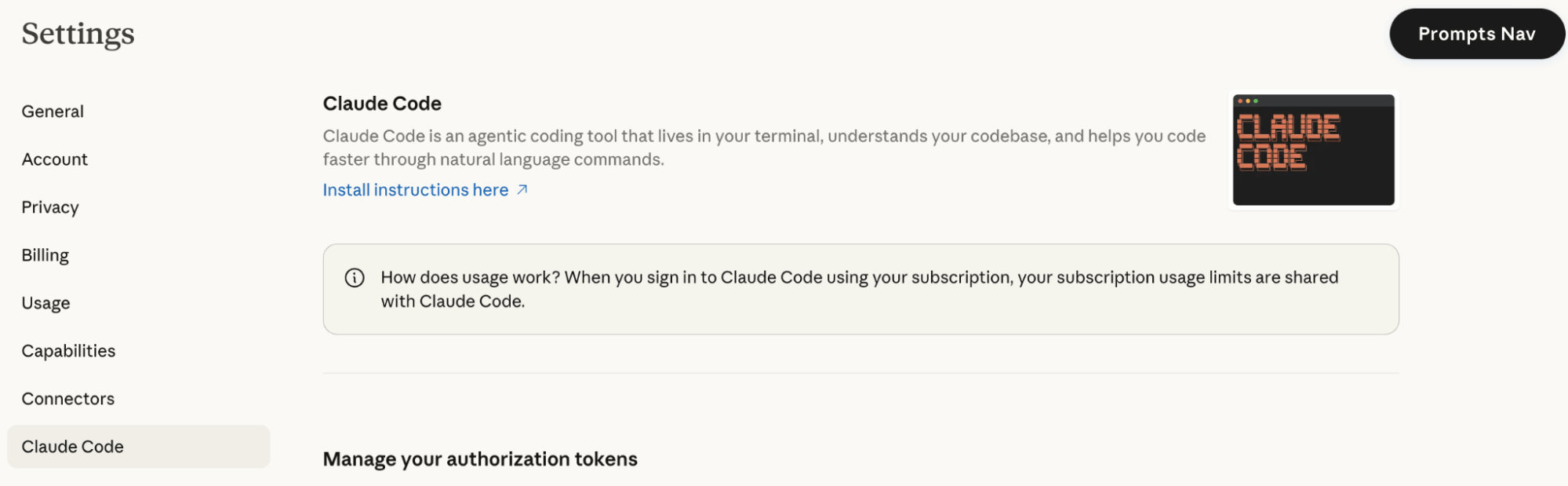
The interface looks like a coding terminal with plain text and no visual polish, something like a command-line environment. That appearance scares off many non-technical users. But you interact with it the same as any chat tool: simply type what you want in plain language.
Claude Code also has a persistent memory file that you setup once. Every session starts with the AI reading that file, so the agent already knows your preferences, data structure, goals, and how you want things handled. Over time, as you update that file, the system improves.
Ryan is candid about the learning curve: he's an expert in this space and still spent two hours on a YouTube tutorial only to get 15 minutes in — because he'd watch a step, try it, have it break, screenshot the error, paste it into an AI and ask “why isn't this working?”, iterate, then go back to the video. That loop repeated until the setup clicked. Once it did, he says, it was straightforward. His advice is to expect that hump, not be surprised by it.
Advanced Third-Party Tools to Improve Your Workflow Experience
Connecting Claude Code to Obsidian.md is something Ryan recommends for anyone who wants better visual output from a coding agent. The reason the pairing works so well is practical: coding agents communicate in markdown files, and Obsidian is built around markdown. They speak the same language natively, so outputs flow cleanly into Obsidian without any formatting translation. Instead of reading raw terminal text, you get a cleanly formatted, visually navigable document.
Ryan uses Obsidian for manual updates to his knowledge base and Claude Code for commands and complex operations.
In a very recent update, Obsidian released a way to run the Claude Code terminal directly inside the app. That means you no longer have to switch between Claude Code and Obsidian; the command interface lives inside Obsidian itself. At the time of this recording, Ryan hadn't had a chance to test it yet, but called it a potentially significant quality-of-life improvement for this workflow.
Cursor is worth knowing about as well. It's a model aggregator for coding agents, a centralized interface that lets you route tasks to different underlying AI models depending on their strengths. It costs $30–60 per month and is a good option if you want to work across Claude, Codex, and other models without switching between applications.
Ryan Staley is an AI strategist and founder of Whale Boss, where he helps businesses from startups to $20 billion enterprises implement AI transformation. He is the host of The Scale Up Show podcast. Follow him on LinkedIn, YouTube, or X.
Other Notes From This Episode
- Connect with Michael Stelzner @Stelzner on Facebook and @Mike_Stelzner on X.
- Watch this interview and other exclusive content from Social Media Examiner on YouTube.
Listen to the Podcast Now
This article is sourced from the AI Explored podcast. Listen or subscribe below.
Where to subscribe: Apple Podcasts | Spotify | YouTube Music | YouTube | Amazon Music | RSS
✋🏽 If you enjoyed this episode of the AI Explored podcast, please head over to Apple Podcasts, leave a rating, write a review, and subscribe.
Stay Up-to-Date: Get New Marketing Articles Delivered to You!
Don't miss out on upcoming social media marketing insights and strategies! Sign up to receive notifications when we publish new articles on Social Media Examiner. Our expertly crafted content will help you stay ahead of the curve and drive results for your business. Click the link below to sign up now and receive our annual report!

Want to Unlock AI Marketing Breakthroughs?
If you’re like most of us, you are trying to figure out how to use AI in your marketing. Here's the solution: The AI Business Society—from your friends at Social Media Examiner.The AI Business Society is the place to discover how to apply AI in your work. When you join, you'll boost your productivity, unlock your creativity, and make connections with other marketers on a similar journey.
I'M READY TO BECOME AN AI-POWERED MARKETER