by
by Are you avoiding video marketing because you think you need professional equipment and video production skills? Do you struggle to keep up with the constant demand for fresh video content?
In this article, you'll discover how to create professional videos using AI tools that require no video background. You'll learn how to create avatar-based videos, transform written content into video, and automatically repurpose long-form content into short clips.
Why AI Video Creation Removes the Barriers to Video Marketing
Video has become the most powerful content medium for marketers, but scaling video production is extremely labor-intensive and expensive. Stephanie Nivinskus, an AI marketing strategist and author of Sizzle or Fizzle, explains that this creates an unbearable situation for many people trying to make a big impact with their marketing.
The biggest misconception about AI video is that you need a video production background to use it effectively. This simply isn't true. Stephanie emphasizes that you don't need any professional production background to create AI videos. If you can use your iPhone or Android, you can use these tools.
The benefits of AI video generation include scaling much faster, increasing visibility, positioning yourself as a thought leader, and saving both time and money. Instead of producing one video per week manually, Stephanie notes that with AI tools, you could produce five videos per day.
Below, you'll discover three AI video tools.
#1: Creating AI Video Avatars With HeyGen
HeyGen is the tool Stephanie uses to create AI video avatars. The platform allows you to create videos featuring an AI version of yourself speaking any script you provide, eliminating the need to film yourself repeatedly.
Training Your Avatar With Video
The process begins by uploading training material for HeyGen. This means providing real video of yourself speaking or delivering content. It doesn't need to be anything fancy or professional recordings. You can use footage from your phone, or if you don't have any existing footage, you can record directly in the software.
The quality of your training video will impact the quality of your avatar output. Stephanie recommends using high-quality video if you have it, but emphasizes that she doesn't want people to feel like they can't use this technology if they don't have professional footage. There are ways around it.
When Stephanie created her avatar, she uploaded about two hours of clips from different presentations and videos she had done. The variety of clips helped her dial in her mannerisms. Using footage from different occasions meant the AI learned from her wearing different clothes, hairstyles, and settings. This gave the system variety in her facial expressions, voice tone, and hand movements, preventing that uncanny valley feeling when watching the final avatar.
For people who don't have existing high-quality footage and want to create good training content, Stephanie offers straightforward equipment advice. You can get a light, inexpensive microphone to achieve good sound quality.
Stephanie uses a Blue Yeti microphone that she's had for five years. For lighting, she has an Elgato light that cost $100 at the time, though it might be even less expensive now.
She keeps her setup simple with the light right behind her monitor. The key is that she's very low maintenance with her equipment. This isn't about having professional studio equipment. It's about having good-enough quality to train an effective avatar.
Pro Tip: Different tools may claim you only need a couple of minutes, but in Stephanie’s experience, quality is compromised when you give it so little to work with.
Ready to Supercharge Your Marketing Strategy?

Get expert training and an unbeatable conference experience when you attend Social Media Marketing World—from your friends at Social Media Examiner.
Broaden your reach, skyrocket your engagement, and grow your sales. Become the marketing hero your company or clients need!
🔥 Save $510 on an All-Access ticket. Sale Ends Tuesday! 🔥
GET THE DETAILSTraining Your Avatar’s Voice
For voice training specifically, Stephanie read her entire book aloud, using inflection and variation to keep the listener engaged. Just like when speaking naturally, she varied her tone, pace, and pitch throughout the reading to capture how she shows up in real life.
How Convincing Are AI Avatar Videos?
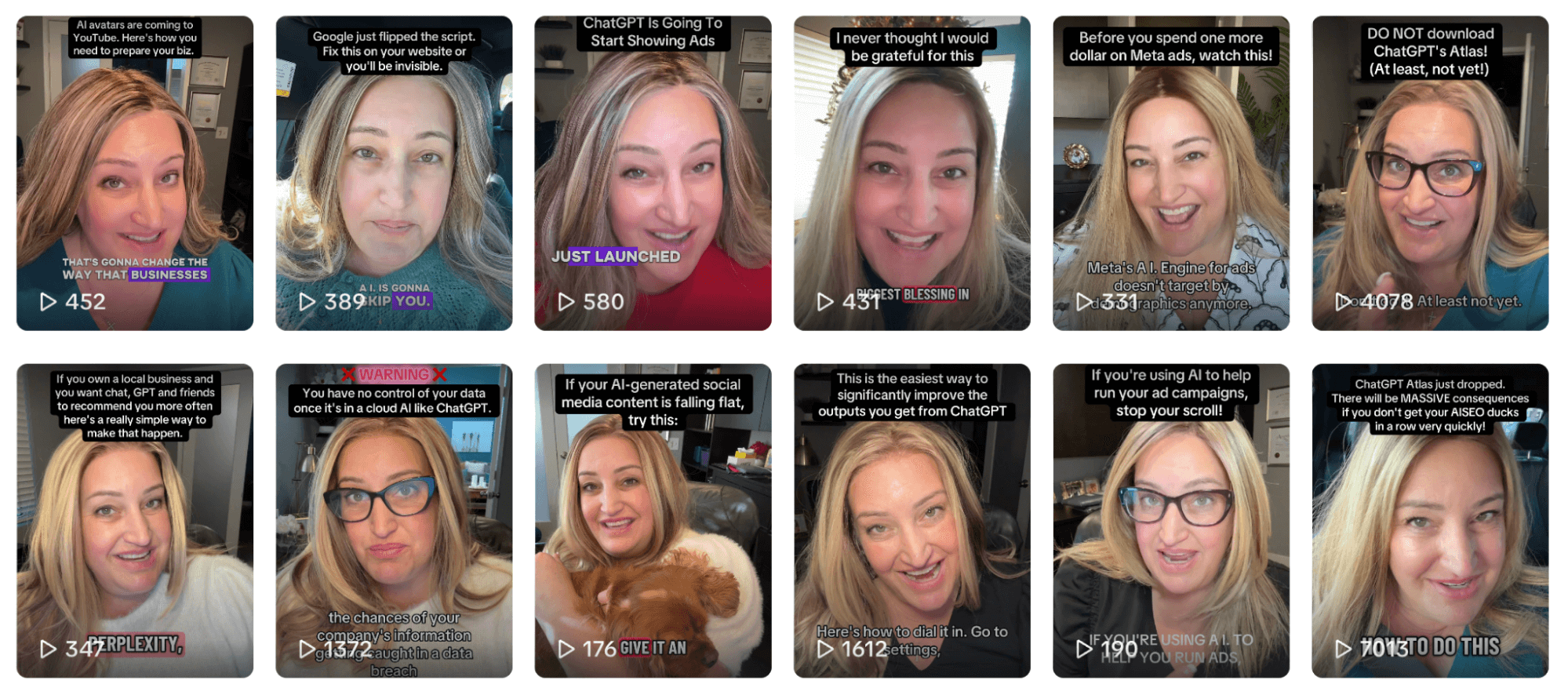
Stephanie tested her AI avatar by showing it to her husband before using it in a keynote speech. She had been married to him for 25 years at that point. When she showed him the avatar video and asked what he thought, he responded, “Why did you just show me a video of you?”
He did not know the avatar was not a video she had just recorded with her phone. That convinced her the technology had reached a level where it could authentically represent her in video content.
Creating Videos With Your Trained HeyGen Video Avatar
Once you have your avatar built, creating videos becomes remarkably simple. You write a script, feed it to HeyGen, and your avatar takes it from there. The generation process takes a few minutes, though the time depends on the script length. In Stephanie's case, it usually takes a few minutes, and then it's done.
The most time-consuming part is creating the avatar itself. Once that's done, it's simply a matter of feeding it a script and letting it generate the video.
Scripting for Natural Speech
Because you don't always write the way you speak, Stephanie has a specific approach to scripting. She reads all of her scripts aloud before using them to make sure she's not falling into overly polished writing that doesn't sound like a human conversation.
She sometimes even intentionally adds filler words that you might think you would delete. For example, the word “um” is normal in a conversation. She notes that many people want to edit out every “um,” but she doesn't think you should. Having an occasional “um” makes the content more real.
Video Quality Control and Iteration
The generated video doesn't always come out perfect. When that happens, Stephanie simply regenerates it, just like with any other AI tool. She watches each video to check the quality before using it.
The main things to look for include how your eyes behave (Are you blinking at a normal and natural pace?) and whether your voice sounds like you. Sometimes the AI can get carried away, making your voice sound deeper or higher than usual. When that happens, you can make small tweaks in the video editing studio provided by HeyGen.
AI Is No Longer Optional for Marketers—Ready to Master It?

Join over a thousand forward-thinking marketers at AI Business World—a conference-in-a-conference at Social Media Marketing World.
Get two days of practical AI training where you'll discover:
✅ Systems that 3x your output—leaving time for strategy and creativity
✅ Proven strategies you can deploy right away—no guesswork, no wasted budget
Become the indispensable AI expert your company needs.
GET YOUR TICKETS—SAVE $150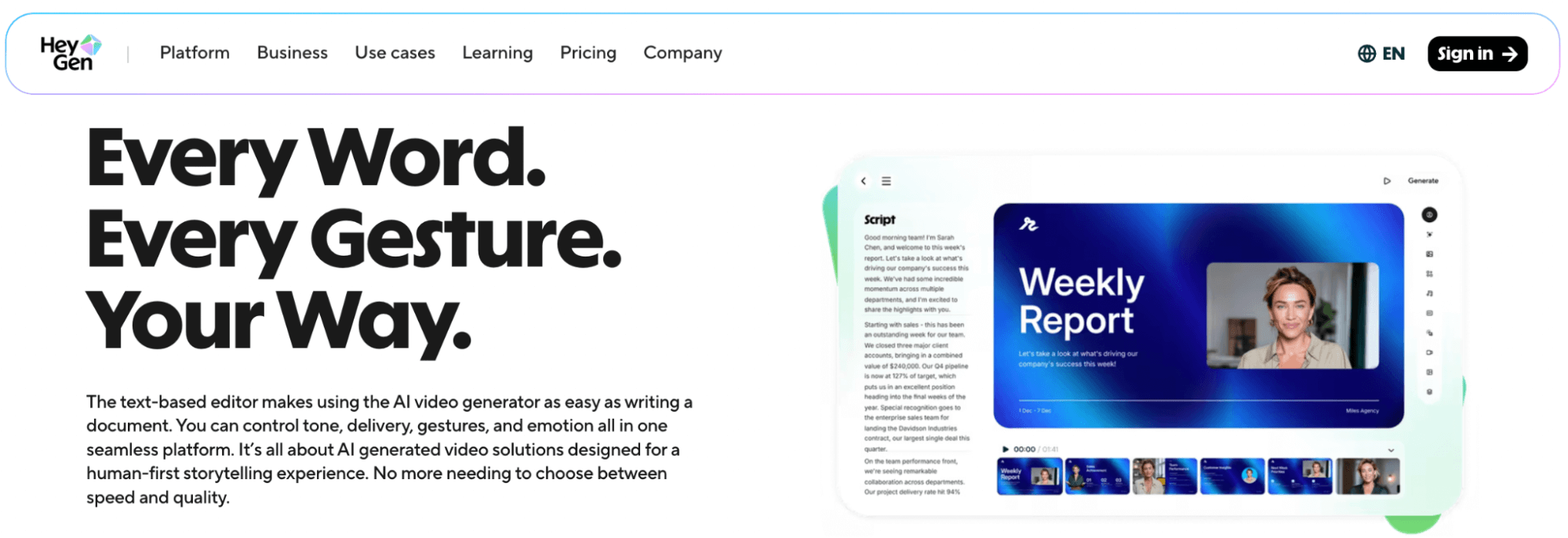
However, Stephanie has never had an experience in which she watched a video and found it horrible. Everything she's found has been 90% to the finish line, just needing a few i's dotted and t's crossed.
Practical Use Cases for HeyGen AI Video
You can create evergreen webinars using your avatar. If you've written blogs over the past 15 years, you can feed them to AI avatar software, and it will create video versions of your blog posts, making your content richer and more accessible.
If you've written a book, you can have your avatar read sections of it and then use other tools to automatically slice and dice it into short-form video content. This gives you months' worth of short-form video done literally instantly.
You can update courses without rerecording everything. If you have courses that are mostly worksheets and written material, or if your videos are outdated because things have changed, you can create new video versions of your course content without having to set up a camera and film yourself again.
#3: Creating AI Text-to-Video With Lumen5's AI Video Generator
Lumen5 is a tool Stephanie really loves for situations where you just need text-to-video created without an avatar presenter. Instead of featuring a talking head, it creates a video using stock footage combined with text overlays.
You can put a script into Lumen5, and it will create a video using either stock footage or footage you've provided. It can also use either stock voiceovers or your recorded voiceover. The tool can brand videos in line with your company's brand guidelines.
The free or low-cost version will use more stock elements. The more you pay, the more customization options you get. This pricing structure makes it accessible for testing before committing to a paid plan.
Voice Options for Lumen5
When adding voice to Lumen5 videos, Stephanie recommends personalizing as much as possible. She mentions ElevenLabs as a great tool for voice cloning, though she used to use it alongside HeyGen and eventually stopped because she no longer felt it was necessary.
For very small business owners or solopreneurs, Stephanie probably wouldn't go to the expense or trouble of using a separate voice cloning tool. Instead, she would record her own voice directly into her microphone and use it as the video's audio track.
She's done this several times in HeyGen itself when she didn't have time to edit the AI voice and knew she'd need to get things dialed in precisely. Reading the script herself took just two minutes, and it was done.
Practical Use Cases for Lumen5 AI Video
Stephanie describes a specific scenario where Lumen5 shines. Imagine you're working in an internal communications position, and you have a script for the CEO that was supposed to be made into a video, but there's no time. Instead of using an AI avatar, you can put that script into Lumen5 to quickly create a professional video using stock footage and other elements.
This tool is particularly great for quickly getting a lot of video from content that has already been written. It bridges the gap between having written material and needing video versions of that content.
#4: Repurposing Long-Form Content Into AI Video With Opus Clip
Opus Clip is an AI tool that solves the problem of extracting short-form content from long-form videos. You feed it long-form video, and it uses its AI video generation capabilities to slice and dice that video into multiple short-form clips.
What makes Opus Clip truly amazing, according to Stephanie, is that it doesn't just slice and dice your video into clips. It actually rates each clip based on its virality expectations. The tool will tell you things like “This clip has a 97% chance of going viral” versus “This has a 63% chance.”
Stephanie doesn't know the mechanics behind how their algorithm determines these ratings. All she knows is that it's pretty spot-on and works, because she's tested it. Being able to pump out so much short-form content from a long-form piece so quickly is incredibly valuable.
Practical Use Cases for Opus Clip AI Video
Stephanie uses Opus Clip for social media video clips because it enables rapid creation of content from existing long-form material.
When you take something really long, like an article, and turn it into a video, then use Opus Clip to extract the best moments, you multiply the value of your original content creation effort many times over.
Stephanie Nivinskus is an AI marketing strategist, educator, and global keynote speaker who helps marketers build AI growth engines. She's the author of Sizzle or Fizzle. Follow her on LinkedIn and TikTok.
Other Notes From This Episode
- Connect with Michael Stelzner @Stelzner on Facebook and @Mike_Stelzner on X.
- Watch this interview and other exclusive content from Social Media Examiner on YouTube.
Listen to the Podcast Now
This article is sourced from the AI Explored podcast. Listen or subscribe below.
Where to subscribe: Apple Podcasts | Spotify | YouTube Music | YouTube | Amazon Music | RSS
✋🏽 If you enjoyed this episode of the AI Explored podcast, please head over to Apple Podcasts, leave a rating, write a review, and subscribe.
Stay Up-to-Date: Get New Marketing Articles Delivered to You!
Don't miss out on upcoming social media marketing insights and strategies! Sign up to receive notifications when we publish new articles on Social Media Examiner. Our expertly crafted content will help you stay ahead of the curve and drive results for your business. Click the link below to sign up now and receive our annual report!

Want to Unlock AI Marketing Breakthroughs?
If you’re like most of us, you are trying to figure out how to use AI in your marketing. Here's the solution: The AI Business Society—from your friends at Social Media Examiner.The AI Business Society is the place to discover how to apply AI in your work. When you join, you'll boost your productivity, unlock your creativity, and make connections with other marketers on a similar journey.
I'M READY TO BECOME AN AI-POWERED MARKETER