by
by Wondering if there's more to ChatGPT than just writing assistance? Curious how ChatGPT's hidden features could eliminate your most time-consuming tasks?
In this article, you'll discover three advanced ChatGPT features that can save you hours every day: agent mode that acts on your behalf, deep research that produces comprehensive reports in minutes, and vision mode that troubleshoots problems in real time.
What Misconceptions Hold Marketers Back From Benefiting From ChatGPT’s Full Potential?
Kendra Ramirez says the most common misconception she encounters is that ChatGPT is simply a writing tool.
When new users approach the platform, they typically prompt it to write an email for their clients and leave it at that. This limited expectation prevents them from discovering the platform's true potential. ChatGPT can actually perform complex tasks, conduct research, analyze data, and even act as a digital project manager.
Another significant misconception involves the perceived limitations of the tool itself. Ramirez frequently hears clients complain that ChatGPT is “so dumb,” but the real issue lies in the prompting approach. When someone provides a basic instruction like “write an email for a client” without any context, the output will inevitably be generic and unsatisfactory. The solution involves providing comprehensive context and then asking ChatGPT to ask questions for clarity. When prompted properly, these systems become remarkably intelligent, prompting users with specific questions about what they need to understand before completing the assigned task.
The difference between using ChatGPT and Google represents another fundamental misunderstanding. While both platforms can answer questions, the magic of AI lies in giving it actual tasks to complete. Rather than just asking for information, users can assign ChatGPT work that saves significant time and effort.
The primary benefit of mastering these advanced features comes down to time savings. As Ramirez emphasizes, everyone is inundated with tasks, and these features can dramatically reduce the time spent on manual processes like competitive reviews, data gathering, and scheduling tasks.
#1: Using ChatGPT Agent Mode for Independent Task Management
Agent mode functions as a digital project manager that can navigate complex tasks independently. Unlike standard ChatGPT interactions where users must provide step-by-step instructions, agent mode only requires you to specify the end goal. The system then figures out how to achieve that objective on its own.
A client of Ramirez needed to find more people matching their ideal client profile. Using agent mode, they fed ChatGPT the profile and instructed it to find similar individuals. The agent independently searched the internet, navigating through various sources without being told where to look. Within minutes, it returned a comprehensive list including names, email addresses, physical addresses, and websites of potential clients. The sales team was thrilled because the list included legitimate prospects, including two individuals they had been trying to locate but lacked sufficient information about.
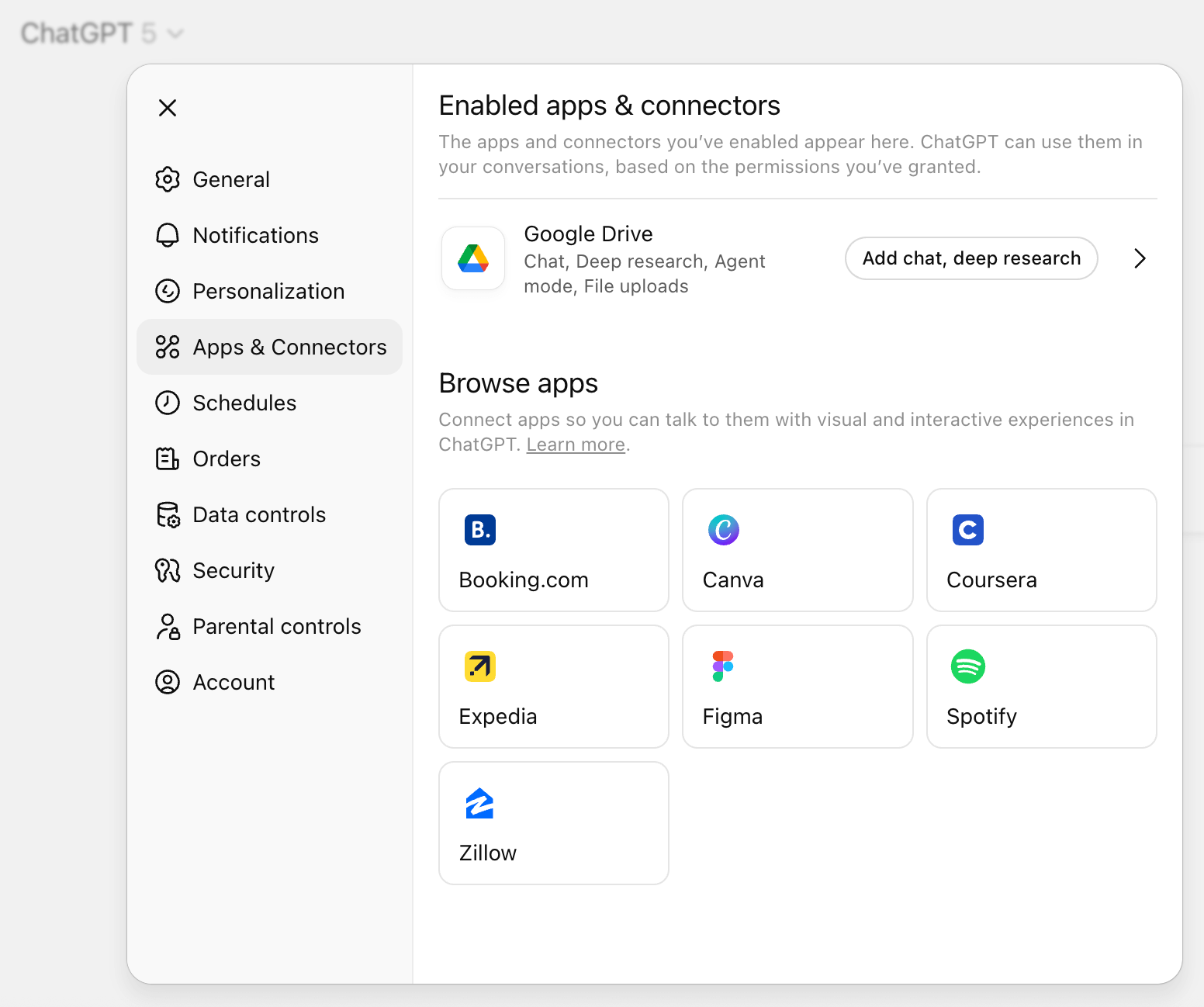
The connector functionality within agent mode extends its capabilities significantly. Users can grant access to various platforms including Gmail, Outlook, SharePoint, Google Drive, and HubSpot.
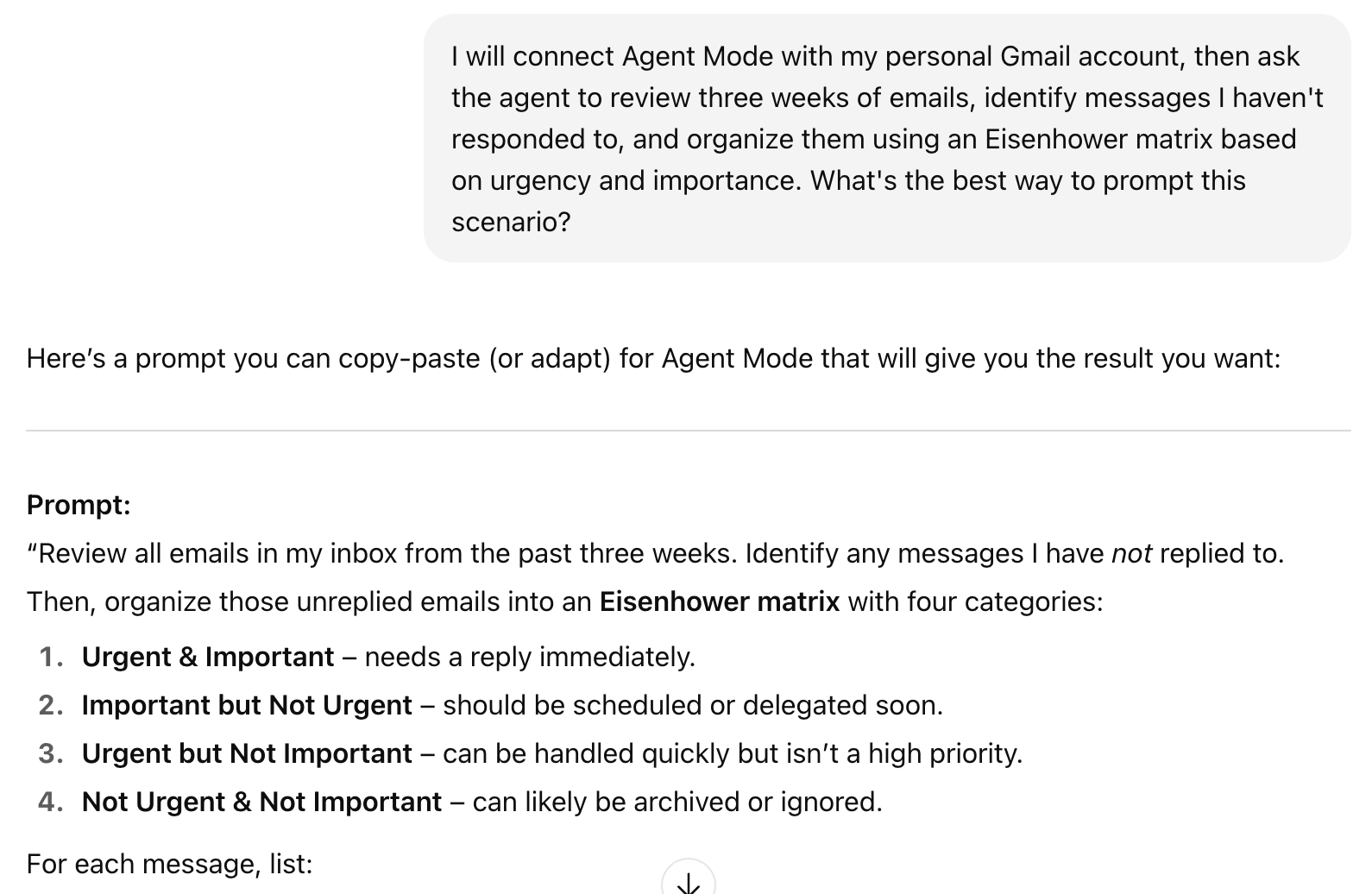
Ramirez used this feature to connect agent mode to her personal Gmail account and asking the agent to review three weeks of emails, identify messages she hadn't responded to, and organize them using an Eisenhower matrix based on urgency and importance. Within seven minutes, the agent had processed hundreds of emails and delivered a prioritized list for her to work through.
Security considerations are paramount when using agent mode. Users must be mindful about not sharing API keys or credit card information with the agent. Ramirez recommends maintaining human-in-the loop oversight, instructing the agent to ask you for authorization when it reaches points requiring sensitive information.
How to Activate and Use Agent Mode
Before working with agent mode, Ramirez suggests first using standard ChatGPT to craft the optimal prompt by explaining to the AI what you want to achieve and asking, “What's the best way to prompt this scenario?” The resulting prompt, often much longer and more detailed than what users initially conceive, can then be used in agent mode for better results.
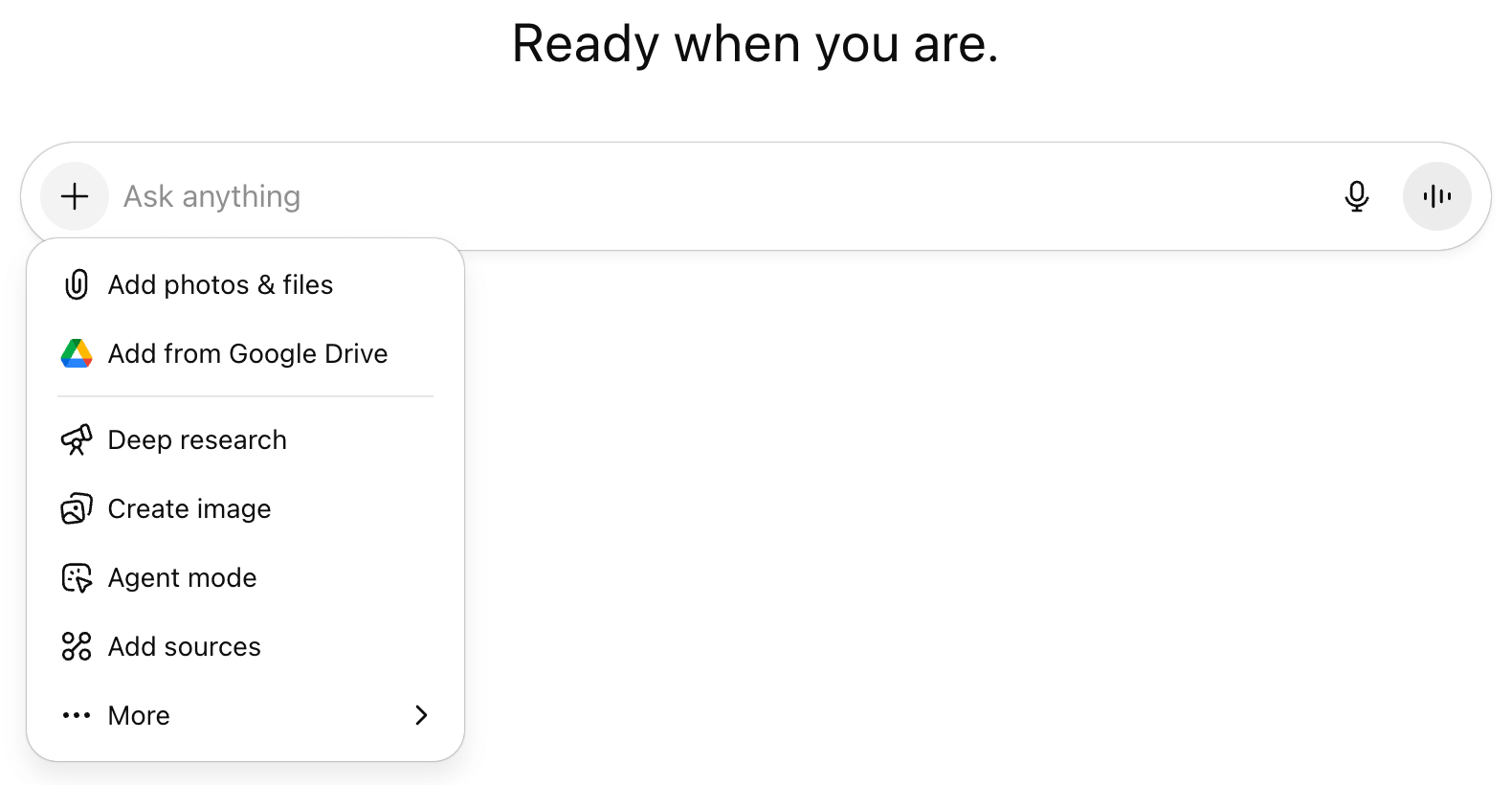
Next, access agent mode by pressing the plus sign or typing a forward slash in the ChatGPT interface, which activates a dropdown menu showing different available modes including agent mode, connectors, study and learn, Canvas, and others.
When activated, agent mode opens a private browser window where users can watch the system work in real-time.
Ready to Supercharge Your Marketing Strategy?

Get expert training and an unbeatable conference experience when you attend Social Media Marketing World—from your friends at Social Media Examiner.
Broaden your reach, skyrocket your engagement, and grow your sales. Become the marketing hero your company or clients need!
🔥 Save $510 on an All-Access ticket. Sale Ends Wednesday! 🔥
GET THE DETAILSThe interface displays line-by-line progress updates, showing exactly what the agent is doing at each step. This transparency allows users to monitor the process and understand how the agent navigates through tasks.
#2: How to Use ChatGPT Deep Research for Academic-Level Investigation
Deep research mode transforms ChatGPT into an academic researcher capable of processing vast amounts of information quickly and thoroughly.
Where standard ChatGPT responses sometimes include non-existent links, deep research always quotes sources and provides clickable links to verify information. This academic rigor makes it particularly valuable for business decision-making, market research, competitive analysis, and strategic planning.
AI Is No Longer Optional for Marketers—Ready to Master It?

Join over a thousand forward-thinking marketers at AI Business World—a conference-in-a-conference at Social Media Marketing World.
Get two days of practical AI training where you'll discover:
✅ Systems that 3x your output—leaving time for strategy and creativity
✅ Proven strategies you can deploy right away—no guesswork, no wasted budget
Become the indispensable AI expert your company needs.
GET YOUR TICKETS—SAVE $150A client operating in fifty-two countries needed market research for 2030 focusing on the East Coast before expanding to other markets. Using deep research, Ramirez helped them craft a detailed prompt specifying the industry, geographic focus, and timeframe. In approximately twelve minutes, deep research processed one hundred seventy-three sources, read sixty-three pages, and produced a thirteen-page market research report. The client later reported that similar research would typically cost around thirty thousand dollars. The report not only validated strategies they were already planning but also identified two critical considerations they hadn't anticipated.
For vendor evaluation, users can upload multiple RFP responses and ask the system to research the vendors, evaluate them against specific criteria, and present findings in a matrix format.
The combination of deep research and agent mode creates particularly powerful workflows. After deep research compiles information and sources, users can activate agent mode to validate all sources by clicking through each link, ensuring accuracy and relevance.
For example, users can identify competitors, analyze their unique value propositions and messaging, and then use agent mode to compare their own positioning against competitors to identify improvement opportunities. The system can even identify emerging startups using artificial intelligence that established businesses should monitor.
How to Activate and Use Deep Research
To activate deep research, users access it through the same dropdown menu as agent mode.
Ramirez recommends using the same meta-prompting technique, first asking standard ChatGPT to help craft the optimal research query before initiating the deep research process.
#3: How to Use ChatGPT Vision Mode as Your In-Pocket Help Desk
Vision mode transforms ChatGPT into a visual assistant capable of seeing and interpreting what's on your screen or in your environment, and essentially puts a help desk in your pocket, eliminating the need to search through documentation or tutorials because it provides real-time guidance.
For marketers learning new systems, this feature dramatically reduces the learning curve. As Ramirez notes, throughout her years in marketing, having such immediate, contextual assistance would have saved countless hours navigating unfamiliar platforms.
For example, when using vision mode for software assistance, users can point their phone camera at their computer screen and ask for help navigating any interface, including how to build a GPT. Or, users experiencing error messages in web development can show the screen to ChatGPT and receive detailed explanations and solutions.
Vision mode’s value extends beyond software assistance.
Ramirez shared a personal example where her washing machine was shaking abnormally after her stepdaughter overloaded it. Using vision mode, ChatGPT guided her through disconnecting the back panel, identifying specific springs, and determining whether they were properly connected. The system correctly identified a dislodged spring, and Ramirez was able to fix the issue immediately.
Stelzner shared his own experience helping a mobile mechanic diagnose a problem with his sunroof. A plastic piece had fallen off, and neither he nor the mechanic could identify its purpose or proper placement. Vision mode not only identified the component but also explained exactly where and how it should be installed. The mechanic was so impressed he immediately decided to adopt the technology for his service calls.
How to Activate and Use Vision Mode
To access vision mode on a mobile device, users open the ChatGPT app and tap the sound wave icon next to the chat window.
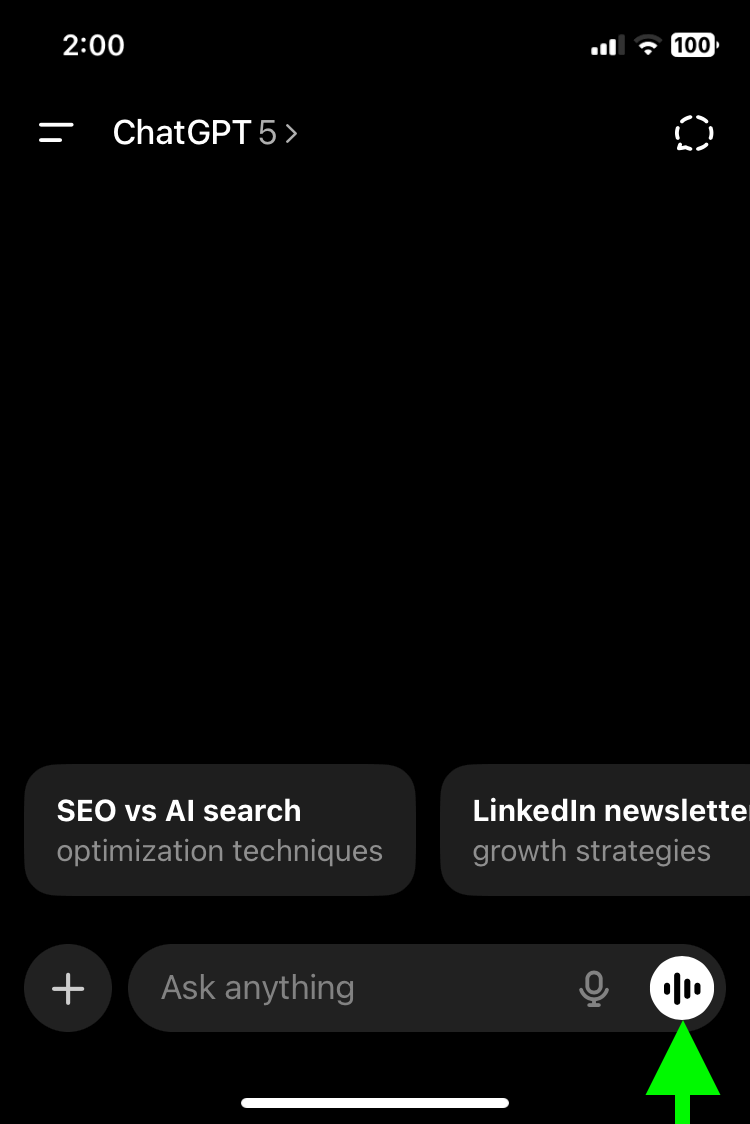
This activates advanced mode, where users can access the camera function. The camera can be set to either selfie mode or flipped to face outward, depending on the task at hand.
For practical desktop use, users might consider using a small tripod to hold their phone, creating a hands-free experience while working on their computer. This setup allows for continuous interaction with the AI assistant while maintaining full use of both hands for typing or manipulating the interface.
Currently, vision mode on desktop is rolling out first for Mac users before Windows, though the mobile app provides full functionality for all users. Google AI Studio already offers similar desktop screen-sharing capabilities, indicating that comprehensive desktop integration for ChatGPT is imminent.
Kendra Ramirez is an AI strategist who helps B2B small businesses apply AI to all aspects of their business, and co founder of CincyAI for Humans. Explore her AI Simplified newsletter. Follow her on LinkedIn.
Other Notes From This Episode
- Connect with Michael Stelzner @Stelzner on Facebook and @Mike_Stelzner on X.
- Watch this interview and other exclusive content from Social Media Examiner on YouTube.
Listen to the Podcast Now
This article is sourced from the AI Explored podcast. Listen or subscribe below.
Where to subscribe: Apple Podcasts | Spotify | YouTube Music | YouTube | Amazon Music | RSS
✋🏽 If you enjoyed this episode of the AI Explored podcast, please head over to Apple Podcasts, leave a rating, write a review, and subscribe.
Stay Up-to-Date: Get New Marketing Articles Delivered to You!
Don't miss out on upcoming social media marketing insights and strategies! Sign up to receive notifications when we publish new articles on Social Media Examiner. Our expertly crafted content will help you stay ahead of the curve and drive results for your business. Click the link below to sign up now and receive our annual report!

Want to Unlock AI Marketing Breakthroughs?
If you’re like most of us, you are trying to figure out how to use AI in your marketing. Here's the solution: The AI Business Society—from your friends at Social Media Examiner.The AI Business Society is the place to discover how to apply AI in your work. When you join, you'll boost your productivity, unlock your creativity, and make connections with other marketers on a similar journey.
I'M READY TO BECOME AN AI-POWERED MARKETER