 by
by Wondering why your AI-generated images look polished in demos but look flat when you try them yourself? Want to know how marketers are turning today's AI image and video tools into reliable content systems?
In this article, you'll discover how to build AI image and video workflows that produce consistent, professional-quality results for marketing content.
Where Most Marketers Go Wrong With AI Images and Video
The biggest misconception in AI image and video, according to Jerrod Lew, is the belief that pressing one button produces something worthy of a major ad campaign. The polished clips in AI tool launch videos are typically made by people with professional film backgrounds who have spent hours on them. They used teams. They had a creative vision before they ever opened the software.
AI image and video tools are no different in principle from Premiere Pro or After Effects. They need direction. Without a clear creative vision, they produce nothing useful. The human element remains critical, especially at the start of any creative workflow. To make something meaningful for an audience, the creator still has to know the story they want to tell, the brand they represent, and the outcome they're working toward.
That said, for anyone who has had a story to tell but lacked the technical skills to tell it visually, AI image and video tools remove that barrier. A music background, a writing habit, a product worth showing—any of these is now enough to start producing professional-quality visual content from a laptop or a phone.
#1: Choose From Top AI Image and Video Tools
4 AI Video Tools
Google Flow
At Google I/O in May 2026, Google announced a major refresh of Google Flow, its creative production environment.
Flow is now project-based, letting users organize generated images, videos, character references, and brand guidelines under a single shareable project. A new conversational agent layer means users can work with Flow more like a creative director, describing needs in plain language rather than manually configuring generation parameters.
Google Omni Flash
The more significant announcement was Omni Flash, a new multimodal model Jerrod describes as the video equivalent of Imagen 2.
OmniFlash is a video generation and editing model that accepts multiple input types, such as scripts, text prompts, and existing video footage, and responds to natural language instructions to make targeted edits: removing specific elements from a scene, changing visual styles, or altering particular sections of generated content.
The model is now accessible directly within Gemini, and Google indicated it will eventually integrate across Google Docs, Google Slides, and the broader workspace. Imagen 2, Google's image generation model, remains strong as both a creation and editing tool.
Seedance
Jerrod's current top-ranked video model is Seedance 2.0 by ByteDance.

Which AI Moves Actually Matter?
That's what every marketer is wrestling with now. New AI strategies, new tools, new takes every week — but no clarity. Most marketers and business owners are trying to figure out AI alone.The AI Business Society is your trusted guide. Get expert-led training you can put to work immediately. Plus a community of marketers sharing what's actually working.
I'M READY FOR REAL AI RESULTSWhat distinguishes Seedance is how it handles inputs: it accepts text prompts, reference images, existing video footage, and now music. It also generates audio, dialogue, and background sounds alongside the visual output, making clips more production-ready than those from models that produce silent footage.
Kling
Kling 3.0, a close second in his rotation, is the first model to credibly generate realistic video of real people from reference photos, setting the current standard for character consistency in AI video. It supports 1080p and 4 K exports.
2 AI Image Tools
Imagen 2 and ChatGPT Images
For image generation, Jerrod sees the competition as primarily between Imagen 2 and ChatGPT Images 2.0.
What tips ChatGPT Images ahead in his daily workflow is its text rendering capability. The tool produces long, coherent text within images, which makes it useful for storyboards, character sheets, and animation reference documents. It's also fast and handles personal likeness particularly well. Jerrod uses it daily to generate YouTube thumbnails, newsletter images, and event announcement graphics, and has increasingly shifted toward it as his primary image tool.
Use an AI Platform Aggregator to Access Multiple AI Image and Video Tools
Clients regularly ask Jerrod how they can ensure they're always using the strongest tools available. His answer is consistent: don't lock money into a single-tool subscription. Instead, invest in a platform that aggregates tools under one roof through API integrations.
The platform Jerrod relies on most is Magnific, formerly known as Freepik.
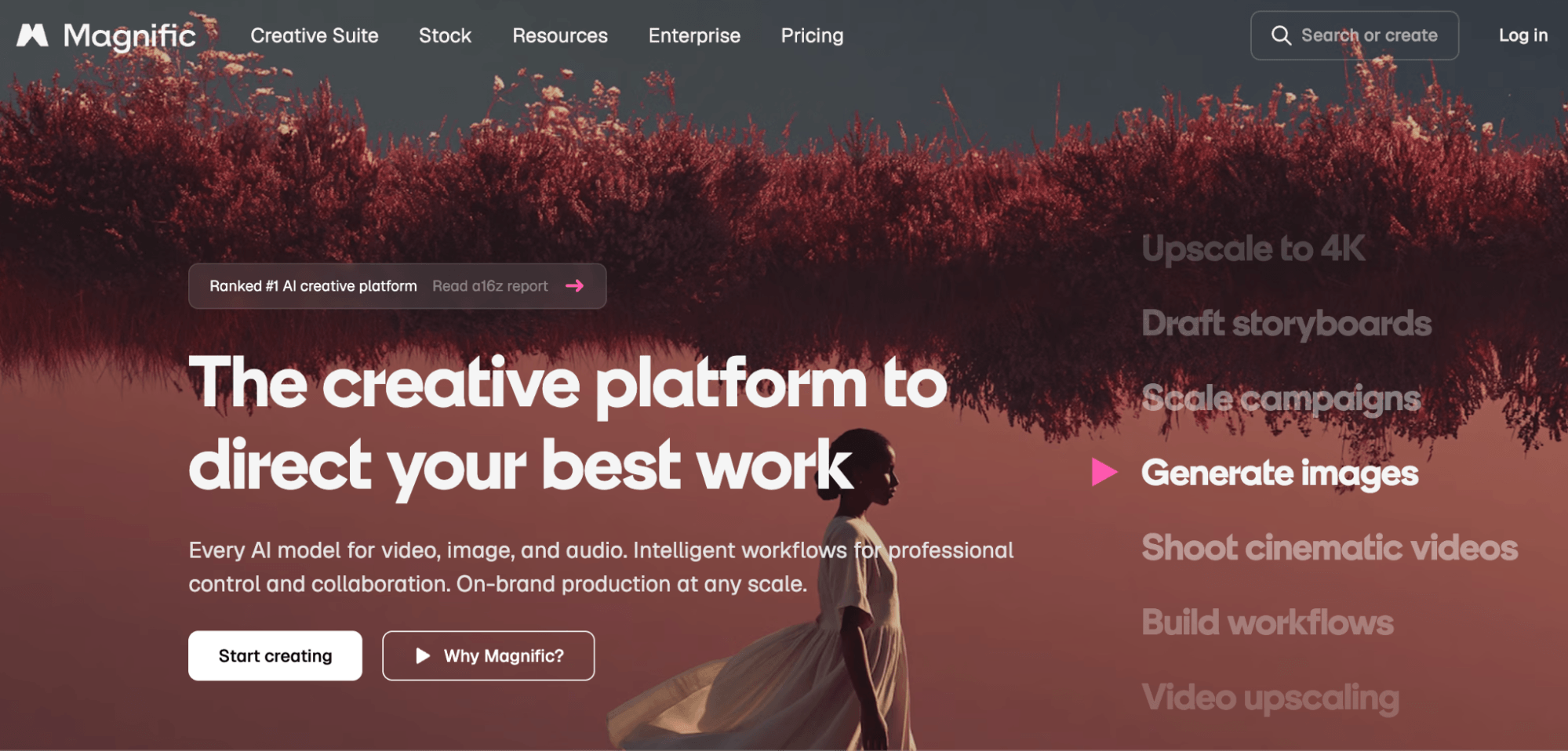
Magnific pulls in the latest model APIs as soon as they're available, so subscribers can access a dozen or more image tools and a similar number of video tools under a single subscription rather than maintaining separate accounts and paying separately for each platform. Pricing runs from $10 to $100 per month, depending on the plan. Jerrod recommends starting month-to-month and upgrading if it's delivering value.
What differentiates Magnific from a simple generation interface is Spaces, a node-based canvas environment. Users build visual workflows by connecting image-generation, text-prompt, audio, and video nodes into automated sequences that run in bulk rather than one at a time.
Jerrod built his thumbnail creation system this way. He uploaded reference photos of himself, used Imagen 2 to generate different face angles, brought those into ChatGPT Images for layout composition and text overlay, and ran 30 iterations simultaneously. From 30 outputs, he identified 5 that best fit his brand. Those became the visual reference standard for all thumbnails going forward.
The same workflow structure scales to product and brand content: a client-facing workflow can accept product images as inputs, run them through multiple image models in parallel, and return comparison outputs across different visual styles, all in Magnific’s interface.
Pro Tip: Spaces also integrates audio via tools like ElevenLabs, which supports voice-over generation, character voices, sound effects, and music. For video content that requires consistent character audio, a lip-sync feature pairs generated voices with generated faces, keeping the character's voice coherent from scene to scene.
#2: Establish Your Brand Foundation
Before opening any AI tool, the foundational work is the same as it has always been: define what the brand means, identify the audience, and document the core visual elements: color palettes, fonts, and logos. Without that grounding, AI tools produce output that doesn't hold together across pieces.
Jerrod worked with a fashion brand that wanted to explore AI tools for the first time but had no cohesive brand guide—just scattered assets, a logo, and rough color preferences. He turned to CoreDesigner, a tool that builds style guides from existing brand materials, to consolidate those pieces into a usable design system before any AI image generation began.
3 Days of World-Class Training—Zero Travel!

Couldn't make it to Social Media Marketing World and AI Business World this year? Get all of the great content at a fraction of the price with a Virtual ticket.
That’s full access to recordings of every keynote, workshop, and session—the ones people travel thousands of miles to see. Don't wait. Get your Virtual ticket and enjoy actionable content that you can watch anytime, anywhere.

CoreDesigner works on design systems, so it can generate a brand style guide from whatever you have available (website screenshots, a logo, product photos) and produce a consistent foundation that informs everything built afterward.
If an organization has even partial brand materials, a tool like CoreDesigner can synthesize them into concrete, repeatable guidelines. Starting with that consistency layer is what separates AI-generated content that looks cohesive from content that looks random.
#3: Build Reference Assets
Consistent AI output requires significant preparation before writing the first prompt. That preparation falls into two categories: product reference assets and human reference assets.
Create Product Reference Assets
For product images, professional photography isn't required. The model needs enough information to understand the product's form; it doesn't need studio lighting or a high-resolution file to work from.
Jerrod's starting prompt is straightforward:
Please create a product sheet for my product.

Use the attached images to create a sheet with multiple angles.
Along with the images, he includes everything the model needs to know about the product—what it is, who it's for, and the product name if it has one.
The model generates a single composite image showing the product across multiple angles and use cases. That sheet then functions as a style guide for everything that follows: any generation done in the same chat session uses it as a reference, and the visual consistency carries through.
For resolution needs, ChatGPT Images generates at 2K, which is sufficient as a working reference. It can be upscaled to 4K within Magnific. Reformatting from 16:9 to vertical aspect ratios can be done directly within ChatGPT Images—the model redesigns the composition for the new dimensions rather than simply cropping it.
Create Character Sheets for Human Likenesses
Human likeness requires more reference material than products because people have more visual nuance: expressions, angle-specific features, and subtleties in how they look that aren't always obvious even to themselves. Jerrod recommends collecting as many shots as possible—front-facing, profile, and back-of-head—using a phone camera.
Expressions matter specifically. The model needs reference images for the range of expressions it will be asked to reproduce: smiling with visible teeth (important for mouth recognition), determined, shocked, curious, and others relevant to the content's tone. Without those references, the model will attempt to generate unfamiliar expressions, which it typically distorts. Jerrod ran into this building his thumbnail workflow. The model was stretching his face, trying to render shock because he hadn't given it a reference image of that expression.
Once enough reference images exist, the next step is to build a character sheet: a single composite image showing the person from multiple angles, with labeled expressions. Jerrod asks ChatGPT Images to generate this sheet using his reference photos and some basic personal context—name, background details, whatever feels appropriate to include. That sheet then becomes the first upload in any new session, eliminating the need to re-upload individual reference images each time a new project starts.
For appearance variations such as hairstyles, clothing changes, and branded apparel, current models can edit how a person looks, so minor appearance changes can be handled at the generation stage. The exception is brand-specific wardrobe: if a particular shirt with a logo or a specific look is central to the brand, reference photos of those variations will produce better results than asking the model to invent them.
#4: Storyboard With Images
The most effective AI video workflow starts with images, not video.
Video is the most resource-intensive step in the process, both in time and in generation credits, but images can be generated much faster and in far greater volume than video. Jerrod estimates a workflow can produce around 100 images in the time it takes to generate probably 40 videos.
Jerrod treats image generation as the storyboarding phase and works through the visual approach entirely in images before committing to video generation.
Use the character sheet to create images of the character placed in each intended scene and environment. These images serve two purposes: they give the video model a precise visual starting point, and they let the creator refine the direction cheaply before spending video generation resources.
For the actual video prompt, having strong image references means the text portion can focus entirely on camera movement and action: how the camera tracks the character, whether the character turns or speaks, and the pacing of the scene.
#5: Use Images to Generate the Video
In earlier video generation workflows, the prompt had to describe the character, the environment, and the action in detail because there was no other way to establish them. Now that the images carry that information, the text prompt for generating the video becomes short and specific.
Seedance 2.0 accepts 8-10 reference images per prompt and composites the character into the scene using those references rather than generating the person from scratch. Kling handles character reference images as well and supports the same approach.
When the generated video needs corrections, such as a background element that looks wrong or an object behaving unexpectedly, those edits can be handled by feeding the video back into OmniFlash, Runway, Kling, or Seedance with a specific instruction:
Remove the car driving backward in the background.
These tools now preserve the rest of the scene while making the targeted change, eliminating the need to regenerate from scratch.
Jerrod Lew is an AI educator and content creator who trains marketing teams across the globe in practical AI creative applications. Follow him on YouTube.
Other Notes From This Episode
- Connect with Michael Stelzner @Stelzner on Facebook and @Mike_Stelzner on X.
- Watch this interview and other exclusive content from Social Media Examiner on YouTube.
Listen to the Podcast Now
This article is sourced from the AI Explored podcast. Listen or subscribe below.
Where to subscribe: Apple Podcasts | Spotify | YouTube Music | YouTube | Amazon Music | RSS
✋🏽 If you enjoyed this episode of the AI Explored podcast, please head over to Apple Podcasts, leave a rating, write a review, and subscribe.
Stay Up-to-Date: Get New Marketing Articles Delivered to You!
Don't miss out on upcoming social media marketing insights and strategies! Sign up to receive notifications when we publish new articles on Social Media Examiner. Our expertly crafted content will help you stay ahead of the curve and drive results for your business. Click the link below to sign up now and receive our annual report!

Curious About How to Use AI?
Our newest show, AI Explored, might be just what you're looking for. It's for marketers, creators, and entrepreneurs who want to understand how to use AI in their business.
It's hosted by Michael Stelzner and explores this exciting new frontier in easy-to-understand terms.
Pull up your favorite podcast app and search for AI Explored. Or click the button below for more information.







