 by
by Are you wasting time chasing every new AI tool that drops, only to feel more overwhelmed and less productive than before? Wondering which tools deliver real efficiency gains?
In this article, you’ll discover video and image generation platforms that let you produce multi-asset content faster by handling more of the pipeline in one place.
What Stops Creators from Getting Great AI Results: The Case for Building a Focused AI Tech Stack
René identifies two persistent misconceptions he sees repeated across the creator and business community.
Misconception 1: ChatGPT is your best option for everything. This belief is common among beginners and was more widespread a couple of years ago, but even experienced creators fall into the habit of defaulting to ChatGPT for any task. According to René, skilled practitioners now understand that multiple specialized tools outperform any single platform for specific use cases — and ChatGPT is not always the right fit.
Misconception 2: You should always be testing new tools. René argues this is one of the most underrated topics in the AI space. If your job is specifically to create content about AI tools, as his is, then trying new tools regularly makes sense. For everyone else — actual business owners and content creators — constantly chasing new launches wastes energy, capital, and focus.
Mike describes this pattern as the bright shiny object syndrome, or the squirrel syndrome: you see a tool that seems like it will solve your problem, you chase it, then immediately see another one that looks even better, and before long, you can’t think straight. René agrees completely, noting that the AI industry now moves faster than any other sector, including social media, which makes this pattern especially dangerous. Every new launch creates noise that pulls attention away from the systems that are already working.
The alternative René recommends is to stop chasing hype and start building platform-focused systems and workflows. He applies an 80/20 framework to his own practice: invest roughly 80 percent of your time in strengthening and working within your existing systems, and allocate only 10 to 20 percent to exploring tools that genuinely appear capable of changing something meaningful in your business.
The benefit of this approach is compounding skill. When you use a small set of tools consistently, you understand them deeply enough to find advanced use cases, build efficient workflows around them, and produce higher-quality outputs faster. René points to his own trajectory as evidence: by committing to a contained tool stack and continuously improving his workflows, he grew from a one-person operation to a team with a designer, copywriter, editor, and software developers — all of whom use AI, effectively multiplying the output of each hire.
The tools he relies on most heavily for visual content and writing, respectively, are Hailuo AI and Claude. The following sections explain both in detail.
#1. How to Use Hailuo AI
Hailuo AI is an AI platform that functions as an aggregator for both image and video generation. Rather than offering a single proprietary model, it houses a range of leading models in one interface — including Nanobanana Pro, Google Veo 3, Kling, and Hailuo AI‘s own image and video models. For audio, it integrates MiniMax audio.
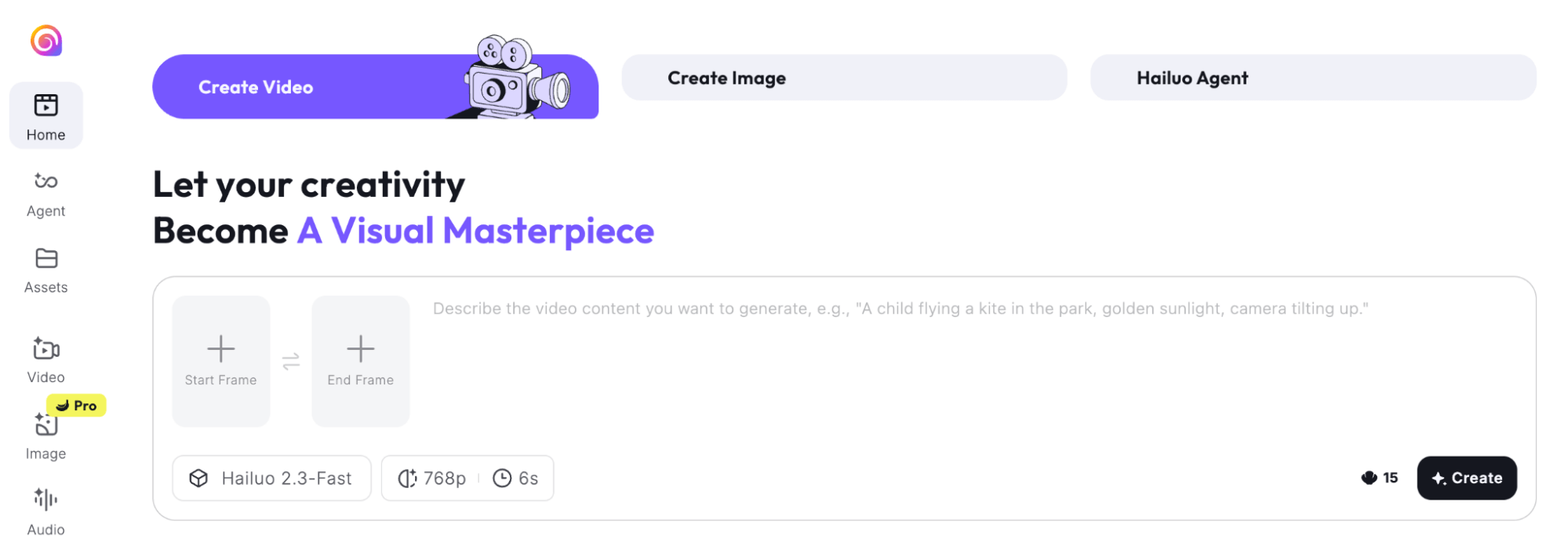
René compares it to tools like Higgsfield Imagine Art or AIVideo, but the feature that sets Hailuo AI apart is its agentic canvas capability. When you enter a prompt, the tool opens what René describes as a white canvas. The system generates multiple images or video clips simultaneously, and you can watch the completion percentage for each asset as they render side by side. Once they’re done, you can tell it — through a simple chat prompt — to combine specific clips into a single downloadable video file. No manual stitching in a separate editor is required.
Creating Video With Hailuo AI
Using a brief descriptive prompt specifying the style and setting, the platform generated 15 images, converted them into short video clips, combined them into roughly 1.5 minutes of footage, and added a soundtrack — all from a single request. He notes that AI generation still produces imperfect results that require minor editing, so he brought the final video into his editor to remove a few weak segments before publishing.
Once Hailuo AI has generated your individual clips, combining them requires no separate editing software. You simply type a chat instruction, and the tool merges them into a single downloadable file.
Combine videos 3 and 7 together.
Go Deeper Than an Article Can Take You

Join thousands of small-business marketers at Social Media Marketing World — three days of AI, social media, and marketing strategy taught by world-class experts. April 1–3, 2027 in Anaheim.
Every session is pitch-free and built around tactics you can use yourself, no big team required. Your All-Access ticket includes an extra day of workshops, full access to AI Business World, and recordings of everything.
GET MY ALL-ACCESS TICKET — SAVE $900From there, you bring the final output into your video editor to trim any segments that don’t look right, since AI generation will almost always produce a few imperfect moments.
Pro Tip: Using Reference Images for Visual Consistency : To keep a product or person looking the same across multiple generated clips, René recommends the image-to-video approach. You upload a single reference photo — a product shot or a photo of yourself — and Hailuo AI uses that asset as a visual anchor when generating new footage. The tool takes the reference in and produces clips where the product or person maintains a consistent appearance across all generated assets, rather than varying randomly from shot to shot.
Creating Product Ads With Hailuo AI
This workflow extends directly to product advertising. You can upload a photo or video of your product, provide a prompt describing the scene or setting you want, and Hailuo AI will use your asset as a reference to generate new footage. The output won’t be ready to publish without some cleanup, but it eliminates the cost and time of a traditional video shoot for basic ad formats.
Creating Thumbnails and Images With Hailuo AI
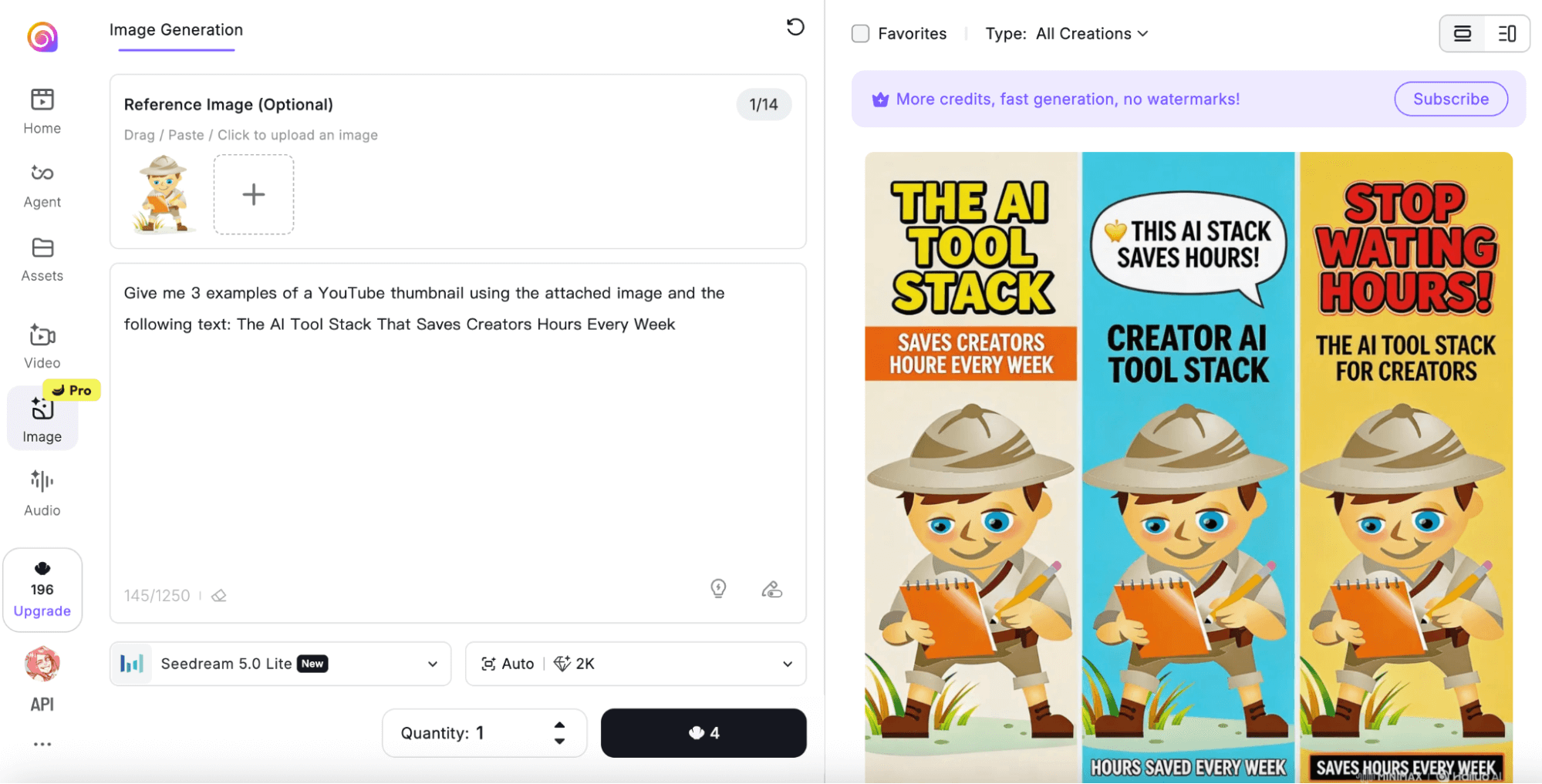
For a lighter use case, René uses Hailuo AI to generate eight styled article thumbnails in under 2 minutes.
He provides the text he wanted to appear in each image, plus a reference image showing the visual style he was after, and the platform produced all eight variations at once.
He also uses this approach to generate multiple photos of himself from different camera angles for YouTube thumbnails — uploading a single forward-facing photo and prompting the tool to produce wide-angle and alternative perspective versions.
#2. How to Use Claude Artifacts, Projects, Connectors, and Code
René describes Claude as a higher-quality version of ChatGPT for anyone who primarily works with text. While other models have improved, René keeps Claude as his core writing tool and switches only when a specific capability requires something else.
Claude’s advantages compound significantly once you move beyond the basic chat interface into Artifacts, Projects, Connectors, and Code.
Creating Shareable, Interactive Documents With Claude Artifacts
Claude Artifacts are formatted documents — closer to an online Google Doc than a plain text response — that can be made publicly accessible via a shareable link. René uses them primarily as lead magnets and freebies distributed on social platforms.

Tired of Guessing Which AI Moves Matter?
New AI tools and strategies launch every week — and figuring out which ones matter takes hours you don't have.The AI Business Society filters the noise for you, with expert-led training you can put to work the same day — plus a community of marketers sharing what's actually working.
I'M READY FOR REAL AI RESULTS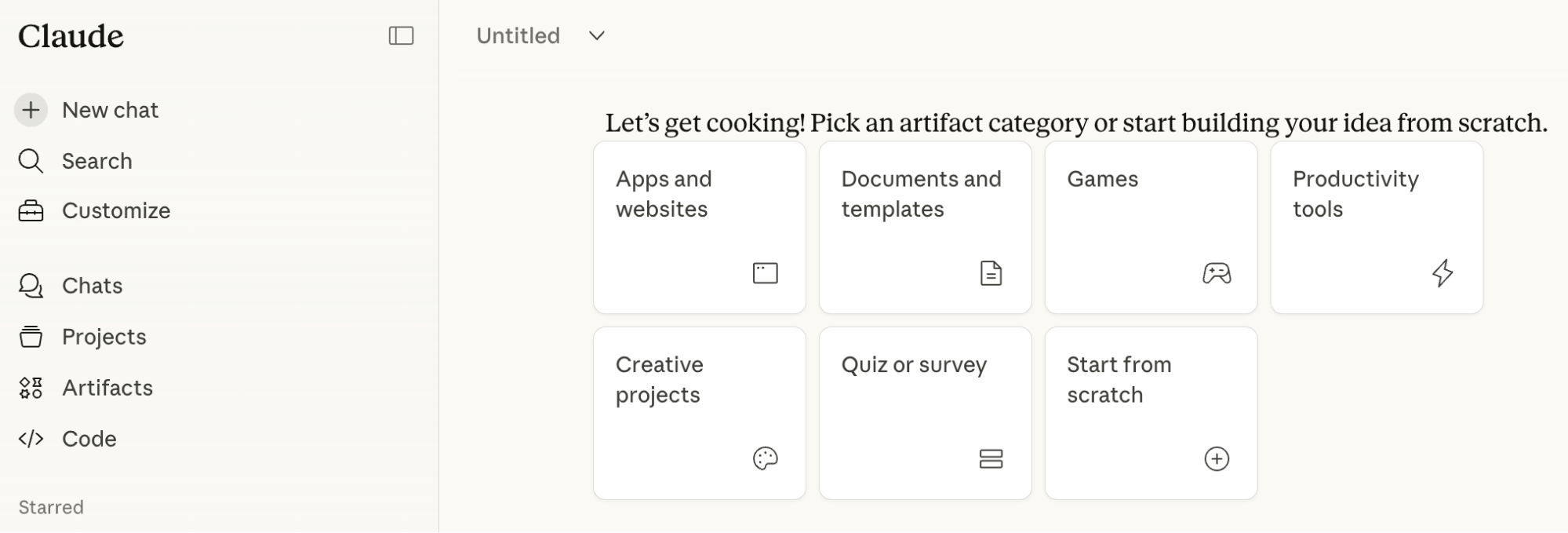
He posts a carousel or video on Instagram or Facebook, tells viewers to comment for a link, and sends them a Claude Artifact containing the promised resource. Because Facebook doesn’t allow file uploads in comments, only images, the shareable Artifact link solves the distribution problem cleanly. René can also track how many people have viewed the Artifact by checking back in Claude.
For example, after posting a list of 99 YouTube video ideas to go viral in 2026, he created an Artifact that compiled all the ideas, included a visual screenshot of the full list, and embedded links to tools he recommends — including his own products and affiliate partners. Everyone who engaged with his social post got the link.
Artifacts support more than static text. They can include gradient color treatments, custom font styling, clickable hyperlinks, dropdown menus, and interactive charts. When René created an Artifact containing seven long-form prompts, the text was too extensive to display cleanly in a linear document, so Claude automatically added a dropdown menu without being asked — recognizing that the content required a collapsible format.
To prompt Artifacts that look designed rather than plain, René recommends two things: name a reference style:
Design this in the style of Stripe's website and upload at least one reference image.
Editing an Artifact works differently from editing a Google Doc. You cannot click directly into the text and start typing. Instead, highlight the specific text you want to change, right-click it, and give Claude an instruction for that section only, for example, “rewrite this to be shorter” or “change this heading to reflect X.” This inline prompting approach means you have precise control over individual sections without regenerating the entire document from scratch.
Creating Email Responders and Advisors with Claude Projects
Claude Projects are similar in concept to ChatGPT’s custom GPTs — you train the AI on documents, context, and instructions so it knows how to behave for a specific purpose. René’s preference for Claude Projects over custom GPTs comes down to one key difference: Claude Projects retain full conversation history. Every chat you’ve had inside a project stays accessible, so you never have to re-explain context. Custom GPTs start fresh with each conversation.
Additionally, each Claude Project has its own memory. You can instruct it to never do something again, or tell it to update what it remembers about you, and those instructions persist across future sessions.
René builds projects for each of his businesses and use cases.
For brand partnership emails, he has a project trained on how he communicates, his brands, what he offers, and the tone he uses for different types of replies. When a new brand inquiry arrives, he pastes the email directly into that project without any additional prompt. Claude responds immediately in the right tone and length, without requiring any instruction, because the project already knows exactly how to handle it.
He applies the same approach to his software business, building what he calls advisor projects for each product. For a food app focused on dietary intolerances and allergies, he loaded the project with documentation about the product, its goals, and the business context. Now, when he needs strategic advice, copy help, or content ideas specific to that product, he works within that project, and Claude already understands everything relevant.
For creators managing multiple businesses or content pillars, René recommends creating a separate project for each and uploading as much context as possible — brand voice documents, product descriptions, audience profiles, tone guidelines — either as attachments or directly in the project’s prompt instructions.
Integrating Third-Party Tools With Claude Connectors
Claude Connectors allow Claude to integrate with external platforms and tools in your existing tech stack.
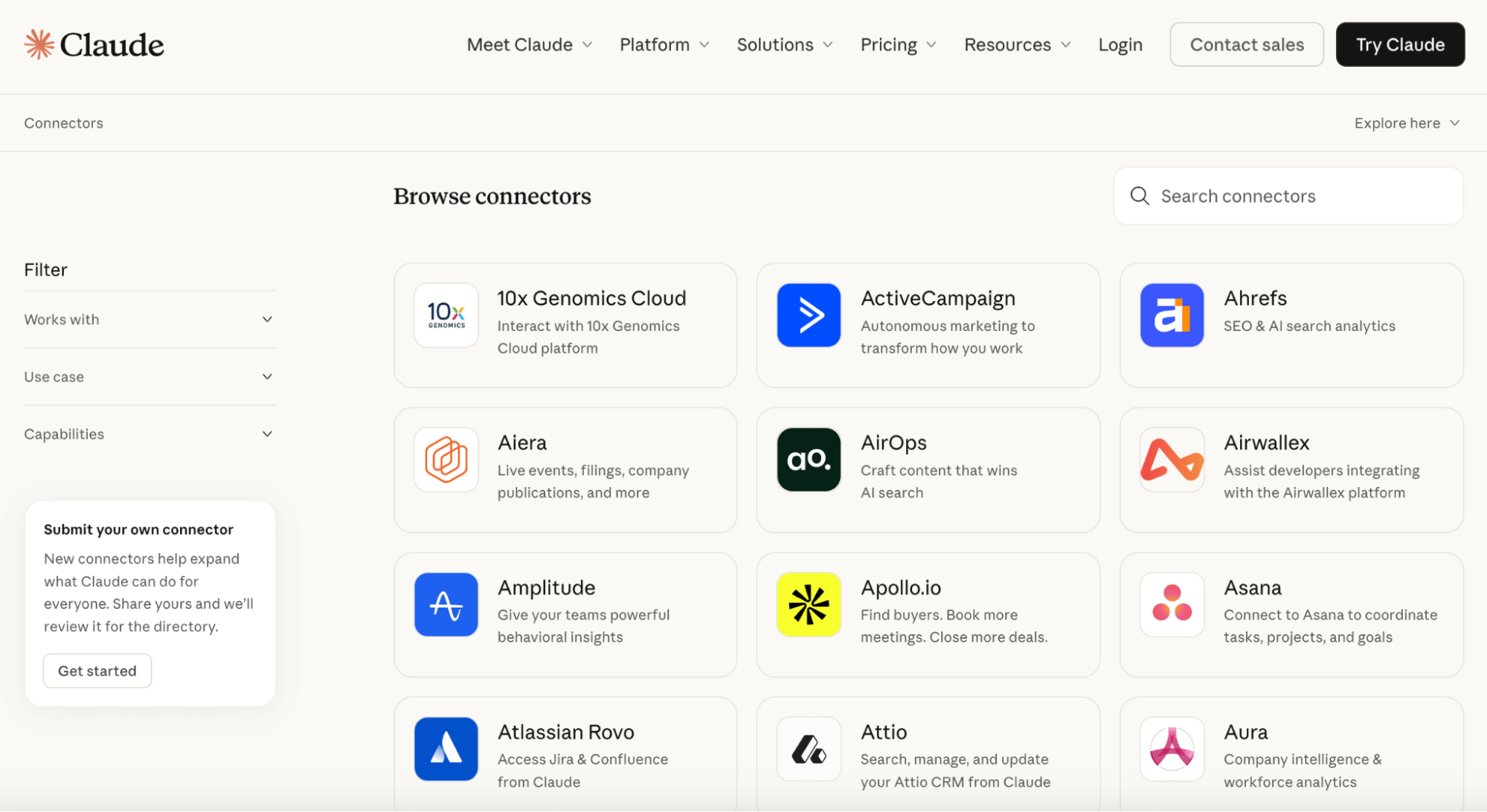
René describes himself as early in his exploration of this feature, but his initial read is that the potential is real, particularly for creators already working across multiple tools. The integrations he’s aware of include Google Drive and Gamma for presentations.
While not a total game changer on its own, Connectors is likely to be very useful as part of a broader workflow once he digs further in.
Developing Software with Claude Code
René describes Claude Code as essentially a second software developer on his team — the tool his developer turns to for shipping work rather than writing code manually.
Most professional developers, he says, are relying on Claude Code to accelerate everything they build. His team uses Cursor, which integrates multiple language models, including Claude, giving the team flexibility to switch models if Claude is unavailable.
Based on what René has seen in practice and across social media, he considers Claude Code the best coding tool available right now. He also notes that people are beginning to combine Claude Code with Open Claw to develop apps even faster.
Other Notes From This Episode
- Connect with Michael Stelzner @Stelzner on Facebook and @Mike_Stelzner on X.
- Watch this interview and other exclusive content from Social Media Examiner on YouTube.
Listen to the Podcast Now
This article is sourced from the AI Explored podcast. Listen or subscribe below.
Where to subscribe: Apple Podcasts | Spotify | YouTube Music | YouTube | Amazon Music | RSS
✋🏽 If you enjoyed this episode of the AI Explored podcast, please head over to Apple Podcasts, leave a rating, write a review, and subscribe.
Stay Up-to-Date: Get New Marketing Articles Delivered to You!
Don't miss out on upcoming social media marketing insights and strategies! Sign up to receive notifications when we publish new articles on Social Media Examiner. Our expertly crafted content will help you stay ahead of the curve and drive results for your business. Click the link below to sign up now and receive our annual report!

Where Do You Actually Stand With AI?
Most marketers use AI, but they don't know what's holding them back from real results.
Our 3-minute quiz pinpoints the one gap keeping you stuck — and gives you the exact next step to fix it.
GET MY RESULTS






