 by
by  Is curated content part of your social media marketing?
Looking for new ways to collect and share curated content?
New tools are changing the way marketers compile and deliver handpicked content to their social media audiences.
In this article you'll discover four unique ways to curate social media content on Medium, Twitter, SlideShare, and your blog.
Listen to this article:
Where to subscribe: Apple Podcasts | Spotify | YouTube Music | YouTube | Amazon Music | RSS
#1: Select Stories on Medium
Medium is a great platform for marketers because it allows you to distribute content quickly. You can write long-form articles, short pieces and tweets, and upload videos to share with the Medium community. When you publish articles, they're shared with your followers and a network-wide feed where people find content based on tags and the amount of engagement posts receive.
Medium also offers a content-curation opportunity that many people overlook. You can create your own publication and curate articles from authors around the web.
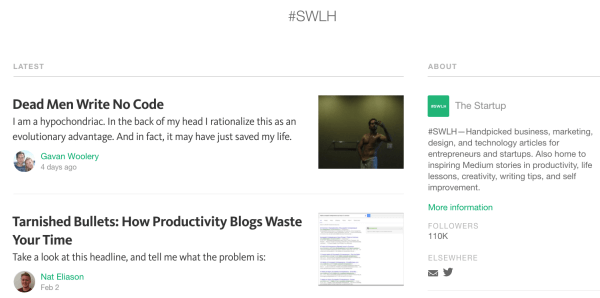
To create a publication, go to the Publications page and click New Publication. From there, fill in the details for your publication and design the layout. You can choose the layout style (Grid, Stream, or List) and how many stories to include on the homepage.
To curate content, search Medium for articles that are aligned with your publication's message. If your publication is about satire, for example, research “satire” and look for relevant posts.
Once you find an article that you want to republish, scroll to the bottom of the story and click the ellipsis icon. Then select Request Story from the drop-down menu and choose the publication you want to publish it to.
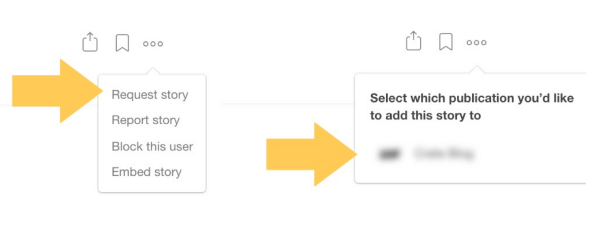
Once you've selected the publication, you'll see a request email to send to the story's author. If the original author decides to let you use the story, they will submit it to your publication. You'll receive an email from the author, and can click through to the story.
From there, click on Edit at the top of the page then click on the Publish button. Now the story is added to your publication.
#2: Collect Tweets on Twitter
Some of the most popular Twitter accounts don't necessarily share their own content. They seek out the best articles, videos, pictures, and stories related to a specific topic and share them with followers.
To curate content on Twitter, you can share links or curate tweets from others. The first approach is the most popular. You find links to content online and share them as tweets on your account.
Go Deeper Than an Article Can Take You

Join thousands of small-business marketers at Social Media Marketing World — three days of AI, social media, and marketing strategy taught by world-class experts. April 1–3, 2027 in Anaheim.
Every session is pitch-free and built around tactics you can use yourself, no big team required. Your All-Access ticket includes an extra day of workshops, full access to AI Business World, and recordings of everything.
GET MY ALL-ACCESS TICKET — SAVE $790The second approach is to use Twitter's Curator platform. With this tool, you type in a few keywords, hashtags, or individual users and Twitter will deliver the most relevant or engaging content in a real-time stream.
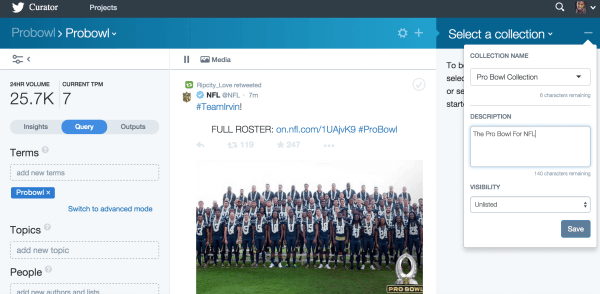
Once you've identified content you want to curate, you can publish your curated content directly to Twitter.

Tired of Guessing Which AI Moves Matter?
New AI tools and strategies launch every week — and figuring out which ones matter takes hours you don't have.The AI Business Society filters the noise for you, with expert-led training you can put to work the same day — plus a community of marketers sharing what's actually working.
I'M READY FOR REAL AI RESULTS#3: Clip Slides on SlideShare
SlideShare recently rolled out their Clipping tool, which lets you clip and save the best slides from presentations to view or share later. It's a great way to keep curated content organized by topic so you can deliver only the best insights.
To get started, sign in to SlideShare and click My Clipboards in the SlideShare navigation bar.

On the next page, click Create a Clipboard.
Now enter a name and brief description for your clipboard and choose whether to make it public or private. Your clipboard name should be related to the story you're going to tell with your slide collection.
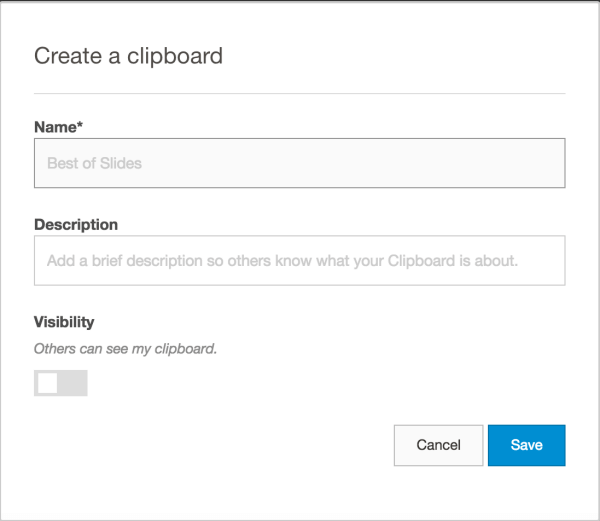
Once you've saved your new clipboard, it's time to find slides to add. When you're browsing SlideShare and find a slide that you want to save, hover over the top-right corner of the slide and click Clip slide.
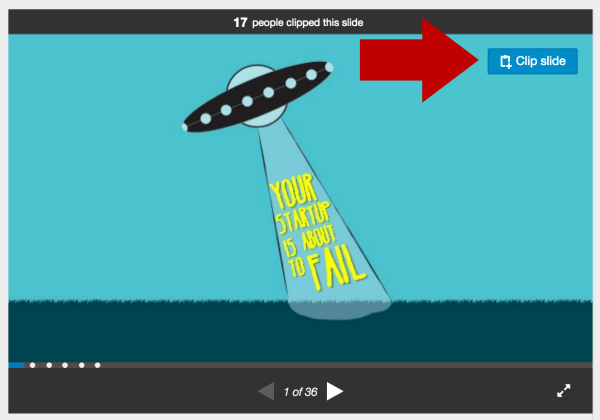
The slide is then added to your clipboard.
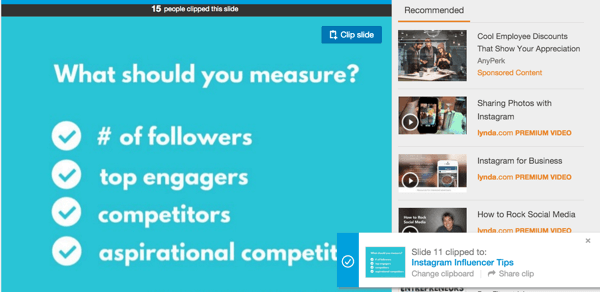
Once you're satisfied with the content you've curated, you'll want to organize your content to tell the story in a compelling way. Include some of your own slides in the clipboard to achieve some of your objectives. Then share it with your followers on social media.
If you want to see what a public clipboard looks like, you can check out Michelle Mazur: Presenting Tips & Tricks or Ann Handley: Content Marketing Truths.
#4: Link Mentions and Blog Content
From roundups to influencer quotes, content curation through blog posts is a tried and tested approach. The key is to differentiate yourself from the rest of the pack and make the most of those influencer mentions.
Whether you curate an ultimate resource guide, a series of quotes on a hot news story or a collection of informative posts on a topic that's relevant to your industry, be sure to include the Twitter username of everyone you source content from in your attribution.
Then paste the URL of your post into Notifier. As Notifier scans your article for mentions of those Twitter usernames, it will create a pre-filled tweet to let each source know you've mentioned them.
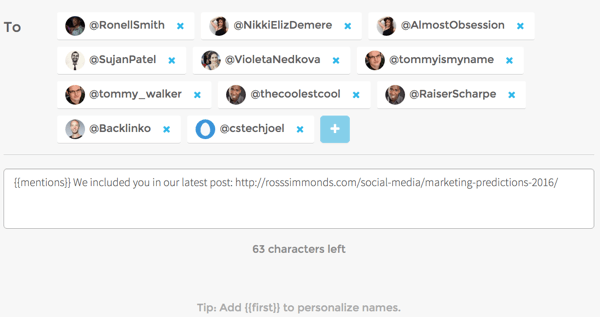
As you send each tweet, you effectively publish your curated content to Twitter because it includes a link back to your article.
Wrapping Up
Both content creation and curation have a role in content marketing. The number of companies and individuals who've been able to leverage this tactic successfully is growing.
If you want to build authority in your industry, you can establish yourself as a leader by curating only the best and most unique articles in a specific space. Take advantage of these tools and insights to propel your content curation to the next level.
What do you think? What tools are you using for content curation? How do you share and publish your curated content? Please share your thoughts and tips in the comments below!

Where Do You Actually Stand With AI?
Most marketers use AI, but they don't know what's holding them back from real results.
Our 3-minute quiz pinpoints the one gap keeping you stuck — and gives you the exact next step to fix it.
GET MY RESULTS






