by
by Wondering why your AI initiatives aren't delivering the results you expected? Struggling to move beyond basic chatbot experiments to real business transformation?
In this article, you'll discover a proven framework for connecting CustomGPT assistants to automation workflows.
How Combining AI With Workflow Automation Helps You
Traditional automation tools have existed for a long time—Isar Matis has been using Zapier since 2015—but they have historically been limited to moving data from one place to another. While useful, these workflows are rigid.
By integrating AI into these workflows, you can now build systems that not only move data but also analyze it and make decisions. This allows you to replace steps that previously required human intervention with AI, making the process faster and more cost-effective.
For example, consider an e-commerce business that receives orders via Shopify. The bulk of their customers are B2B, but they receive a small number of orders from B2C companies. A few times a month, one person manually goes through the orders to gauge whether a B2C customer qualifies as a B2B prospect. A standard workflow automation might simply notify that team member on Slack when a new order arrives.
However, by adding AI to the workflow, the system can research the company and compare it against your ideal customer profile (ICP) to determine whether the company is likely to order in a volume that makes it a viable B2B prospect, determine whether the current company contact is the right person (the decision-maker) for your sales team to speak to, and attach a summary of these details to your order notification.
This shifts workflow automation from a simple data transfer to a strategic business asset.
#1: Choose Your Automation Platform
To build these intelligent workflows, you need a platform that connects your various software tools (like Gmail, HubSpot, or Slack) with your AI model.
Make is an excellent entry point for most marketers. It features a visual, drag-and-drop interface that allows you to see the flow of data between applications. It connects to thousands of tools, like Gmail or Hubspot, just by entering your username and password.
n8n is a powerful alternative for those looking for more control or lower costs at scale. It is an open-source platform, meaning you can host it on a third-party server for a flat monthly fee (often around $5–$7 a month for hosting) rather than paying per task. This option also offers enhanced data security since you are not sending client data to a third-party automation vendor.
If you are intimidated by the technical aspects of connecting these tools—such as writing HTTP calls—you can use agentic browsers to bridge the gap. Isar uses tools like Comet (by Perplexity) or Atlas (by ChatGPT) that can “see” your screen and understand what you are trying to achieve.
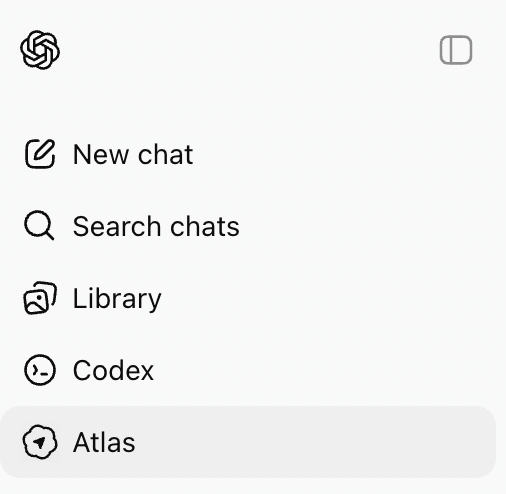
Instead of learning to code, you can open the Altas and say:
I'm trying to connect [this] to [this]; what do I do?
Atlas will research the necessary code and write it for you! This allows non-technical users to build sophisticated automations without writing a single line of code themselves.
#2: Build Your Dynamic OpenAI Assistant
Most people are familiar with the custom GPTs inside ChatGPT. These are great for repeatable tasks, but they require you to manually copy and paste information in and out of the chat interface.
Ready to Supercharge Your Marketing Strategy?

Get expert training and an unbeatable conference experience when you attend Social Media Marketing World—from your friends at Social Media Examiner.
Broaden your reach, skyrocket your engagement, and grow your sales. Become the marketing hero your company or clients need!
🔥 Save $770 on an All-Access ticket. Sale Ends Tuesday! 🔥
GET THE DETAILSTo automate this process so you aren't the human bottle-neck in the workflow, you need to build an Assistant. An Assistant is essentially a custom GPT you build that can “talk” directly to other software by using the OpenAI API and a connector like Make or n8n. Note: You pay for Assistants based on usage (tokens) rather than a flat monthly fee. The cost is generally negligible for text-based tasks—often costing less than $20 per month even for frequent use.
The setup of an Assistant is nearly identical to that of a custom GPT with one important distinction: The system instructions or knowledge base.
First, navigate to the OpenAI Platform dashboard and enter your credit card information.
Next, choose Assistant from the left side of the dashboard, click the create button and give your Assistant a clear name.
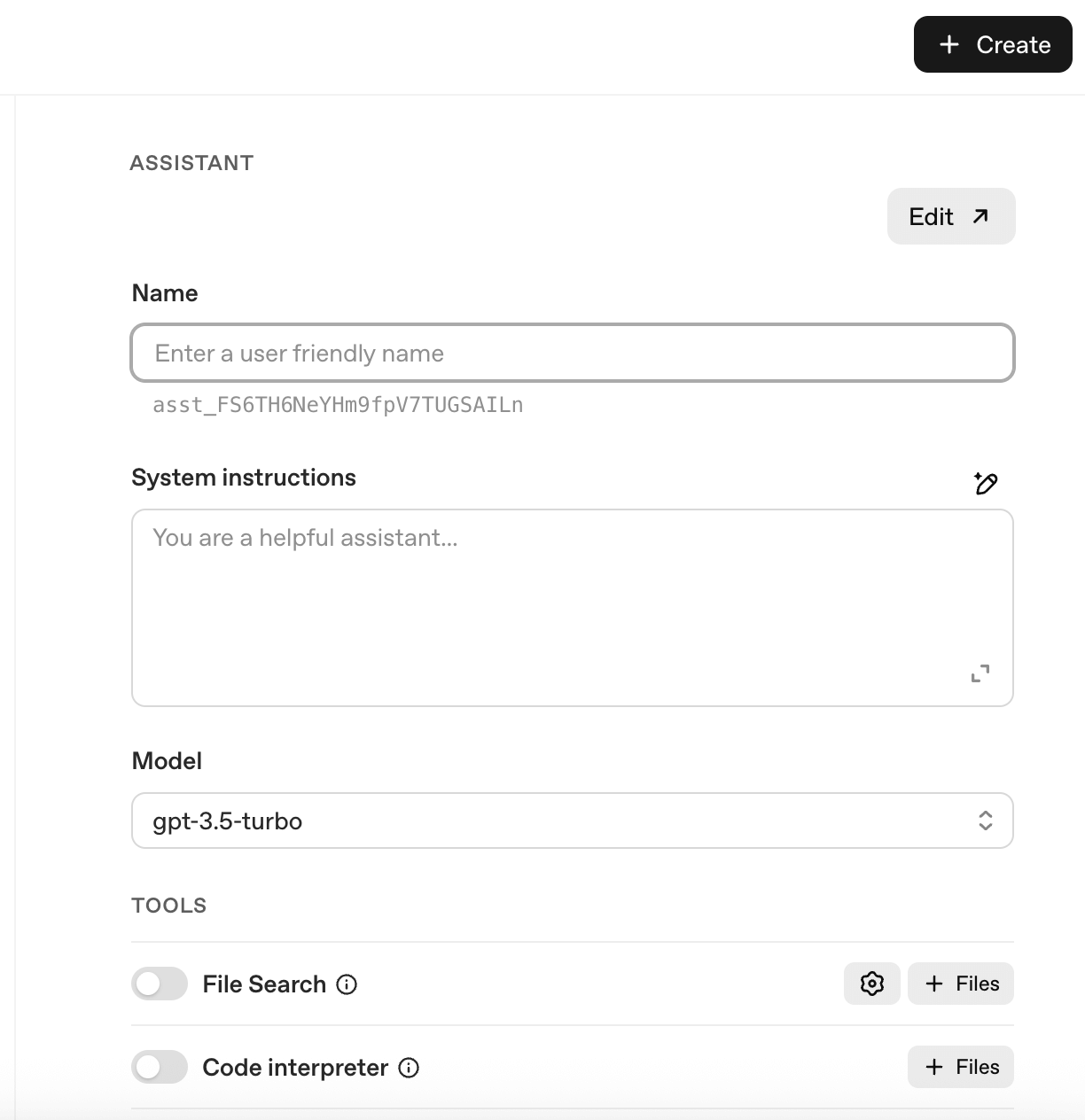
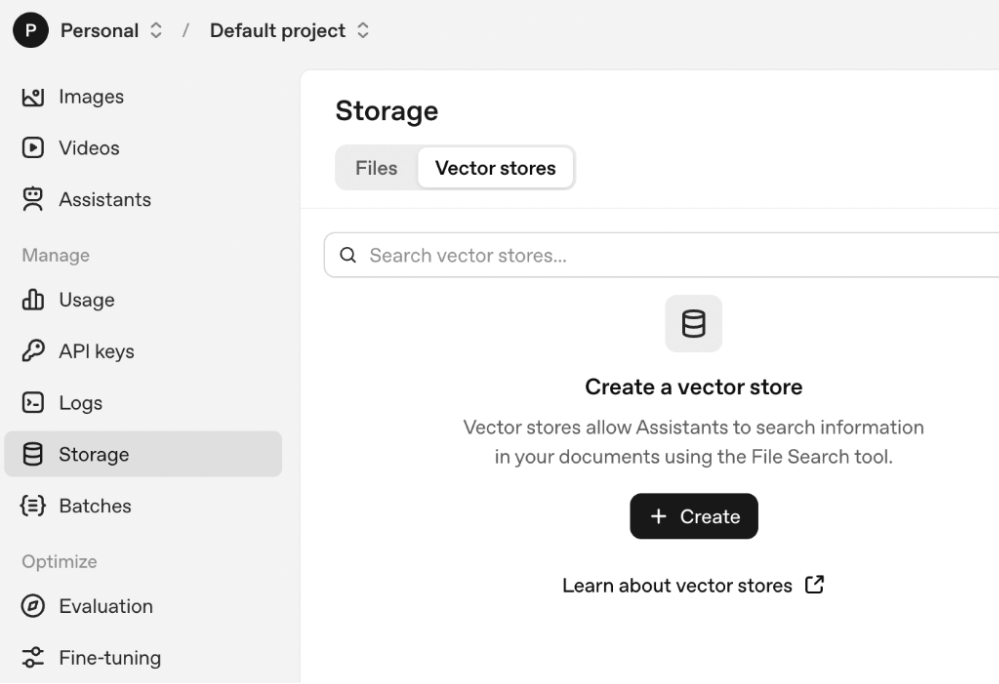
Now, provide a knowledge base of detailed system instructions on how your Assistant should behave. You can upload your system instructions directly to the Assistant but a powerful option to standard instruction upload is to create a Vector Store.
AI Is No Longer Optional for Marketers—Ready to Master It?

Join over a thousand forward-thinking marketers at AI Business World—a conference-in-a-conference at Social Media Marketing World.
Get two days of practical AI training where you'll discover:
✅ Systems that 3x your output—leaving time for strategy and creativity
✅ Proven strategies you can deploy right away—no guesswork, no wasted budget
Become the indispensable AI expert your company needs.
GET YOUR TICKETS—SAVE $270Think of a Vector Store as a dynamic folder where your Assistant looks for information. In a standard custom GPT, you upload static files. With a Vector Store and workflow automation, you can programmatically add, remove, or update files in that folder. This allows the AI to always reference the most current data without you needing to edit the instructions.
This is where you use Make or n8n to connect and direct the actions of things like Asana or Google Drive in your Assistant. What does this make possible?
Isar uses a workflow to automatically generate quizzes for his AI courses. Because the AI landscape changes monthly, he constantly updates his lessons and needs new quizzes to match the new lessons.
Here is how the automated workflow handles it:
He drops a new lesson transcript into a specific Google Drive folder. The automation detects the new file and uploads it to the Assistant's Vector Store so the Assistant has dynamic access to the new transcript. The Vector Store also permanently houses a Quiz Style Guide. The Assistant reads the new lesson, references the style guide to understand how Isar likes his questions written, and generates a new quiz. The automation saves the new quiz back to the Drive folder with the correct filename (e.g., Lesson1-Quiz.doc).
#3: Two Use Case Examples for AI-Enhanced Workflow Automations
The Content Repurposing and Review Workflow
While AI can handle complex decisions, it is wise to maintain human oversight for external communications. You never want an AI to post directly to social media or send a contract without review. You can integrate project management tools like Asana, Monday, or ClickUp into your automation to ensure quality control while still saving you significant time on drafting and formatting.
For example, a content repurposing workflow process might look like this:
- You publish a new blog post.
- The Assistant reads the post and uses your “Best Performing Posts” examples from the Vector Store to draft a LinkedIn post and a Tweet.
- The automation creates a review task in Asana containing the AI-generated drafts.
- A human reviews the draft, makes edits, and marks the task as complete.
- The completion of the task triggers the final step of the automation to schedule the post.
The Proposal Generator Assistant Workflow
A high-value application of this technology is automating sales proposals. Writing proposals is often a bottleneck for service-based businesses, but AI can do 90% of the work for you.
Here is how the workflow might be structured:
- You feed the Assistant a transcript of your client meeting (from a tool like Otter or Zoom) and the email exchange history.
- The Assistant references two key files: a Master Proposal Template containing every possible service option, and a Service Brochure describing benefits and deliverables.
- The instructions tell the Assistant to pick and choose only the relevant services discussed in the transcript and populate the template with details from the brochure.
- The system generates a near-complete proposal tailored specifically to that client's needs.
Isar Meitis is the founder of MultiplAI, an AI consultancy and training company. He is an AI strategist and educator who helps businesses implement AI strategies and is the host of the Leveraging AI podcast. Check out his AI Business Transformation Course. Follow him on LinkedIn.
Other Notes From This Episode
- Connect with Michael Stelzner @Stelzner on Facebook and @Mike_Stelzner on X.
- Watch this interview and other exclusive content from Social Media Examiner on YouTube.
Listen to the Podcast Now
This article is sourced from the AI Explored podcast. Listen or subscribe below.
Where to subscribe: Apple Podcasts | Spotify | YouTube Music | YouTube | Amazon Music | RSS
✋🏽 If you enjoyed this episode of the AI Explored podcast, please head over to Apple Podcasts, leave a rating, write a review, and subscribe.
Stay Up-to-Date: Get New Marketing Articles Delivered to You!
Don't miss out on upcoming social media marketing insights and strategies! Sign up to receive notifications when we publish new articles on Social Media Examiner. Our expertly crafted content will help you stay ahead of the curve and drive results for your business. Click the link below to sign up now and receive our annual report!

Want to Unlock AI Marketing Breakthroughs?
If you’re like most of us, you are trying to figure out how to use AI in your marketing. Here's the solution: The AI Business Society—from your friends at Social Media Examiner.The AI Business Society is the place to discover how to apply AI in your work. When you join, you'll boost your productivity, unlock your creativity, and make connections with other marketers on a similar journey.
I'M READY TO BECOME AN AI-POWERED MARKETER