by
by  If you could create and manage an entire video blog using nothing other than an iPhone, would you?
If you're interested in learning how to capture audio, pictures and video with nothing but an iPhone, keep reading.
Multimedia Content With an iPhone?
This is what I've been doing with my TalkingWithTom project this year. I've been interviewing digital thought leaders and then sharing those video interviews once a week.
And I'm creating the ENTIRE BLOG using just an iPhone.
The best part of the deal is I've learned a lot about what an iPhone can and cannot do. Along the way, my iPhone has become one of my favorite blog content creation tools.
In fact, I'm now using it in ways I had never envisioned when I purchased it last year.
In this article I'll share 5 tips and tricks that will help you use your iPhone for capturing audio, photographs and video.
Audio—Your Secret Blogging Weapon
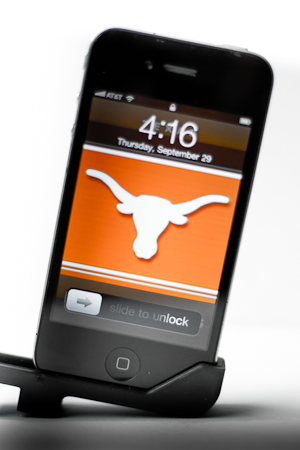
Since inception, the iPhone has come with a fine audio recording tool resident on the phone. Sure, there are lots of additional audio apps, but for a blogger's needs, the basic Apple Voice Memo app works just fine.
The problem though is with the microphone. It's just not that good. So my first two tips are about getting better sound.
#1: Small Directional iPhone Microphone
To ensure optimum audio, you need an external mic. For basic audio interviews where your intention is to use the entire iPhone like a microphone and point it at your interviewee while he or she speaks, pick up Brando Mini Directional mic.
This little gem is small, lightweight and perfect for conducting one-on-one interviews at conferences and meet-ups.
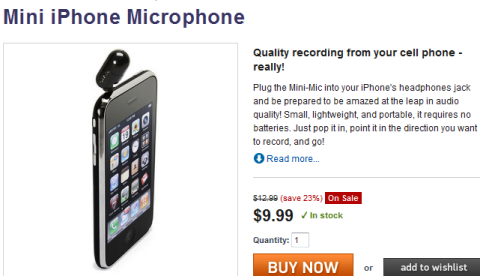
You'll like this mic because it is small enough to comfortably carry in your pocket and then just snap it into to the headphone jack when you're ready to record. Then just point the mic in the direction of your subject and start recording.
What you'll get is audio that is much better in terms of volume and clarity. BUT—what I find is that it amps up ALL of the audio. So, while it is directional, you still need a pretty quiet place to record.
#2: Professional Microphone Adapter
If you want to the ability to record higher-quality audio in spaces that generate more noise (conferences/restaurants), you'll need a professional-grade microphone. The problem is, the iPhone can't accept regular microphones that use the standard 3.5mm jack.
Get World-Class Marketing Training — All Year Long!
Are you facing doubt, uncertainty, or overwhelm? The Social Media Marketing Society can help.
Each month, you’ll receive training from trusted marketing experts, covering everything from AI to organic social marketing. When you join, you’ll also get immediate access to:
- A library of 100+ marketing trainings
- A community of like-minded marketers
- Monthly online community meetups
- Relevant news and trends updates
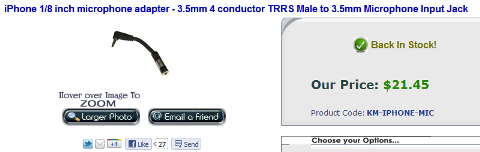
To solve the iPhone's microphone incompatibility problem, you'll need to buy a KV Connection iPhone Microphone Adapter. It will run you about $20. With it, you can attach any microphone (that has a 3.5mm plug) to the iPhone—this includes wireless lavaliere microphones like the one I use for all of my stuff.
Photographs: Moving Beyond Instagram
Easily the biggest advancement in the iPhone4 was the camera. With the iPhone4, you can actually shoot pretty decent photographs and HD video. But if you really want to kick it up a notch you need a few extra toys.

Discover Proven Marketing Strategies and Tips
Want to go even deeper with your marketing? Check out the Social Media Marketing Podcast! Publishing weekly since 2012, the Social Media Marketing Podcast helps you navigate the constantly changing marketing jungle, with expert interviews from marketing pros.
But don’t let the name fool you. This show is about a lot more than just social media marketing. With over 600 episodes and millions of downloads each year, this show has been a trusted source for marketers for well over a decade.
#3: External iPhone Lenses
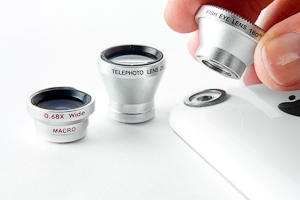
Invest in a few iPhone external lenses. I carry this set with me all the time. It contains fish-eye, macro, telephoto and wide-angle lenses.
With these lenses, you can create iPhone pics that don't look like iPhone pics.
For instance, the wide-angle lens will easily add a few feet of image left and right, creating more of a 16:9 ratio vs. the more standard 4:3 ratio. This can be especially good if you're shooting outdoor scenes, like for a travel blog or video, and you want a more cinematic effect.
The macro lens is great to shoot really small stuff up close or to create that “blown out background” effect.
And if you want to create some really off-the-charts–looking photos and videos, attach the fish-eye lens and get some cool effects.
But lenses can only take you so far.
#4: Photo Retouching Apps
My go-to app for on-phone retouching is Photogene. The app lets you crop, alter colors, reduce the “noise” in a photo and basically take a normal shot and make it look pretty darn cool.
So if you're running a food, travel or hotel blog, where pictures really are worth a thousand words, you might want to consider exploring the entire list of photo retouching apps in the app store.

Video: Are you the next Spielberg?
Probably my favorite use of the iPhone (at least for blog content creation) is the video capabilities of the phone. While Apple's built-in video recording tool will give you basic trimming capabilities, you'll have to spend a few bucks to bring the world of video editing to your phone.
For all of my videos, I've used iMovie. It's easy to trim, split and edit clips. You can add a voice-over or soundtrack, even insert title slides (JPEGS) or in my case, sponsor slides, and apply titles and transitions—all on the phone.
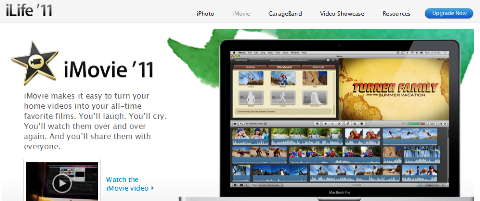
Then you can render and publish directly to YouTube, Vimeo, Facebook, CNNiReport (for which they even offer a video template for titles and such) or just send it to your camera roll to be imported to your computer.
If you're a big Vimeo user, Vimeo came out with an editing app, but thus far, I've found it a bit buggy.
#5: Zoom During Video Recording
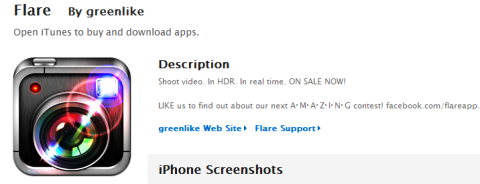
Lastly, if you are shooting in a place where you just can't get good lighting, try picking up the Flare app which also gives you the ability to zoom while you record video (can't do that in the iPhone's native video app) as well as apply HDR effects, etc.
Well that's it… 5 simple tricks that will help you turn your iPhone into the multimedia production studio it was meant to be so you can have better blog content.
What do you think? Do you have any tips for using your iPhone to create better blog content? Leave your comments in the box below.
Attention Agency Owners, Brand Marketers, and Consultants

Introducing the Marketing Agency Show–our newest podcast designed to explore the struggles of agency marketers.
Join show host and agency owner, Brooke Sellas, as she interviews agency marketers and digs deep into their biggest challenges. Explore topics like navigating rough economic times, leveraging AI, service diversification, client acquisition, and much more.
Just pull up your favorite podcast app, search for Marketing Agency Show and start listening. Or click the button below for more information.