by
by  Are you a busy social media marketer?
Looking for tools that will save you time?
Using the right tools to stay focused and work more efficiently will help you get more done in a day.
In this article you'll discover nine productivity tools for busy marketers.

Listen to this article:
Where to subscribe: Apple Podcasts | Spotify | YouTube Music | YouTube | Amazon Music | RSS
#1: Save Content Inspiration for Later
Use Evernote to create a journal of content ideas and inspiration sources. With text, audio and image options, you can type, dictate or snap an image of whatever has caught your eye.
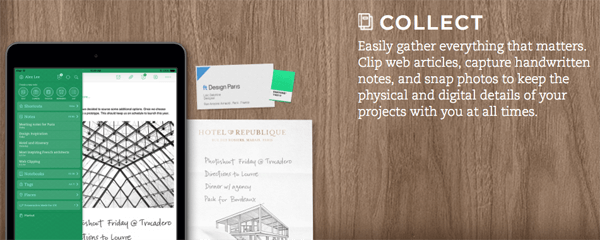
Evernote syncs with all of your devices, so you'll have access to it wherever you are. Reach for it when you're feeling stuck for content ideas.
#2: Block Distracting Websites
Throughout the course of a day, we have distractions coming at us from a variety of directions. If you intend to spend just a few minutes on Pinterest, only to end up spending half a day looking at recipes, you need Cold Turkey.
Use Cold Turkey to group distracting sites, such as social and news sites, and then block them off for certain time periods.
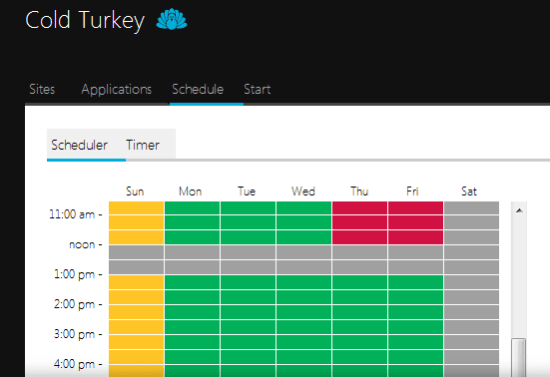
Remember, if you're a social media manager who uses native websites to schedule your messages, this probably isn't the app for you.
The app works great when you're putting off real work, like drafting your next blog post or newsletter or creating a report for your boss. Set it up for an hour or two and allow yourself some time to write distraction-free.
#3: Create Canned Email Responses
Do you get a lot of similar emails from customers, such as questions about your return policy or other support-related questions? Save yourself some time and effort with the Canned Responses add-on in Gmail. Rather than write a new response every time, you can save an email as a canned response and use it over and over again.
What's great about this feature is that it's not a simple auto-responder that feels robotic and soulless. You can edit canned responses to personalize them for a particular recipient or tailor your answer to a question.
To access it, go to your Gmail Inbox and click on the gear icon and select Settings. Then click on the Labs tab to find Canned Responses and select Enable.
Ready to Supercharge Your Marketing Strategy?

Get expert training and an unbeatable conference experience when you attend Social Media Marketing World—from your friends at Social Media Examiner.
Broaden your reach, skyrocket your engagement, and grow your sales. Become the marketing hero your company or clients need!
🔥 Save $800 on an All-Access ticket. Sale Ends Friday! 🔥
GET THE DETAILS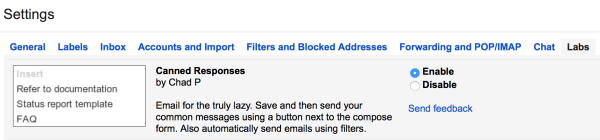
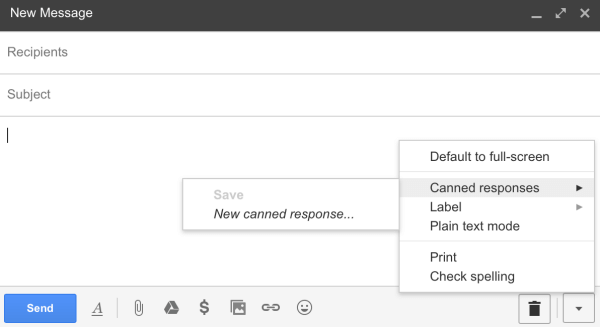
Now you can save or access your canned responses in the lower-right corner of the New Message window.
#4: Secure Account Log In Credentials
Do you keep a list of all of your passwords for emails, websites, social media platforms and third-party apps and tools? Is that document really safe? What if you're on the go and can't remember your password for a site?
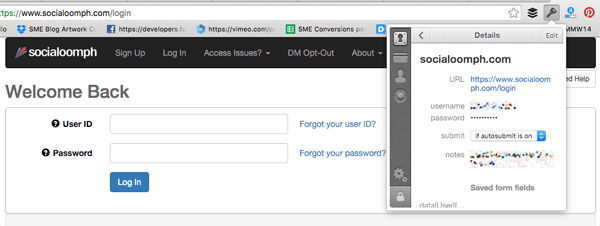
1Password is the solution for protecting your passwords and giving you quick access to them. The app will store your passwords securely, and autofill them whenever you need them. It's available for Mac, Windows, iOS and Android and as a browser extension.
AI Is No Longer Optional for Marketers—Ready to Master It?

Join over a thousand forward-thinking marketers at AI Business World—a conference-in-a-conference at Social Media Marketing World.
Get two days of practical AI training where you'll discover:
✅ Systems that 3x your output—leaving time for strategy and creativity
✅ Proven strategies you can deploy right away—no guesswork, no wasted budget
Become the indispensable AI expert your company needs.
GET YOUR TICKETS—SAVE $300#5: Automate Recurring Tasks
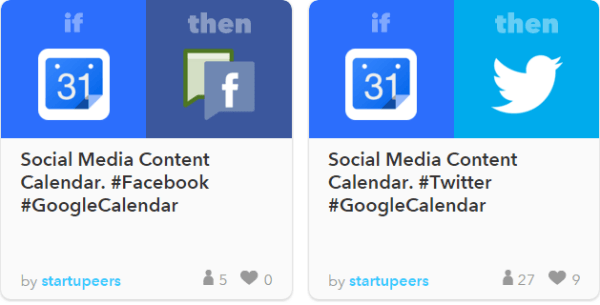
Think about all of the repetitive and mechanical tasks you do in the course of a day. Then delegate those tasks to IFTTT and free up your time to focus on bigger things.
You can choose from a huge list of social media recipes or create your own. Maybe you want to build a Twitter list for a specific hashtag or get an email notification when someone mentions your business in a tweet.
#6: Find and Attribute Images
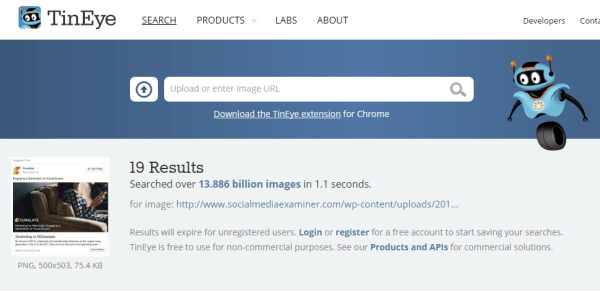
Do you spend a lot of time looking for images online? Have you ever tried to hunt down one specific image? Whether you followed a dead end link or are looking for attribution information to credit an original source, TinEye can help. Use the TinEye browser extension to do a reverse image search and find the original source of any image.
#7: Create Tasks From Emails
We're all bombarded with emails asking us to do things and complete tasks. You're likely overwhelmed with the sheer volume of email you receive and the challenge of trying to stay on top of requests.
If you're using Gmail, you can create to-do items right from your email messages. After you open a message, click the More button and select Add to Tasks from the drop-down menu. This adds your new task to a Google to-do list.
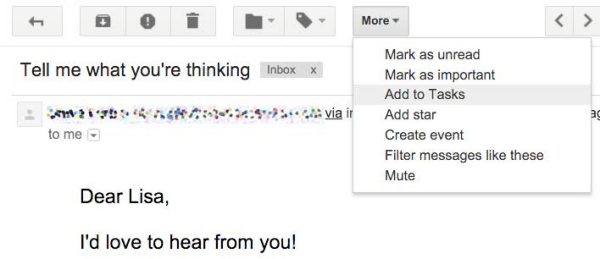
You also have the option to set deadlines for your tasks. Welcome to a more organized way to handle email requests.
#8: Analyze Websites Apps
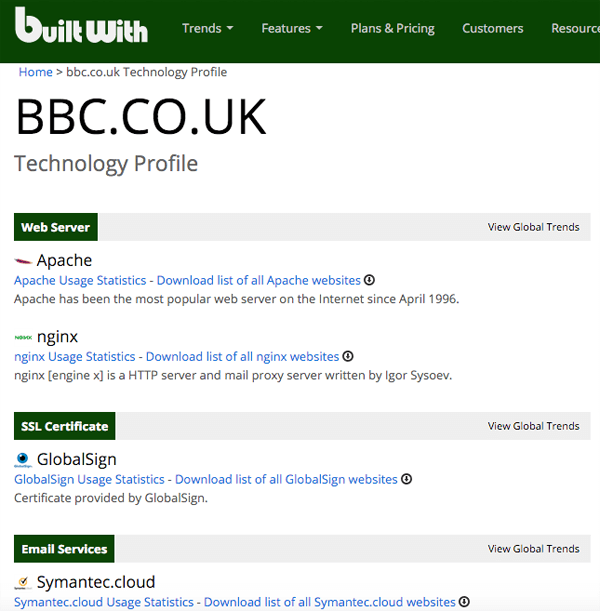
Have you ever stumbled across a website that uses amazing apps, like beautiful opt-in boxes or social share buttons, that you'd like to use on your own blog? When you use the BuiltWith browser extension, you can get a list of every app a website is using, so you can save time looking for those apps yourself.
#9: Discover Social Footprints for Influencers
Rapportive is a Gmail plugin that will display social connection information about your contacts.
Suppose you're exchanging emails with someone and want to look at his social profiles to see his interests or professional background. Install Rapportive and you can see a person's social profiles right in your inbox.
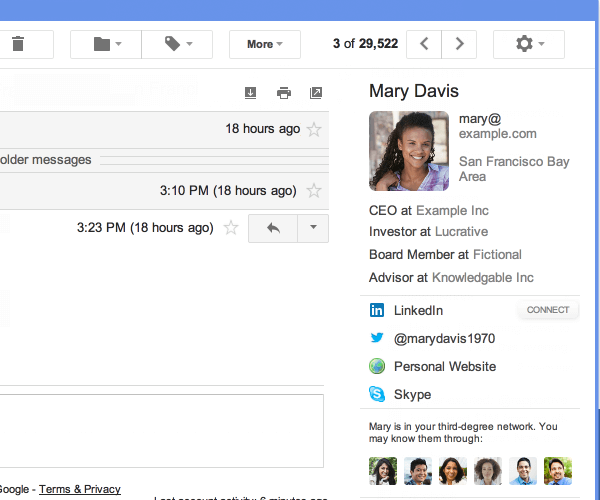
Another way to use Rapportive is to reverse-engineer an email address. Suppose you've identified a blogger and want to email her, but you can't find her email contact information on her social profiles. Open a new message window and start typing your best guess. If her social profile pops up, you know your guess was right and now you have her email address.
One word of advice: This works when people are registered with that email on their social networks. If they used a different email to register on Twitter or LinkedIn, you're out of luck. Fortunately, this approach works most often and saves you time looking around.
Conclusion
Implementing these tips will free up your time and brainpower to focus on marketing tasks that really matter.
What do you think? Do you use any of these tools? What tips and tricks do you have for increasing productivity? Please share them in the comment section below.


Want to Unlock AI Marketing Breakthroughs?
If you’re like most of us, you are trying to figure out how to use AI in your marketing. Here's the solution: The AI Business Society—from your friends at Social Media Examiner.The AI Business Society is the place to discover how to apply AI in your work. When you join, you'll boost your productivity, unlock your creativity, and make connections with other marketers on a similar journey.
I'M READY TO BECOME AN AI-POWERED MARKETER